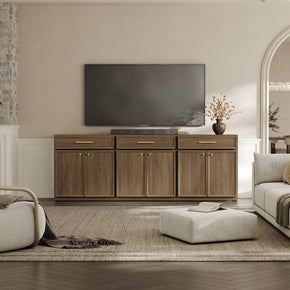
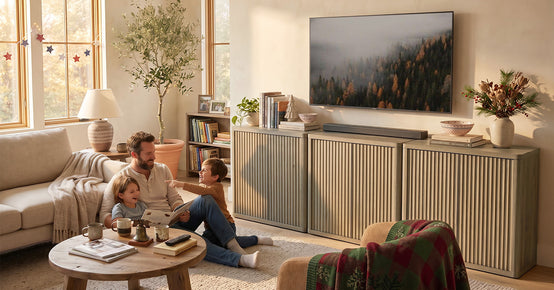
A TV stand can hold your television perfectly and still be the wrong furniture for your consoles. The screen sits on top, where there is always room. The PS5, the Xbox, the Switch dock, the router and the power brick all go inside, where the space is smaller than the exterior suggests and the air does not move.
That is the mistake worth avoiding. A stand advertised for a 65-inch or 100-inch TV tells you about the screen relationship and nothing about the compartments. Measure the gear first. Then compare
TV stands with media storage by what is actually usable inside them.
Quick Answer
Choose a TV stand for a gaming setup by measuring the consoles, not the television. Check each PS5, Xbox, or Switch dock in the orientation you plan to use, then compare those measurements against usable compartment space while keeping the console maker’s ventilation guidance intact and leaving room for cables at the back. Open or well-ventilated areas make heat easier to manage. Closed storage is better used for controllers and accessories unless the console compartment’s airflow has been verified.
Start With Your Gaming Hardware, Not the TV Stand

The space requirement comes from the equipment. Work out what has to live in the furniture before you look at a single listing, because a stand that suits one console rarely suits four.
Furniture for organized entertainment spaces only works when the storage was matched to the devices going into it.
List Every Device That Needs a Permanent Home
-
PS5 or PS5 Pro
-
Xbox Series X or Series S
-
Nintendo Switch dock
-
Streaming box
-
Controller charging dock
-
External storage drive
-
Wi-Fi router, if it lives in this room
-
AV receiver, if you run one
Decide Which Consoles Stay Connected
Some devices get plugged in once and never move. Others come out weekly. People with three or four systems swap HDMI inputs, pull consoles for a friend’s house, and reach behind the furniture far more often than a single-console household does.
That distinction changes the furniture. A permanently installed console can sit in a harder-to-reach spot. A console you handle every week needs a compartment you can get behind without emptying the shelf above it.
|
Device
|
Orientation
|
Permanent or swapped
|
Rear cables
|
Ventilation priority
|
|
|
|
|
|
|
|
|
|
|
|
|
|
|
|
|
|
|
|
|
|
|
|
|
Blank planning table for the reader to fill in.
Measure Your Exact PS5, Xbox, and Other Consoles

Console-sized is not a measurement. Body sizes differ between generations of the same machine, and orientation changes which number matters.
PS5 Dimensions Depend on the Model
Three PlayStation 5 bodies are in circulation and they are not interchangeable for fit purposes. Sony published the original at roughly 390 by 104 by 260 mm. The
current slimmer PS5 is about 358 by 96 by 216 mm, and the
PS5 Pro is roughly 388 by 89 by 216 mm. Measure the console you own rather than working from a number you read once.
Xbox Series X Changes Its Space Requirement When Rotated
Microsoft lists the
Xbox Series X at about 15.1 by 15.1 by 30.1 cm, which is 5.9 by 5.9 by 11.9 inches. Standing upright it needs roughly 12 inches of compartment height. Laid on its side it needs about 12 inches of width instead. Same console, two completely different openings, and vertical is not automatically the better choice inside furniture.
Smaller Devices Still Need Cable Space
A Switch dock is small, around 6.9 inches wide by 4.1 inches tall by 2.0 inches deep, but it still needs a power lead and an HDMI cable leaving the back. Streaming sticks, charging docks and external drives are the same story. They take almost no shelf space and more cable space than people plan for.
|
Device
|
Published body size
|
US equivalent
|
|
PS5, original
|
390 × 104 × 260 mm
|
15.4 × 4.1 × 10.2 in
|
|
PS5, slimmer model
|
358 × 96 × 216 mm
|
14.1 × 3.8 × 8.5 in
|
|
PS5 Pro
|
388 × 89 × 216 mm
|
15.3 × 3.5 × 8.5 in
|
|
Xbox Series X
|
15.1 × 15.1 × 30.1 cm
|
5.9 × 5.9 × 11.9 in
|
|
Switch OLED dock
|
—
|
6.9 W × 4.1 H × 2.0 D in
|
Use the Gaming Cubby Fit Test Before Buying
Five checks, applied to each compartment that will hold a device. A compartment has to pass all five, not four.
|
Test
|
Question to ask
|
Failure sign
|
|
Body fit
|
Does this exact console fit in the orientation I will use?
|
The device only fits diagonally or at an angle
|
|
Airflow
|
Does the compartment keep the manufacturer’s placement guidance intact?
|
Vents face a solid panel or sit close to one
|
|
Cable fit
|
Can power, HDMI, Ethernet and USB leave without being pressed flat?
|
The console has to sit forward of the shelf to close the plug gap
|
|
Access
|
Can I reach the power button, disc slot, front ports and rear plugs?
|
Another device has to come out first
|
|
Expansion
|
Can I add one more device without compromising airflow?
|
Every compartment is already full
|
Body fit is the check most people run. Access and expansion are the ones that decide whether you still like the furniture a year later.
Give PS5 and Xbox Enough Airflow
Physical fit and thermal suitability are separate tests, and the second one is set by the console maker rather than the furniture maker.
Follow PS5 Ventilation Guidance
Sony’s
ventilation guidance for the PS5 asks owners to leave free space around the console, references at least 10 cm, roughly 4 inches, of clearance from a wall surface, and says not to use the console in a narrow or cramped location or a closed cabinet. It also says to keep the vents clear and free of dust. Those are placement instructions, not suggestions, and they take priority over any furniture description.
Follow Xbox Ventilation Guidance
Microsoft’s instructions on how to
position and ventilate the console call for a well-ventilated location with the vents unobstructed. Check the current page for any numeric clearance figure before you rely on one, since the guidance is worded around open placement rather than a single measurement.
Cable Holes Are Not the Same as Ventilation
This is the substitution that causes trouble. A back panel with two or four cable openings is designed to pass wires through. It is not a ventilation system, and a listing that mentions cable management is not making a thermal claim. Judge airflow by how open the compartment actually is, where the vents end up facing, and what the console maker says about enclosed placement.
The same caution applies to slatted, fluted and rattan door fronts. A perforated panel can allow more air movement than a solid one. Can is the operative word. It does not turn a closed compartment into an open one, and nobody has published test data saying otherwise.
Avoid Packing Multiple Heat-Producing Consoles Together
Two machines sharing one cubby means each is exhausting into the other’s intake area. Give each console its own zone where the furniture allows it, keep the vent faces pointed at open space, and follow each manufacturer’s guidance separately rather than averaging them.
Check Usable Shelf Depth, Not Just TV Stand Depth

Exterior depth is the number on the listing. Usable internal depth is the number your console has to live in, and it is always smaller.
Exterior Depth Can Overstate Usable Depth
Depth gets consumed by the back panel, the cabinet front, door thickness, hinge hardware, shelf lips and internal structure. On a stand listed at 15.5 inches deep, the space a console actually occupies is meaningfully less, and product pages rarely publish the internal figure.
Leave Room for HDMI, Power, and Ethernet Connections
Plugs and connector housings stick out behind the console, and stiff HDMI cables need a bend radius rather than a right angle. There is no universal allowance to quote, so measure your own cable ends and add that to the console depth before comparing anything.
Check the Furniture-to-Wall Relationship
A cable can fit inside the cabinet and still get crushed once the stand is pushed back against the wall. Baseboards, outlets and plug housings all sit in that gap. Decide how far from the wall the stand will actually sit, then check whether the console still meets its clearance guidance in that position.
Cross-link note for the editor: this section stays tied to console fit. The standalone TV stand depth article owns the broader topic.
Adjustable Shelves Make Multi-Console Layouts Easier
Shelf Height Determines Console Orientation
An Xbox Series X standing upright wants roughly 12 inches of clear opening height. A PS5 laid flat wants far less height and much more width. A fixed shelf at the wrong position rules out one of those layouts entirely, which is why adjustment positions matter more than shelf count.
Adjustable Shelves Help When Hardware Changes
Consoles get replaced roughly every few years and rarely in the same shape. Shelves you can move, or remove, let one piece of furniture survive that. Removable shelves also solve the tall-device problem that fixed cubbies create.
Verify Shelf Load Ratings Separately
A stand rated for a large television is telling you about the top surface. Per-shelf capacity is a different specification, and unless it is published, treat it as unknown rather than assuming the shelves match the top.
Plan Cable Management for Access, Not Just Appearance

Tidy is easy. Serviceable is the harder requirement, and it is the one multi-console owners actually care about.
Give Each Console a Logical Cable Path
One console, one route, from the device to its opening to the power source. Cables that cross between compartments turn every future change into an untangling job.
Keep Frequently Changed Connections Reachable
Label both ends of every HDMI cable. Use reusable hook-and-loop straps instead of pulling zip ties tight. Leave enough slack that a console can be drawn forward without unplugging its neighbors. If you swap systems regularly, that slack is worth more than a perfectly flat cable run.
Check the TV’s HDMI Port Location
Ports on the back of a television point either straight back or out to one side, and that decides which end of the stand is convenient for which device. Worth checking before you settle the layout, because it can quietly overrule the plan you drew.
Keep Cables Away From Console Vents
A tight coil of surplus cable parked behind an exhaust vent is an obstruction. Route surplus off to the side, in an area with nothing venting into it.
Decide What Belongs in Open Shelves and What Belongs Behind Doors
Sort by job, not by looks. Some of this equipment produces heat while it runs. Most of it does not.
Open Areas Work Better for Devices That Need Airflow
Running consoles and AV receivers are the candidates for open shelving, subject to fit and each maker’s placement guidance. Open compartments also make ports reachable and vents easy to dust, which is the maintenance point most guides skip.
Closed Storage Works Well for Accessories
-
Controllers not currently charging
-
Game cases and physical media
-
Spare HDMI and power cables
-
Headsets
-
Adapters and dongles
Closed Console Compartments Need Separate Verification
If a running console has to go behind doors for household reasons, and plenty of homes have that constraint, then the compartment needs verified openings and the console maker’s guidance still applies. A rattan or slatted front is not the verification. Neither is leaving the door slightly ajar.
Cross-link note for the editor: the doors-versus-drawers article owns that comparison in full.
Think Twice Before Hiding the Router Inside the Cabinet
The router belongs to the gaming setup, which is why it usually ends up in the same cabinet. Its needs are different. Google’s
Wi-Fi device placement guidance recommends keeping equipment off the floor, in the open, and away from objects that block the signal. That guidance is written for Nest hardware and does not transfer identically to every router, but the principle holds well enough to be worth applying: an enclosed lower compartment is a poor default for the one device in the stack that has to broadcast through the furniture.
Put it on the open top surface or a shelf with a clear line out of the cabinet. Then give the enclosed space to something that does not care.
Leave Room for Controllers, Headsets, Games, and Future Consoles

Keep Frequently Used Controllers Accessible
Controllers get picked up daily. A shallow open shelf or a drawer at the front beats a deep cabinet behind a console.
Separate Inactive Cables
Spare cables, old adapters and the box of dongles do not belong in the same compartment as running hardware. They fill the space that airflow needs and they make the console harder to reach.
Leave One Flexible Storage Zone
Keep one compartment genuinely empty. A capture card, a new console, a streaming box or a second charging dock will want it, and a setup with no slack forces a compromise on airflow the first time something new arrives. If your device list is already long,
modular TV storage for an expanding setup is one way to add capacity later without replacing the whole unit.
Which SICOTAS TV Stand Features Matter Most for Gaming?
Applying the five checks to real listings shows how far published specifications go, and where they stop.
Savanna TV Stands With Shelves
This
TV stand with adjustable open shelving measures 59 inches wide by 26 inches high by 15.5 inches deep, weighs 82 pounds, is built from engineered wood, and has no drawers. In answer to a customer question, SICOTAS states the internal width of the middle section is 23 inches and each of the two end sections is 15 inches wide.
Those internal widths are the useful part, because you can do arithmetic with them. An original PS5 laid flat is about 15.4 inches on its long side, so it will not sit across a 15-inch end section, while the 23-inch middle section has width to spare. An Xbox Series X on its side needs roughly 12 inches, which either section can take on width alone. Internal depth and opening height are not published, so both still need checking against the device before anyone calls this a console fit.
Worth knowing: asked whether an electric fireplace insert could be fitted, SICOTAS advised against it, citing heat dissipation and the effect of high temperatures on the cabinet. That is the brand’s own position on running heat sources inside this unit, and it is a fair reason to keep a hot console in the open middle bay rather than behind a door.
Cas 65-Inch TV Stand With Cable Management
Listed at roughly 61 inches wide, 29.5 inches high and 15.5 inches deep in engineered wood, this
TV stand with cable-management storage puts cable routing in its name. Useful signal, limited proof. The name tells you wire management was designed in. It does not establish compartment dimensions, opening height, or whether a specific console fits, and it makes no ventilation claim. Check the internal openings before assuming either.
Savanna Four-Door TV Stand
Collection data lists this
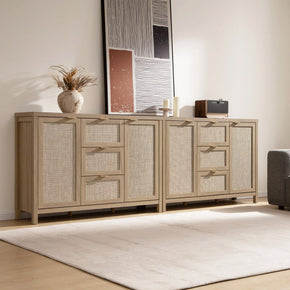
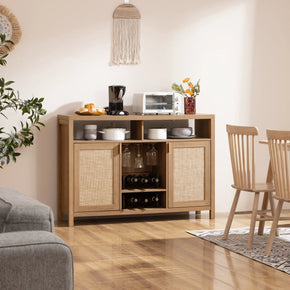
media console with four doors at approximately 61.5 by 25 by 15.6 inches with two adjustable shelves and four cable holes. It is the closed-storage end of the comparison, and a good fit for controllers, cases, headsets and spare cables. For a running console, the enclosed compartments would need verified openings and verified airflow first. The door style does not settle that question.
Compare Gaming-Friendly TV Stand Features

|
SICOTAS option
|
Verified gaming-relevant features
|
Best use case
|
What still needs verification
|
|
Savanna TV Stands With Shelves
|
59 × 26 × 15.5 in; 82 lb; engineered wood; internal sections 23 in centre and 15 in each end
|
Open device bay with the widest published internal section
|
Internal depth, opening height, shelf positions, per-shelf rating, cable-opening size
|
|
Cas 65-Inch TV Stand
|
Approx. 61 × 29.5 × 15.5 in; engineered wood; cable management in the product design
|
Wider footprint where cable routing is the priority
|
Internal compartment dimensions, opening height, rear openings, shelf rating
|
|
Savanna Four-Door TV Stand
|
Approx. 61.5 × 25 × 15.6 in; two adjustable shelves; four cable holes
|
Concealed accessory storage
|
Closed-compartment airflow, usable openings, door clearance, shelf rating
|
No entry here says best for PS5 or Xbox, because the published data does not support that claim for any of them.
Gaming TV Stand Checklist
-
I measured my exact console model, not a generic figure
-
I decided the orientation each device will use
-
I checked internal compartment dimensions, not just exterior depth
-
Each heat-producing console meets its maker’s placement guidance
-
Plug housings and cable bends have usable rear space
-
Cable openings line up with the shelves the devices sit on
-
No cable run crosses a vent face
-
Adjustable shelf positions create the openings I need
-
Per-shelf load rating checked where published
-
I can reach every port without removing another device
-
Frequently swapped cables stay accessible
-
Controllers, cases and headsets have their own storage
-
The router is not buried in a closed lower compartment
-
One compartment is left free for future hardware
Find a TV Stand That Fits the Whole Gaming Setup
Measure the consoles, map the airflow, work out the cable routes, then shop. Once you know the openings you need,
compare SICOTAS TV stands by exterior dimensions, shelf layout, adjustable storage and cable-management features, and treat any specification the page does not state as a question to ask before you order.
FAQs
Can you put a PS5 inside a TV stand?
Only in an open or genuinely well-ventilated compartment. Sony’s guidance says not to use the console in a closed cabinet or a narrow, cramped location, and to leave free space around it. So the answer depends on the compartment rather than the furniture as a whole. An open bay on a media console can work. A sealed cubby behind a door does not meet the guidance, whatever the door is made of. Check the compartment, not the product name.
How much ventilation does a PS5 need?
Sony references at least 10 cm, about 4 inches, of free space from a wall surface, along with keeping the vents unobstructed and free of dust. Treat that as the floor rather than a target, and remember it applies to the space around the console in its actual installed position, including behind it once the stand is pushed back against the wall. Dust build-up on the vents matters too, which is a reason to keep the console reachable.
Can an Xbox Series X go inside an entertainment center?
Yes, if the compartment is well ventilated and the vents stay clear. Microsoft’s placement guidance is built around open, well-ventilated locations rather than enclosed ones. A Series X standing upright also needs roughly 12 inches of clear opening height, which many media cubbies do not have, so fit and airflow often fail together on this console.
How much clearance does an Xbox Series X need?
Microsoft states the requirement as a well-ventilated position with unobstructed vents rather than a single number. Check the current Xbox support page before relying on a specific figure, and in the meantime plan for open space above the top vent and around the intakes. Where guidance is qualitative, the safe reading is more open space rather than less.
How deep should a TV stand be for gaming consoles?
Deep enough for the console body plus its plug housings plus the airflow its maker asks for, measured inside the compartment. Build it up:
-
Console depth in the orientation you will use
-
Plus the connector and cable-bend space behind it
-
Plus the free space the manufacturer specifies
Then compare that total against usable internal depth, not the exterior figure on the listing. Exterior depth loses space to back panels, doors, hinges and shelf structure.
Is open shelving better than a closed cabinet for PS5 and Xbox?
For running consoles, generally yes. Open bays make ventilation, port access and dusting easier, and they align with what both console makers say about placement. Closed cabinets earn their place with accessories: controllers, cases, headsets, spare cables. If a household needs a console behind doors for safety or appearance reasons, the compartment openings and airflow have to be verified first.
Are adjustable shelves important for a gaming TV stand?
They are the feature most likely to keep the furniture useful. An upright Series X and a flat PS5 want very different opening heights, and a fixed shelf at the wrong position rules one of them out. Adjustable or removable shelves also absorb the next console, which will not be the same shape as this one. Check the actual adjustment positions rather than the shelf count, and look at what SICOTAS publishes for
living-room furniture for an entertainment area when comparing formats.
Where should a Wi-Fi router go in a gaming setup?
In the open, off the floor, with as little furniture as possible between it and the rooms you use. Google’s placement guidance for its own Wi-Fi hardware recommends an open, unobstructed spot rather than a hidden one, and the underlying principle applies broadly even though the specifics are brand-dependent. The top surface of a media console or an open shelf usually beats a closed lower cabinet. Give the enclosed space to something that does not need to transmit.