







How Deep Should a TV Stand Be? A Guide for Consoles, Cables, and Ventilation
TeamSICOTAS
TeamSICOTAS
0 comment

How Deep Should a TV Stand Be? A Guide for Consoles, Cables, and Ventilation

The spec sheet lies — politely, but it lies. A stand that claims 16 inches of depth won't hand you 16 inches of working room. Doors, back panels, stubborn cables, heat — all skim their share. So work from the inside out: deepest device first, then everything else on top.
Get the math right and the setup falls into place. Get it wrong and you'll buy the stand twice. The worksheet near the end boils all of this down to one number. Trust it.

The Quick Answer: 14 to 17 Inches, With One Condition

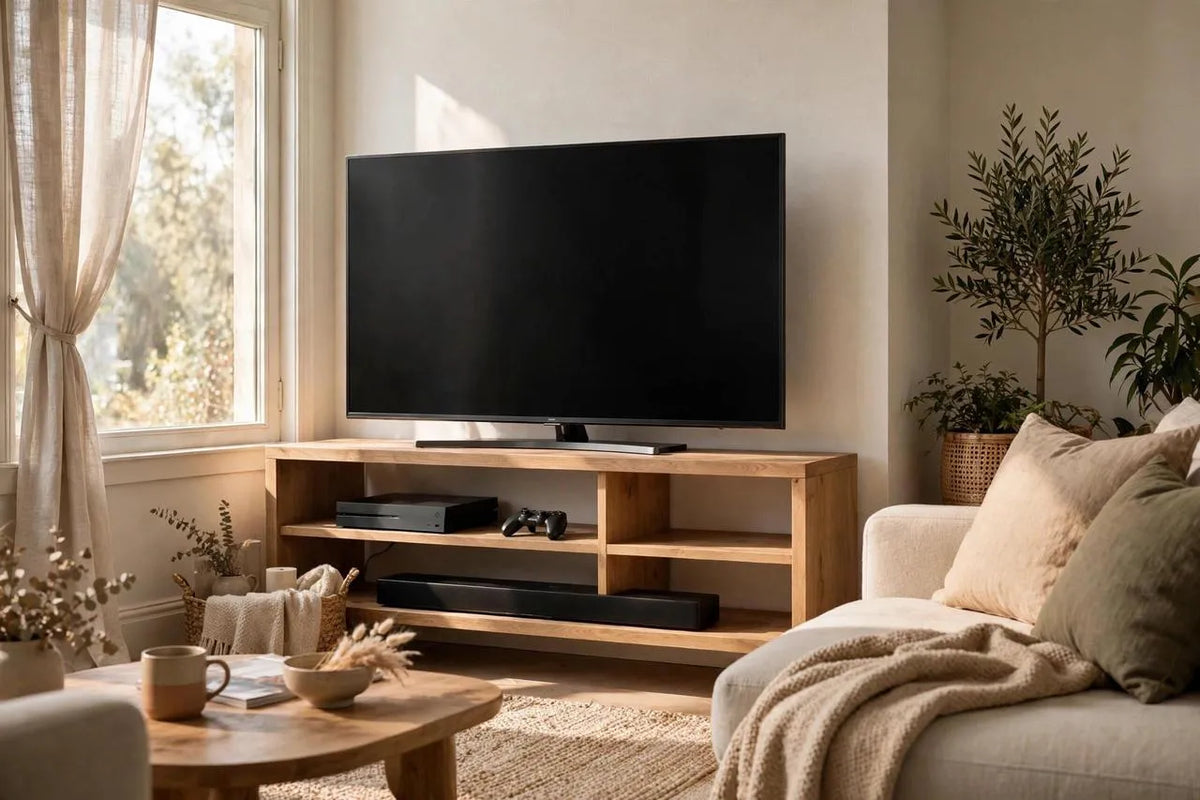
Most TV stands land between 14 and 17 inches deep. Enough for a soundbar, a streaming box, a game console — plugs and airflow included — while staying slim enough for a normal living room. Go shallower and cables become a nightly fight. Push past it and the stand eats your floor. One non-negotiable rule: deepest device, cables plugged in, 2 inches of air behind it.
Depth band
What it fits
Who it suits
10–13 in (slim)
Streaming sticks, soundbars, wall-mounted TV setups
Small rooms where every inch of floor counts
14–17 in (standard)
PS5 or Xbox, streaming boxes, soundbars, most Blu-ray players
The safe middle for typical living-room gear
18–22 in+ (deep media)
Full-size AV receivers, vintage hi-fi, turntables with dust covers
Dedicated media rooms and serious audio setups

Start With Your Deepest Device

Forget the stand for a minute. Measure what goes inside it. Your deepest device sets the floor — and this is where buyers trip up: they measure the bare box and stop. Below: typical chassis depths, what each device needs with cables plugged in and air moving, and the stand depth to shop for.
Device
Typical chassis depth
Add cables + airflow
Shop for a stand this deep
Streaming box (Apple TV, Fire TV Cube)
4–5 in
+2 in cable bend
12 in or more
Soundbar (sits on top)
3–6 in
Needs top surface, not shelf depth
Top depth of 12 in+
Xbox Series X (lying flat)
11.9 in
+2 in cable bend
14 in or more
PS5 (standing vertically)
10.2 in footprint
+2 in cable bend, +4 in rear vent
16 in or more
PS5 (lying flat)
15.3 in
+2 in cable bend, +4 in rear vent
18 in or more, or an open back
Blu-ray player
9–12 in
+2 in cable bend
14 in or more
Center-channel speaker
7–10 in
Keep the front edge clear of the shelf edge
12 in or more
AV receiver (full size)
13–17 in
+2–3 in cable bend, +2 in rear vent
18–22 in
Turntable with dust cover
14–16 in
Cover needs full swing room
18 in or more
Vintage amplifier / hi-fi
Up to 18 in
+2–3 in cable bend, extra heat room
20–22 in+
Two things in that table catch people off guard. First: a PS5 lying flat is 15.3 inches deep — deeper than anyone guesses. Stand it upright and the footprint drops to 10.2 inches. Second: the AV receiver is the real depth killer — a 15-inch chassis, stiff cables, breathing room, and suddenly you're shopping in the 18 to 22-inch zone.
Measure the gear you own, not the marketing numbers. Spec sheets round down and never count the power brick tail or the HDMI plug. That honest number anchors the worksheet at the end.

Cables Steal the Last Two Inches

The classic mistake? Measuring the device with nothing plugged in. An HDMI plug and its cable poke out 2 to 3 inches before the cable can bend. Power plugs are just as stubborn. Cram a stiff cable against a back panel and the plug sits under constant strain — the port slowly works loose. One buyer with a 17.5-inch stand against 17-inch receivers put it plainly: go 20 inches.
Measure with everything plugged in. Front of the device to the farthest cable bend — that's the true depth, and it's always bigger than the box number. Tight on room? Angled HDMI adapters fold the plug 90 degrees so the cable hugs the rear panel. That wins back an inch or two.
Also check where the cable openings sit. Generous cutouts are useless behind a solid shelf, or if they miss your equipment bay — you'll drill your own or drape cables over the top. Some stands skip cable holes entirely, routing everything out the open back. Know which you're buying before it arrives.

Ventilation: The Heat Rule Most People Skip

Depth isn't just about fit. Your gear breathes, and a shallow cabinet turns the stand into an oven. Sony wants roughly 10 cm (4 inches) around the PS5, rear exhaust especially. AV receivers run hotter still. The sneaky part: the fit can be perfect while the heat is all wrong.
Quick pass before you buy:
  • Game consoles: 4 inches behind for the exhaust, a few above so heat escapes. An open back lets exhaust leave freely.
  • AV receivers: 2 to 4 inches behind, several inches above. The hottest boxes in a typical media setup.
  • Streaming boxes and Blu-ray players: 1 to 2 inches around them is enough. They sip power and barely warm up.
  • Turntables: heat matters less than dust and vibration, but a closed cabinet traps both. Give the dust cover full swing room.
The back panel is your biggest lever. A closed back traps heat and eats cable room; an open or removable back fixes both at once. Set on a closed-back design? Hunt for vent slots — or keep a saw handy. One owner cut side vents and fitted taller legs, and the overheating quit that same afternoon.

Doors, Hinges, and Back Panels Eat Depth

This is where the spec-sheet number and reality part ways. That 16 inches on the listing? Measured across the outside. Inside, the back panel, doors, drawers, and hinge hardware all intrude — and a device that clears the exterior depth can still foul a hinge. Call it 1 to 2 inches lost.
Open shelving is the exception: no doors or drawers in the equipment bays means what you see is close to what you get, and cables exit straight out the back. Closed cabinets look tidier but charge a depth tax. A 15.5-inch open console can hold more gear than a 16-inch closed cabinet once doors and panels take their share.

The Wall Gap: Baseboards Push Everything Forward

Your wall isn't flat where it meets the floor: baseboards stick out half an inch to a full inch, so a stand pushed "against the wall" sits that far forward unless it has baseboard cutouts. Dead depth — the stand reads deeper while your devices get nothing. On a 60-inch console, a 1-inch offset wastes 60 square inches of floor.
Look for a recessed back bottom edge that lets the baseboard tuck behind it. The gap doubles as cable room: cords dropping behind the stand can use it instead of fighting for space inside. Keep power bricks and surge protectors reachable.

The Walkway Test: Your Room Gets a Vote

Depth has a second audience: the room. Every inch the stand projects is an inch off your floor. Main walkways need 36 inches of clear space — measured from the front face of the stand, not the wall — to the nearest obstacle. Coffee table. Sofa. Doorway swing.
Buyers who downsized from a 22-inch stand to a 17-inch one say the room felt bigger that same evening. Gear still fit — because they'd done the device math first. When depth and the walkway fight, depth loses. You can stand a console vertically or add an angled adapter. You can't widen a hallway.

Your Depth Worksheet: One Number You Can Trust

Tape time: the four-step fit test takes ten minutes, a tape measure, and painter's tape.
The depth worksheet: 1. Measure your deepest device with cables plugged in, front to farthest cable bend. 2. Leave about 2 inches of air behind it — 4 for a PS5 or hot receiver. 3. Add 1 to 2 inches for doors, drawers, and the back panel, unless the bays are open shelves. 4. Add your baseboard offset, usually about 1 inch. The total is the exterior depth to shop for. Then tape the footprint on the floor, walk past it a few times, open nearby doors, and make sure your 36-inch walkway survives.
The tape test is the part people skip and regret later. A rectangle of tape shows what numbers can't: how the stand will feel at midnight. If the tape feels like an obstacle, the stand is too deep.

Which SICOTAS Stand Fits Your Setup?

Worksheet number in hand? Match it against real stands. The four below cover the common cases, with usable-depth estimates that already subtract door, drawer, and panel losses.
Stand
Exterior depth
Usable depth (est.)
Best for
30″W × 34″H × 14″D
~11–12 in (drawers + doors)
Streaming boxes, soundbars, PS5 standing vertically
59″W × 26″H × 15.5″D
~14 in (open shelves + cabinets)
Multi-device setups: 23 in middle bay + two 15 in end bays
30.9″W × 34.1″H × 15.6″D
~14 in (door cabinets)
Consoles + media storage; 77 lb top panel holds big TVs
61.3″ wide (see product page for depth)
Check the product page
Wide TVs up to 100 in class; anchors a big wall
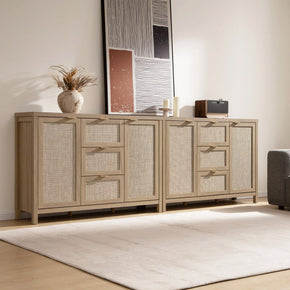
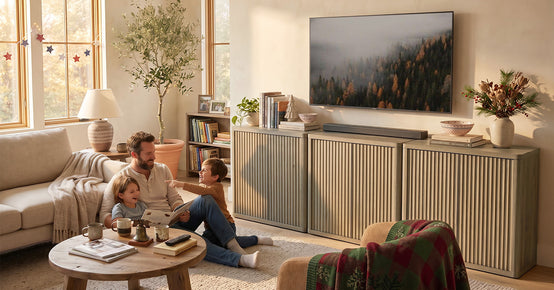
A few notes from the product details. The Stria TV Stand with Storage up to 100Inch TV gives 15.6 inches of exterior depth with adjustable 15 mm shelves, and its top panel is rated for 77 lbs — no small thing. No cable management holes, though — route cables out the open back, which doubles as ventilation. The Savanna TV Stands with Shelves is the multi-device pick: 59 inches wide, 15.5 inches deep, with a 23-inch middle bay and two 15-inch end bays. One SICOTAS note: no fireplace inside it — heat dissipation matters.
The Savanna TV Stand with Drawer up to 100Inch TV is the compact choice at 14 inches deep: fine for slim gear and a vertical console, not for a full-size AV receiver. The Willow TV Stand, 61.3 Inch Wide is the wide-wall option. Browse the full TV stand collection to compare side by side.

Mistakes That Cost Real Money

  • Buying on looks alone. The stand that matches your sofa means nothing if your receiver sticks out the back by two inches.
  • Measuring the device without cables plugged in. The box spec is always smaller than the plugged-in reality.
  • Ignoring what doors and drawers steal. Exterior depth is a promise; usable depth is the reality.
  • Forgetting the walkway. A stand blocking the path to the kitchen will annoy you daily.
  • Skipping the tape test. Ten minutes of painter's tape beats a return shipment.
Depth is the quietest spec on the page, and the one most likely to cause a return. Do the device math, add the cable and heat allowances, tape the footprint, and buy once.

FAQs

How deep should a TV stand be?

14 to 17 inches is the sweet spot for most setups — soundbar, streaming box, game console, with room for cable bend and airflow. Stretch to 18–22 inches only for a full-size AV receiver, vintage hi-fi, or a turntable with a dust cover.

What is the standard depth of a TV stand?

The industry standard is 14 to 17 inches. Slim consoles run 10 to 13 inches; deep media consoles run 18 to 22 inches or more.

Is a 15-inch-deep TV stand deep enough for a PS5 or Xbox?

Usually yes — with one trick. A PS5 standing vertically has a 10.2-inch footprint, which fits a 15-inch stand with cable room and Sony's recommended 4 inches of rear ventilation. Laid flat it's 15.3 inches before cables: too tight. Stand it up or choose an open-back design.

How deep does a TV stand need to be for an AV receiver?

Plan for 18 to 22 inches. A full-size receiver chassis runs 13 to 17 inches deep, stiff HDMI and power cables need 2 to 3 inches of bend room, and you want about 2 inches of air for heat. No surprise this is the most common reason buyers outgrow a standard-depth stand.

How much rear clearance does a TV stand need for ventilation?

Sony calls for about 4 inches (10 cm) around the PS5 — rear exhaust especially. AV receivers want 2 to 4 inches behind plus open space above. Streaming boxes? Fine with 1 to 2 inches. And open or removable back panels make all of this much easier.

Is a 12-inch-deep TV stand too shallow?

Not for the right gear. Twelve inches is plenty for streaming boxes, a soundbar on top, and a wall-mounted TV with decor underneath. But too shallow for game consoles, Blu-ray players, and anything with stiff cables. Match the stand to your deepest device — not to the room.

What is the difference between overall depth and usable depth?

Overall (exterior) depth gets measured across the outside of the stand. Usable (internal) depth is what your gear actually gets after the back panel, doors, drawers, and hinge hardware take their share. Expect to lose 1 to 2 inches. Open-shelf designs? They keep nearly all of their exterior depth.

How much walkway space should I leave around a TV stand?

Keep 36 inches of clear space on main walkways — measured from the front face of the stand to the nearest obstacle. In a tight room, a shallower stand plus a vertical console can save the walkway without sacrificing your setup.


Looking for something else?

20 Small Media Room Ideas for a Cozy, Space-Smart Setup

20 Small Media Room Ideas for a Cozy, Space-Smart Setup

LEARN MORE

18 Jewelry Storage Ideas for a Tangle-Free Collection

18 Jewelry Storage Ideas for a Tangle-Free Collection

LEARN MORE
10 Coffee Table Alternatives That Work Better in Small Living Rooms

10 Coffee Table Alternatives That Work Better in Small Living Rooms

LEARN MORE
15 Home Theater Furniture Ideas That Make a Room Work

15 Home Theater Furniture Ideas That Make a Room Work

LEARN MORE

Read more from Blogs

Looking for something else?

Open vs Closed Floor Plan: Which Layout Suits Your Home?

Open vs Closed Floor Plan: Which Layout Suits Your Home?

LEARN MORE

Whitewashed Wood Furniture: Getting the Finish Right at Home

Whitewashed Wood Furniture: Getting the Finish Right at Home

LEARN MORE
18 Accent Table Decor Ideas That Work in Real Rooms

18 Accent Table Decor Ideas That Work in Real Rooms

LEARN MORE

Read more from Blogs

You may also like

Savanna Console Table
$149.99
-4%
Savanna Shoe Cabinet, 2 Doors
Regular price $239.99 Save 4% Sale price $229.99
Cas Black Shoe Cabinet Entryway
$259.99
-12%
Cas Shoe Cabinet with Storage
Regular price $294.99 Save 12% Sale price $259.99
-12%
Savanna Entryway Bench
Regular price $169.99 Save 12% Sale price $149.99
-3%
Savanna Tall Shoe Cabinet,30 Pairs Shoes
Regular price $319.99 Save 3% Sale price $309.99

Further reading