











What Size TV Stand for a 70-Inch TV? Width, Height, and Style Tips
Plenty of folks bring home a 70-inch TV only to find the old stand beneath it looks far too small now. Choosing the right size TV stand for a 70-inch TV comes down to three things: width, height, and depth. What size TV stand for a 70-inch TV? It is really a question of getting those three numbers right.Get them right, and your TV sits steady and looks great on the wall. Get one wrong, and the TV may lean forward, or you may get a sore neck halfway through a movie.
Here's the thing nobody warns you about. That 70-inch TV? It won't measure 70 inches across the front. Take a tape to it, and you're looking at maybe 61, 62 inches. TheLG TV size guide confirms this if you'd rather check against your own model. Stick with me, and a few things fall into place: which size actually fits your room, a chart you can read at a glance, the fast way to figure out height, and that one detail almost everyone walks past on their way to checkout.
Quick Answer: Best TV Stand Size for a 70-Inch TV

Looking for the quick version? A 70-inch TV runs about 61 to 62 inches wide, so your stand has to clear that. What size TV stand for a 70-inch TV? Aim for 68 to 80 inches wide, enough to cover the screen with balanced overhang and room for a soundbar. I learned this the annoying way — bought one that was exactly TV-width and spent two years staring at a cramped setup. For most rooms, 68 to 80 inches hits the sweet spot.
Recommended TV Stand Width
Settle on something between 68 and 80 inches. A stand that broad hides the screen edges, gives a soundbar a home, and keeps the whole arrangement feeling steady rather than perched, which is the balance a screen this big really needs.
Minimum TV Stand Width
Can you get away with 65 inches? Sometimes. The feet have to fit fully, and the room has to be tight. Just know it reads snug, with almost nothing left over up top for decor or speakers.
Best Overall Choice
For most homes, a media console in the 70- to 80-inch range is the choice you will not second-guess. You gain surface space and cleaner proportions, along with a base that feels steady under a heavy screen. It is the size I point most people toward.
Why a 70-Inch TV Is Not Actually 70 Inches Wide

Nearly every first-time buyer gets caught here, and it really is a simple slip to make. The number on the box has nothing to do with the TV's actual width.
TV Size Is Measured Diagonally
That 70 inches gets measured on the slant, running from one bottom corner up to the far top corner. It refers to the diagonal of the screen, not the left-to-right width you really care about when sizing a stand.
Actual Width of a 70-Inch TV
Look up the spec sheet for your set, and the figures lay it out. Most 70-inch TVs measure between 61 and 62 inches wide, with roughly 34.5 to 36 inches in height once you remove the base. That number varies a little depending on the model year and how slim the bezel is.
Why Actual Width Matters
Since stands are sized left to right, the true TV width is what you measure against. When you're shopping, work from that 61 or 62 inches, not the 70 on the label — go by the label and you might end up with something too narrow to look right.
TV Stand Size Chart for a 70-Inch TV

This 70-inch TV stand size chart places the 70-inch beside its closest neighbors. It is useful if you are caught between two sizes, or you reckon a 75 might be in your future, and it makes the right TV stand width for a 70-inch TV easy to spot at a glance.
|
TV Size |
Actual TV Width |
Recommended Stand Width |
Best Setup |
|
65-inch |
~57 inches |
63 to 70 inches |
Compact rooms, basic media gear |
|
70-inch |
61 to 62 inches |
68 to 80 inches |
Most living rooms, soundbar plus devices |
|
75-inch |
65 to 66 inches |
72 to 80 inches |
Larger walls, statement media setups |
How Wide Should a TV Stand Be for a 70-Inch TV?
Width pulls double duty here. It holds the TV safely, and it makes the whole arrangement look right. A stand wider than the screen feels steady and looks balanced to the eye. The real skill is landing on the figure that suits your own room.
Use the 2 to 6 Inch Rule

Most designers rely on a single, simple guideline. Let the stand run 2 to 6 inches past the TV on each side. Four to twelve inches of breathing room, all told. Skip it, and the screen looks balanced on a pedestal. TheTV stands and media consoles sized for 65–75-inch TVs are built this way.
When a 65-Inch Stand Works
Working in a tight room? A 65-inch stand can still pull it off. The trade-off is a snug look, plus the loss of space for a soundbar or any decor on top of the unit.
When a 70 to 80 Inch Stand Looks Better

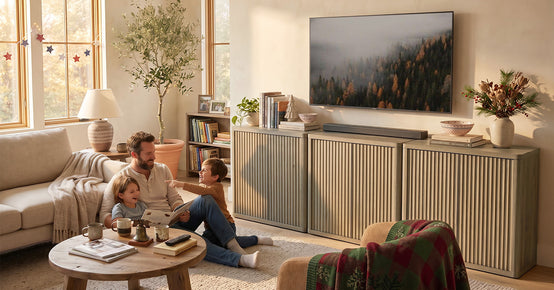
This is where most living rooms land. It holds a soundbar, speakers, a console, plus a bit of decor, and still reads as open rather than crammed. A75-inch TV console with cable management slots right in at this width. It frames a 70-inch screen and keeps the cords tucked behind it.
When to Go Wider Than 80 Inches
Working with a big wall or an open-concept space? Then it pays to push beyond 80 inches. A wide media wall keeps the screen from looking marooned and gives the rest of the room a center to sit around.
Will a 70-Inch TV Fit on a 70-Inch Stand?

Yes, in Most Cases
A 70-inch stand easily beats the real TV width of 61 to 62 inches, so a 70-inch TV fits on it with a few inches to spare on either side. The finished look reads clean and well-centered.
Check the TV Feet First
One thing outranks screen width here: the feet. If the TV sits on the stand rather than the wall, the legs have to land fully on the surface—more on why that matters in a second.
Best Use Case for a 70-Inch Stand
A 70-inch stand is the natural fit for a standard living room. You get a balanced setup without going oversized or making the unit swallow the whole wall, and there is still room for a soundbar.
Does It Look Weird If the TV Stand Is Smaller Than the TV?
Why a Smaller Stand Can Look Awkward
Usually it does, yes. A big screen perched on a narrow stand looks top-heavy, and there is even a nickname for it, the bobblehead effect. The whole thing reads unfinished and a little precarious.
When It May Still Work
There is one fair exception. Wall-mounting the TV and a smaller console underneath is totally fine, because now it is just storage rather than the thing holding up the screen.
Better Alternative
If the TV is going to sit on the stand, just go wider. A couple of inches on each side is enough to fix the proportion and settle the whole look.
TV Leg Spread: The Detail Many Buyers Miss

This is the part the competition glosses over, and it is the one that quietly causes returns. Screen width is not the only number you need. Leg spread, sometimes called stand separation, is the distance between a TV's two feet, and it can make or break whether your set actually sits on the stand.
Center Pedestal vs. Wide-Set Feet
Some TVs sit on a single center pedestal, which requires little width on the surface. Others spread their feet way out near the panel edges, and those can demand a much longer stand than the screen suggests. On a 70-inch TV, the leg spread often falls anywhere from 45 to 59 inches. Two models from the same brand can sit 10 inches apart on that number, so never assume.
Measure the Feet Distance
Grab a tape measure and stretch it from the outer edge of one foot across to the outer edge of the other. Then set that figure against the stand spec, which usually shows up as stand separation or feet distance.
Check the Usable Top Surface
Outer cabinet width can throw you off. A raised lip, a curved top, or a bulky front edge all cut into the flat zone where the feet need to rest. The safer move is to measure the real support surface, not the figure on the showroom tag.
Best TV Stand Height for a 70-Inch TV

Width keeps the TV safe. Height keeps your neck happy. Get this number wrong, and you will feel it after about an hour of viewing.
Eye-Level Viewing Rule
The middle of the screen wants to sit close to your eye level once you have settled onto the couch. That keeps your gaze level and your neck relaxed right through a long stretch of viewing.
Ideal Height Range
The right TV stand height for a 70-inch TV is not guesswork. For most 70-inch setups, a stand in the 20- to 25-inch range tends to work. The rule of thumb flips what people expect, because a bigger screen actually requires a lower base beneath it.
Simple Height Formula
The formula designers reach for is fast. Note your seated eye height from the floor. A 70-inch TV is about 35 inches tall, so half of that is 17.5 inches. Knock the 17.5 off your eye height. With a seated eye height of 42 inches, you end up at a stand of 24 to 25 inches.
Sofa Height Matters
Your couch tweaks the result. A low-profile sofa calls for a lower stand, while a higher seat or a barstool setup can accommodate a slightly taller one. The safe bet is to size the stand to where you truly sit, not to some generic chart.
Best TV Stand Depth for a 70-Inch TV.

When you are dialing in the right media console size for a 70-inch TV, depth is the figure that slips everyone's mind, right up until the cables will not tuck in behind the unit.
Recommended Depth Range
Shoot for 15 to 20 inches of depth. That holds the base, leaves space for cords behind, and gives your devices a little breathing room.
Check the TV Base Depth
Check the front-to-back depth of the feet or the pedestal. The base needs to sit squarely on the stand, not poke past the front edge where it might tip forward.
Leave Room for Cables
Picture everything that plugs in. HDMI cables, a power cord, a streaming stick, the router, and a power strip. They all need somewhere to live behind the stand, rather than dangling from the wall.
Allow Airflow for Devices

Gaming consoles, receivers, and cable boxes all give off real heat. Spare them a few inches of breathing room at the back. Amedia console that fits a 70-inch TV and includes cable management has built-in cutouts, so cords stay neat, and gear stays cool.
Wall-Mounted 70-Inch TV vs. TV Sitting on the Stand

Both setups work fine. Each one just changes what the best size actually means for you.
If the TV Sits on the Stand
In that case, width, depth, weight rating, and base support all matter together. A 70-inch TV weighs between 39 and 63 pounds without its base, so the load rating is worth a look.
If the TV Is Wall-Mounted
Once it is on the wall, the stand becomes storage, a cable hider, and a visual balance. Viewing height stops depending entirely on it.
Best Stand Size Under a Wall-Mounted 70-Inch TV
Keep it within the 65 to 80 inch range. The 70- to 80-inch slice tends to look best when parked under most wall-mounted screens.
What Size Wall Mount Do You Need for a 70-Inch TV?

Going on the wall instead? A few quick checks first will save you from anything coming crashing down later.
Match the Bracket to TV Size and Weight
The mount has to be rated for a 70-inch TV and for its real weight. A lot of installers go one better and choose a bracket rated for TVs above the TV's weight, just to keep a safe margin.
Check the VESA Pattern
VESA is simply the spacing of the mounting holes on the back of the TV. On 70-inch sets, you will commonly run into 400x400 mm or 600x400 mm. Confirm yours in the manual or on the spec sheet before you buy a mount, because guessing here is how people end up returning brackets.
Fixed, Tilting, or Full-Motion Mount
Fixed mounts sit flat and clean against the wall. Tilting the mount angles the screen down a bit to kill glare from a window. Full-motion arms swing out and swivel, which saves you in a room with an awkward seating angle. Pick based on where your seats actually are.
How to Match a 70-Inch TV Stand to Your Room Size

Dimensions only get you halfway there. The layout of the room you are actually working with decides the rest of it.
Small Living Rooms
Keep it to a 65- to 70-inch low-profile stand. Lean on closed storage and go light on decor so the room doesn't feel busy or boxed in.
Standard Living Rooms
A media console in the 70- to 80-inch range strikes the balance most people are after. You get the storage, the surface space, and proportions that look deliberate. It is the size I steer most folks toward.
Large or Open-Concept Spaces

Go 80 inches or wider so the unit anchors the wall rather than floating in the middle of it. A TV stand for screens up to 100 inches fits a large media wall and leaves you plenty of headroom to grow into later.
Corner Setups
Corner stands ask for a little extra care. Check the width at the front edge, the usable depth, and how the cables will route, since the walls behind a corner tend to pinch that space.
Storage Features to Look For

With the size locked in, the features are what make daily life easier.
Open Shelves
Open shelves are the spot for gaming consoles, cable boxes, and anything that needs air, since heat escapes rather than getting trapped.
Closed Cabinets
Closed cabinets are where the remotes, chargers, discs, and kid clutter disappear when you would rather not look at them.
Cable Management
Look for rear cutouts, cord holes, and a little space for a power strip. That mix is what keeps the wires from showing. Without it, the cords end up draped down the wall for everyone to see.
Soundbar Space
Measure your soundbar first of all. Then make sure the shelf or the top surface has room to seat it without a squeeze.
Best TV Stand Styles for a 70-Inch TV
Style is the thread that connects the stand to everything else in your decor.
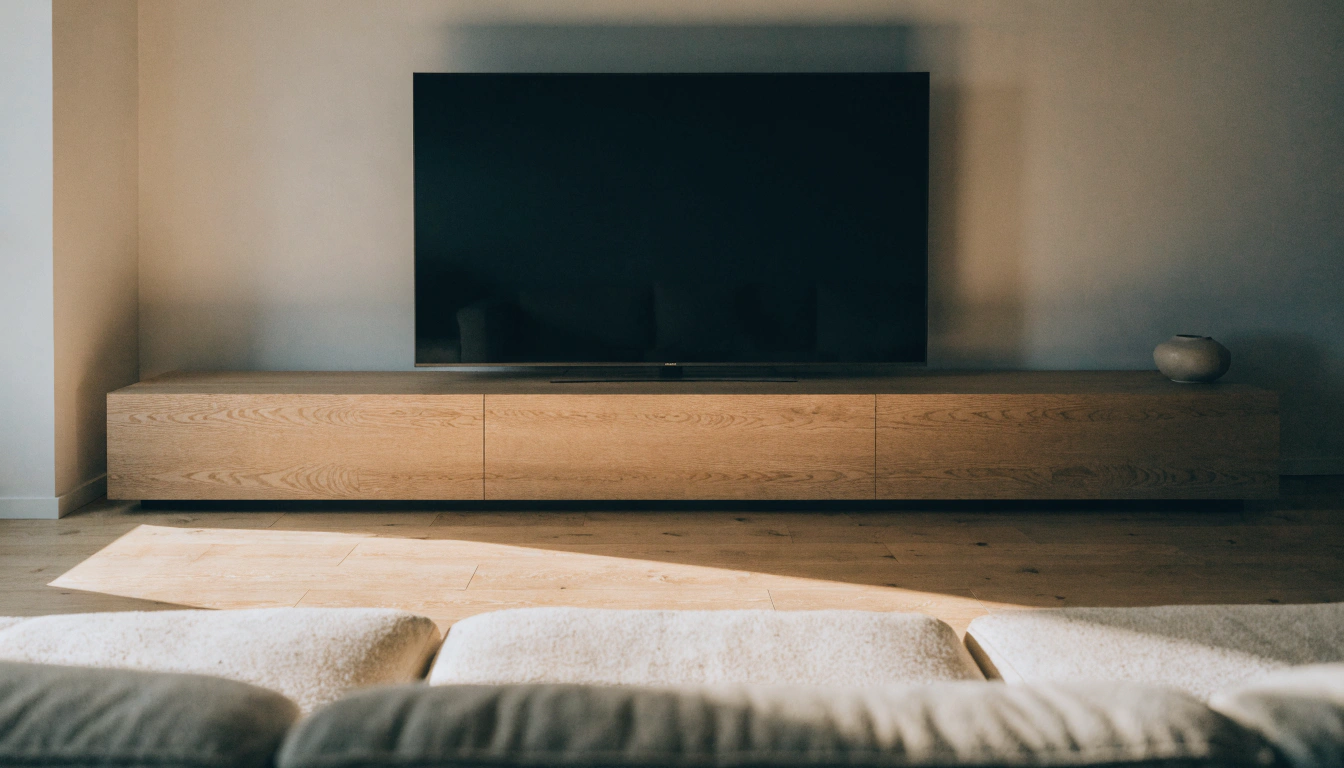
Low-Profile TV Stand

A solid pick for big screens, because a low stand stops the TV from riding up too high. The adjustable-shelf media console supports TVs from 45 to 75 inches, so it keeps pace with whatever gear you bring in.
Floating TV Stand
Wall-mounted and sleek, a floating stand works for modern rooms, apartments, and mounted TVs. Its real perk is clearing the floor, which makes the room read a little roomier.
Mid-Century Modern TV Stand
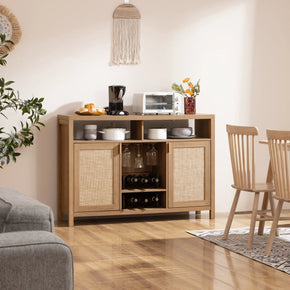
Think walnut tones, tapered legs, and slatted doors. That blend brings warmth to a contemporary room without shouting for attention, and the style holds up over the years.
Solid Wood TV Stand
Built to last. A solid wood console shrugs off a heavier TV, and the material never really dates.
TV Stand With LED Lights
A fun pick for gaming rooms and modern media walls. Just confirm that the lighting strip does not encroach on the storage or block airflow.
How to Match Your TV Stand With Your Sofa and Decor
A media console lands right in the middle of the room, so it is worth pairing it with your seating rather than leaving it as an afterthought.
Pairing With a Velvet Sofa

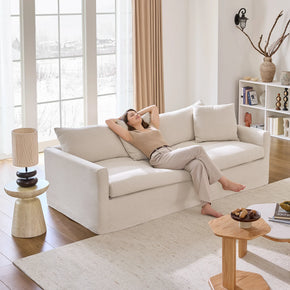
Rich velvet asks for a bit of contrast. A walnut, black, brass, or matte finish nicely balances that plush texture. Pull a few complementary pieces from the living room furniture range so the finishes all stay in tune with one another.
Pairing With a Modern Sectional
A low-profile or floating stand keeps a sectional setup looking sleek. It lets the room stay open and easy to move through. Both styles sit low enough not to compete with the couch.
Pairing With Traditional Seating
Solid wood, warm tones, and classic cabinet detailing sit comfortably next to a traditional sofa.
Choosing the Right Color
White keeps a room feeling light and airy. Black grounds it. Walnut, oak, and gray sit in the middle and read warm, so match the finish to whatever mood you are going for.
Can You Use a Stand Made for a 75-Inch TV?

Got your eye on a bigger screen at some point? Then it is worth thinking this part through now, before you lock in a stand.
Will a 75-Inch TV Fit on a 72-Inch Stand?
Quite often it will. A 75-inch TV measures around 65 to 66 inches wide. Even so, check the leg spread and the weight rating before you take the fit for granted.
Can You Put a 75-Inch TV on a 60-Inch Stand?
Not a great idea if the TV sits on the stand. The screen and the feet are likely to hang over the edges. Mount it on the wall instead, and the problem goes away.
How Long Should a Stand Be for a 75-Inch TV?
Somewhere around 72 to 80 inches is ideal for most 75-inch TVs. That width covers the screen and gives the feet a proper place to land.
Why This Matters for a 70-Inch Buyer
Planning to upgrade later on? Then buy slightly wider right now. A 72- to 80-inch console fits a 70 today and a future 75 without requiring a second purchase.
Common Mistakes to Avoid
A handful of easy slip-ups are behind most of the returns out there.
- Buying by the diagonal. The real width is 61 to 62 inches, not 70.
- Ignoring the TV feet. Wide-set legs may need more surface than you expect.
- Going too tall. A high stand pushes the screen above eye level and strains your neck.
- Forgetting cable space. Shallow stands leave messy cords and poor airflow.
- Skipping the weight rating. Match the TV weight to the stand load rating.
Step-by-Step Buying Checklist
- Measure the TV width edge-to-edge, including the bezel.
- Measure the feet or pedestal so the base lands fully on the top.
- Add 2 to 6 inches of clearance on each side.
- Calculate viewing height by subtracting half the TV height from the seated eye level.
- Check depth for the base, cables, and devices.
- Match the style and finish to your sofa, coffee table, and decor.
Final Takeaway
The right size TV stand for a 70-inch TV really does boil down to a few clear numbers. Run 68 to 80 inches wide. Sit near 20 to 25 inches tall. Leave 15 to 20 inches of depth. Then check the leg spread before anything ships. Sixty-five inches is your floor for a tight room. Seventy to eighty is the everyday answer. Eighty or more turns a big wall into a statement. Measure twice, match the finish to your sofa, and the setup will look intentional and stay safe for years to come. With your 70-inch TV stand size sorted, the last step is to match those dimensions to a media console or entertainment center from the TV stand collection that fits your room and storage needs.
FAQs
What size TV stand for a 70-inch TV?
A 68 to 80 inch stand is the answer, and here is how that range breaks down:
- 65 inches: the bare minimum, only for tight rooms
- 70 to 80 inches: the best range for most homes
- 80 inches and up: for big walls and open spaces
A 70- to 80-inch screen size covers the screen and still leaves room for a soundbar.
Will a 70-inch TV fit on a 70-inch stand?
Yes, almost always. A 70-inch TV is only about 61 to 62 inches wide, so a 70-inch stand leaves you inches to spare on each side. The one thing to confirm is that the feet land fully on the top surface.
How much bigger should my TV stand be than my TV?
Go at least 2 to 6 inches wider on each side to keep the look balanced and the base steady under a heavy screen.
Will a 75-inch TV fit on a 5-foot TV stand?
A 5-foot stand is 60 inches wide, which is usually too small for a 75-inch TV. If your stand tops out at 60 inches, wall-mount the TV instead.
What size is a 70-inch TV?
Most 70-inch TVs measure out like this:
- Width: about 61 to 62 inches
- Height without the stand: about 34.5 to 36 inches
- The 70 inches itself: the diagonal, corner to corner
How long should a TV stand for a 75-inch TV?
Around 72 to 80 inches is ideal for most 75-inch TVs, covering both the wider screen and the leg spread that comes with it.
Can you put a 75-inch TV on a 60-inch stand?
Not a safe one if the TV is sitting on the stand. Both the screen and the feet are likely to hang past the edges. Mounting it on the wall sidesteps the problem altogether.
Does it look weird if the TV stand is smaller than the TV?
Usually it does, and it comes down to a couple of things:
- A big screen on a narrow stand looks top-heavy, the so-called bobblehead effect
- The setup can feel unfinished and a little unsafe
The one exception is a wall-mounted TV with a smaller console used purely for storage.
Will a 75-inch TV fit on a 72-inch stand?
Often, yes. But check these three numbers before you commit:
- The actual TV width is usually 65 to 66 inches
- The feet distance, or leg spread
- The stand weight rating against the TV weight
Sources
- LG – How to Measure a TV and Read TV Sizes
- Panasonic – TV Size to Viewing Distance Calculator
- Crutchfield – TV Sizes and Viewing Distance
- RTINGS – TV Size to Distance Calculator
- VESA – Mounting Interface Standard
- RackSolutions – VESA Mounting Standards Explained


Looking for something else?

Burl Wood Furniture: The Complete Buying Guide
LEARN MORE
What Is a Hope Chest? Meaning, History, and Modern Uses
LEARN MORE
What Is a Foyer? Meaning, Purpose and Design Guide
LEARN MORE
GREENGUARD Gold Certified Furniture: What It Really Means for Your Home
LEARN MORELooking for something else?

How to Clean a Mirror Without Streaks: Simple Step-by-Step Guide
LEARN MORE
21 Above-Bed Decor Ideas for a Stylish Bedroom Wall
LEARN MORE
Furniture Materials Guide: Picking the Right Material Room by Room
LEARN MORE


Further reading

18 Decorative Storage Box Ideas That Hide Clutter Well

How to Store Comforters Without Losing Space or Loft


