





















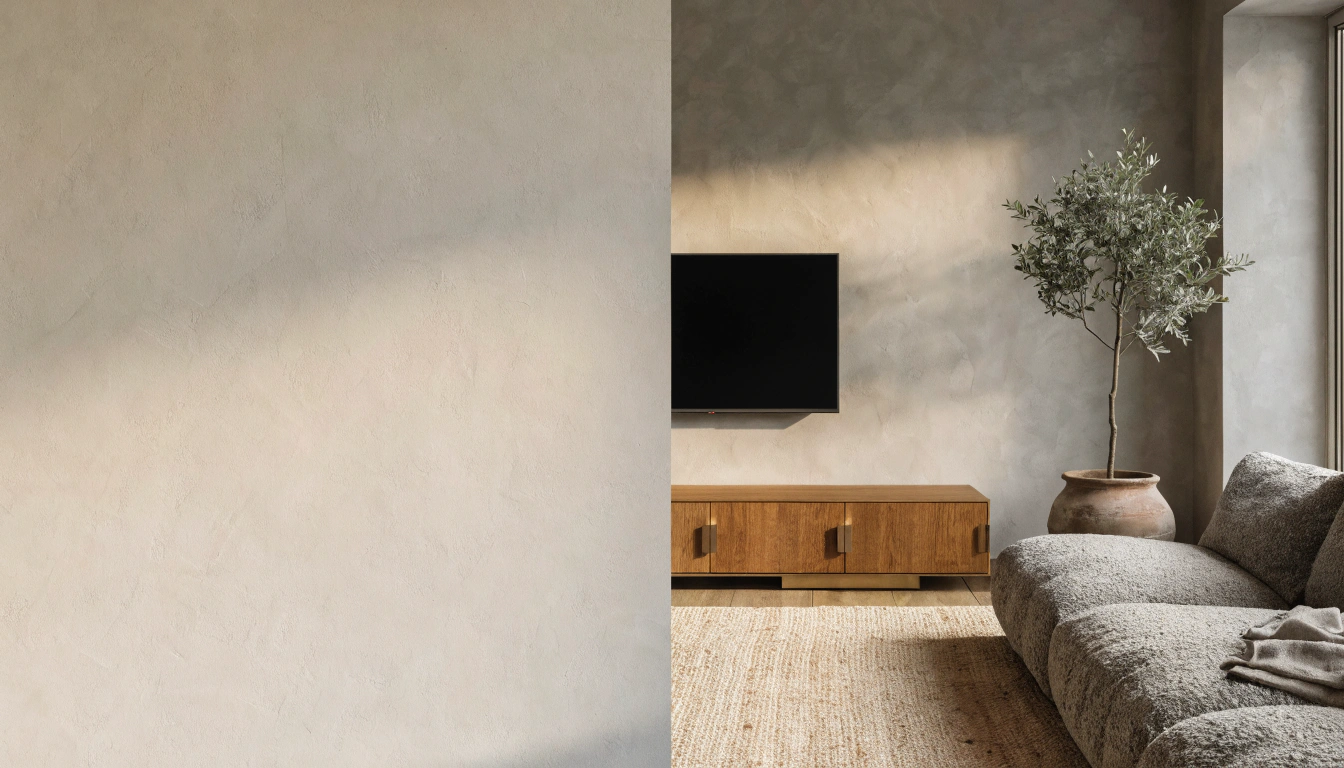

TV Without Stand: Safe No-Drill Ways to Prop Up or Mount Your Screen
Setting up a TV without a stand happens more often than you would guess. The legs go walkabout during a move—the base snaps. Or the set was meant for the wall all along. Either way, a flat-screen TV does not truly need its original stand to work.
It just needs to sit on something stable. That part trips people up. A TV with no legs cannot simply lean on the wall. Stack it on loose stuff. Balance it on something narrow. Any of those can end in a broken TV, and the risk jumps with kids or pets in the house. Tip-over safety even has its ownnational awareness campaign. The safe, renter-friendly ways to mount, prop up, or support your TV are all below.
TV Without Stand: Quick Answer

Yes, But It Must Be Properly Supported
A TV runs fine without its original base. Hold it up with a wall mount, a universal tabletop stand, a freestanding floor stand, a mobile TV cart, or sturdy furniture. One rule never bends. The support must match the TV size, weight, and VESA pattern. And the screen must stay put if something knocks it.
What You Should Not Do
Avoid the shortcuts that cause TVs to crash. Do not balance the screen on a stack of books. Do not lean a large TV against the wall for the long haul. Do not rest the feet on a surface too shallow to hold them. And do not count on tape or weak adhesive as the main thing keeping your TV upright.
Best Ways to Use a TV Without Its Original Stand and How to Prop Up a TV Safely
They go from the safest, most permanent setups down to quick fixes. Pick the one that fits your room—whether you're renting or owning matters, too.
1. Use a Universal Tabletop TV Stand

A universal tabletop stand is the cleanest fix for missing TV legs. This kind of universal TV stand screws into the VESA holes on the back of the screen, creating a fresh, stable base with no drilling at all. A VESA TV stand like this often adjusts for height and swivels, which the original feet rarely did. A tabletop TV stand works a treat on a dresser, a cabinet, or amedia console with built-in cable management. Best for missing legs, small apartments, renters, and shallow surfaces.
2. Wall Mount the TV

Mounting straight to the wall is the safest, cleanest long-term fix. It clears the floor. It holds the TV firm once it bites into studs. And it lets you set the exact viewing height. Hang it over a low console, and you get storage too. You will need a VESA wall mount, a stud finder, and a level—best for homeowners, permanent setups, large TVs, and minimalist rooms.
3. Use a Freestanding Floor TV Stand

A freestanding floor stand is the sturdiest no-drill option available. It sits on a weighted base or tripod legs. It grips the TV through its VESA holes and leaves the walls alone. Most adjust for height. A freestanding media console-style piece does a similar job at a lower level. Best for rentals, bedrooms, open-plan rooms, and anyone who rearranges often.
4. Use a Mobile TV Cart

A mobile TV cart rolls your screen wherever you want it. Then the wheel brakes hold it steady. Most carts add shelves for media devices and tidy cable routing. Set the brakes before you sit down to watch. Best for home offices, bedrooms, gaming rooms, presentations, and layouts that change a lot.
5. Place the TV on Sturdy Existing Furniture

Look around the room before you spend a cent. A solid dresser, sideboard, low cabinet, or console table collection piece can hold a TV well. The surface just has to run wider and deeper than the base. Set the feet fully on top. Then strap both the TV and the furniture to the wall with anti-tip straps. Best for budget setups, bedrooms, and small living rooms.
6. Use a Floating TV Stand or Media Console

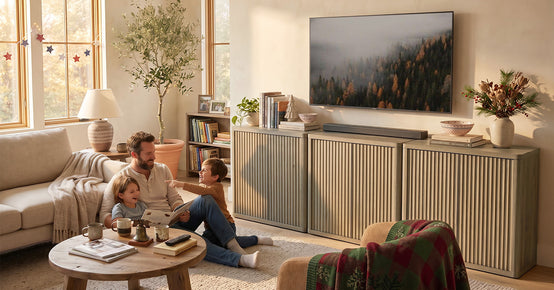
A floating TV stand frees up the floor. It hides cables and adds storage under a wall-mounted screen. This is the stylish way to a clean media wall. A closed-storage version like this TV console hides remotes and consoles away. Floating units have to be secured to studs or with proper wall anchors. Best for modern living rooms, small spaces, and neat cable management.
TV Without Stand Comparison Chart

Here is a quick look at the main TV stand alternatives, including a temporary TV stand option for short-term setups.
|
Solution |
Best For |
Drilling? |
Large TVs? |
Safety Level |
|
Universal tabletop stand |
Missing legs, shallow surfaces |
No |
Yes, if rated |
High |
|
Wall mount |
Permanent, minimalist rooms |
Yes |
Yes |
Highest |
|
Freestanding floor stand |
Renters, frequent movers |
No |
Yes |
High |
|
Mobile TV cart |
Multi-room, offices |
No |
Medium TVs |
Medium-High |
|
Existing furniture |
Budget setups, bedrooms |
No |
Yes, if wide |
Medium-High |
|
Floating TV stand |
Clean media walls |
Yes |
Yes |
High |
|
Temporary riser or blocks |
Short-term only |
No |
No |
Low |
How to Choose the Right Solution for Your TV

Looks are the easy part. Nail these three checks and your setup stays safe.
Check the TV Weight
Look up the weight in the manual or on the product specs page. Then pick a stand or mount rated above that number, with room to spare. A support rated right at your TV's weight leaves no margin for error.
Check the VESA Mount Pattern
VESA is the square grid of screw holes on the back of the TV. An industry standardsbody sets it. Common sizes are 200x200, 300x300, 400x400, and 600x400 millimeters. A universal stand or wall mount works only if it matches that pattern. So measure the spacing first.
Measure the TV Feet or Base Depth
Some TV legs splay right out to the far edges, which is exactly why a narrow cabinet fails. Measure the span between the feet and the depth of your furniture. When the surface is too shallow, a center-base universal stand is ideal, as it distributes the weight from a single central point.
Think About Kids and Pets
In a busy home, tip-overs are a real danger. Fit anti-tip straps. Drop any leaning setup. Keep cables hidden so nobody trips or yanks one. And bolt the furniture to the wall any time a TV sits on top of it.
Is It Safe to Lean a TV Against the Wall?

Only as a Very Short-Term Fix
A small TV might survive a quick lean against the wall. A large TV should never be leaned on in the long term. One bumped cable, one nosy pet, one child, or even some vibration can tip the whole screen forward. Reddit threads are full of folks who learned this the hard way after a cat finished off their favorite TV.
Why Leaning Is Risky
There is no real anchor point, so that the TV can slide forward right off the surface. Pressure on the bottom edge can stress or crack the panel. The tilt angle catches glare from windows and lamps, too. None of that is worth the couple of minutes you saved.
Safer Short-Term Alternatives
Go for a universal tabletop stand, low and wide furniture, anti-tip straps, non-slip pads, or a floor TV stand instead. Each gives the screen a real base while you work out a permanent plan.
What Can I Use Instead of a TV Stand?

Plenty of supports do the work of a missing stand. Match the choice to your space and whether you can drill.
Universal replacement stand: the best direct swap for missing legs, using the VESA holes.
Wall mount: the best permanent fix, secured into studs.
Freestanding TV mount: the best no-drill support for renters.
Media console or sideboard: the best furniture-based option, anchored with straps.
TV cart: the best moveable option for multi-room use.
Floating shelf or wall shelf: only for small TVs on rated, well-fixed brackets.
TV lift cabinet: a premium hidden-TV option that slides the screen out of the furniture.
Temporary TV Stand Ideas

Caught between moves or waiting on a replacement base? Keep any temporary setup low, wide, and easy to monitor.
Low Bookcase

A short, wide bookcase works when the top is flat, deep, and strong enough for the screen. Keep the TV low, check the depth against the base, and add non-slip pads. Avoid tall, narrow units. A purpose-built compact TV stand is a sturdier swap once you are ready.
Sturdy Storage Cubes or Wooden Crates
Matching cubes or crates set in a row build a wide, even platform, a bit like a low TV riser. Do not pile them too high, and never use cracked or wobbly crates. Tuck non-slip pads underneath on slick floors.
Wide Board Over a Cabinet
A thick, flat board can extend a shallow cabinet, so the TV feet sit fully supported. Just be sure the board cannot slide, that the weight is spread evenly, and that the TV is still strapped down. This is a stopgap, not a forever fix.
What Not to Use
Steer clear of tall stacks of books, loose glass blocks, flimsy folding tables, chairs, narrow stools, and adhesive tape as the main support. These give way without warning and usually drag the TV down with them.
No-Drill TV Without Stand Options for Renters

Renting does not have to put your deposit at risk. A no-drill TV stand skips the wall holes altogether, so nothing gets patched when you move out. A renter-friendly TV stand keeps everything freestanding and easy to pack up. These setups leave the walls exactly as you found them.
Universal Tabletop Stand
Already own furniture? This is the easiest renter-friendly pick. No wall holes: it uses the TV mounting holes, fits plenty of shallow surfaces, and lifts off in seconds when you move out.
Floor-to-Ceiling TV Mount Pole
A tension-mounted pole braces between the floor and the ceiling. It holds the TV at an adjustable height and leaves no permanent holes. Measure your ceiling height first. Then check that both ends press on solid, level surfaces before you trust it.
Freestanding TV Stand or Cart

A weighted freestanding stand or a rolling cart provides a VESA mount without touching the walls, and it can be moved between rooms with ease. Cable clips keep the wires neat. Browse a living room furniture range for low consoles that pair with one.
Ask the Landlord About Wall Mounting
There is no harm in asking. Plenty of rentals allow mounting, and small holes patch up easily. Get written permission, and once you have the green light, drive the mount into proper studs so it holds.
How to Place a TV Without a Stand

Five quick steps carry you from a bare screen to a safe, comfortable setup.
Step 1: Pick the Support Method
Begin by picking your base: a wall mount, a universal stand, a freestanding floor stand, or stable furniture. Your room and your rental rules usually make the right call obvious.
Step 2: Confirm Size, Weight, and VESA Compatibility
Before you buy, match the support to three things: your TV screen size range, the weight rating, and the VESA hole pattern. A stand can suit the screen size and still miss if the screws or weight limit does not line up.
Step 3: Set the Correct Viewing Height
Put the center of the screen at eye level when you sit down. Do not hang it too high, since that strains your neck. Tweak the height for recliners or a bedroom setup.
Step 4: Secure the TV
Pin everything in place. Use anti-tip straps, proper wall anchors, stable furniture, and locked wheels on any mobile cart. This one step stops most tip-over accidents.
Step 5: Hide and Organize Cables
Finish off with tidy cables. Bundle them with cable ties. Hide them in cord covers or built-in channels. And keep them clear of walkways so nobody trips on a cord or yanks one.
How to Make a TV Without a Stand Look Stylish

Safe does not have to look dull. A few small touches make the setup feel planned.
Pair a Wall-Mounted TV With a Low Console
A wall-mounted TV hovering above a low console reads modern and balanced. The console holds remotes and devices while the screen appears to float, giving the wall a finished media look.
Use a Floating TV Stand for a Clean Look
A floating TV stand leaves the floor open. It hides cables and suits small rooms. Since it is fixed to the wall, it looks almost built-in. That makes the whole area feel tidier.
Add Art, Plants, or Lamps Around the TV
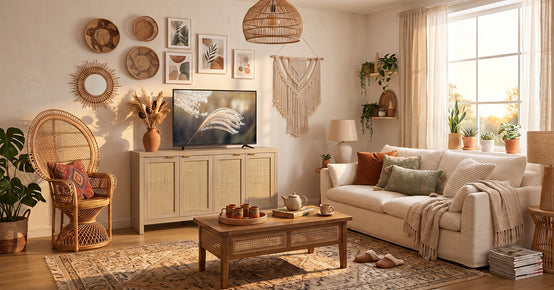
Break up the black rectangle with a tall plant, a table lamp, framed art, woven baskets, or a few books. Ringing the screen with warm pieces stops it from dominating the room.
Keep the Setup Low and Wide
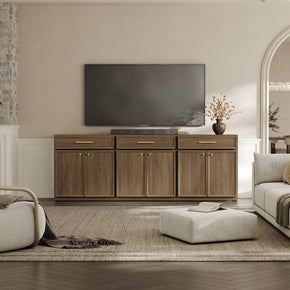
Low, wide furniture sits better under a large TV than a small stand does. A wide console matches the screen width and grounds the whole setup. Avoid perching a big screen on a tiny base.
Safety Checklist for Any TV Without a Stand Setup
Setting up a TV with no stand? Run through this list before you settle in to watch.
- The support is rated for the full TV weight.
- The VESA pattern matches your stand or mount.
- The furniture surface is wide and deep enough for the base.
- The TV is not leaning freely against anything.
- Anti-tip straps are installed and tight.
- Tall or narrow furniture is anchored to the wall.
- Cables are not pulling on the screen.
- The TV sits away from heavy foot traffic, and cart wheels are locked.
Common Mistakes to Avoid
A few avoidable slips cause most accidents. A surface too shallow lets the feet hang off and wobble. Forgetting the VESA pattern means a universal stand will not actually fit, since universal only stretches so far. Picking a stand-by screen size alone ignores the weight rating, which counts just as much. Leaning a large TV long-term invites a tip-over or a cracked panel. Ignoring cable pull lets a tight cord shift the screen over time. And skipping anti-tip straps removes the one cheap part that helps prevent the worst outcomes. Safety experts at a home improvement resource stress that anchoring is the step people most often skip.
Quick decision guide:
- Missing legs → grab a universal tabletop stand that screws into the VESA holes.
- Renting → go with a freestanding TV stand or a mobile TV cart, since neither touches the walls.
- Permanent setup → mount the TV on the wall for the most stable, lasting fix.
- Style-focused → pair a wall-mounted TV with a floating TV stand or a media console for a clean look.
- Short-term or budget → a simple DIY TV stand from low, wide furniture works until you upgrade.
Final Verdict: What Should You Do If You Have a TV Without a Stand?
Match the fix to your situation. Missing legs? Grab a universal tabletop stand. Renting? Go with a no-drill floor stand, a TV cart, or a universal stand. Settling in for good calls for a wall mount. Chasing a modern look means pairing a wall-mounted TV with a floating TV stand. Just need a temporary fix? Use low, wide furniture and strap the screen down. Whatever you pick, do not leave a TV leaning for the long haul.
FAQs
Can I use a TV without a stand?
Yes. A TV works without its original stand as long as something holds it up. That can be a wall mount, a universal stand, a freestanding TV stand, a TV cart, or sturdy furniture that is anchored and rated for the weight.
How to place a TV without a stand?
Pick a support that matches the TV's weight, size, and VESA pattern. Set it at a comfortable height. Secure the TV with anti-tip straps or a proper mount. Keep the surface level and clear.
What is a freestanding TV?
A freestanding TV usually means one held up by a floor stand, a weighted base, or a TV cart. It is not fixed to a wall or sitting on its original legs. It stands on its own support.
Is a TV stand necessary?
The original stand is not always necessary. But stable support of some kind always is. A TV should never be balanced or leaned without a proper base, mount, or anchor keeping it safe.
What can I use instead of a TV stand?
Your options include a wall mount, a universal tabletop stand, a floor TV stand, a mobile TV cart, a media console, a sideboard, or a floating TV stand. It depends on your space and whether you can drill.
Does every TV have a stand?
Most new TVs ship with legs or a base, though used, open-box, wall-mounted, or relocated sets often arrive without the original stand. A few TVs are built mainly for wall mounting from the outset.
What to use as a temporary TV stand?
Go with a low, wide, sturdy surface. A short bookcase, a sideboard, or stable storage cubes all work. Add non-slip pads and anti-tip straps. Stay away from high stacks of books or narrow tables.
What should I do if I do not have a TV stand?
First, see whether your TV has VESA mounting holes. Then settle on a universal tabletop stand, a wall mount, a freestanding stand, a TV cart, or a stable furniture setup based on your room and rental rules.
Sources
- U.S. Consumer Product Safety Commission – Anchor It: TV and Furniture Tip-Over Safety
- VESA – About the Flat Display Mounting Interface Standard
- Samsung – How to Mount Your TV on the Wall
- Wirecutter – The Best TV Wall Mount
- The Spruce – How to Mount a TV on the Wall
- Family Handyman – How High Should You Hang Your TV?


Looking for something else?

Burl Wood Furniture: The Complete Buying Guide
LEARN MORE
What Is a Hope Chest? Meaning, History, and Modern Uses
LEARN MORE
What Is a Foyer? Meaning, Purpose and Design Guide
LEARN MORE
GREENGUARD Gold Certified Furniture: What It Really Means for Your Home
LEARN MORELooking for something else?

How to Clean a Mirror Without Streaks: Simple Step-by-Step Guide
LEARN MORE
21 Above-Bed Decor Ideas for a Stylish Bedroom Wall
LEARN MORE
Furniture Materials Guide: Picking the Right Material Room by Room
LEARN MORE


Further reading

18 Decorative Storage Box Ideas That Hide Clutter Well

How to Store Comforters Without Losing Space or Loft


