










TV Stand Installation: Assembly, Wall-Mount, and Safe Setup Step by Step
Most TV stand installation jobs look easy. Then the unit wobbles. A door hangs crooked. Cables spill out the back. What changes the job is the type of stand. A basic floor TV stand? Just assembly. A floating stand or a wall-mounted unit needs solid anchoring into studs. The goal never changes, though: a level, stable, cable-tidy setup that holds your TV safely. And there is the tip-over risk to think about. Furniture safety experts are firm on one thing. Anchor anything tall or heavy to the wall. If you are learning how to install a TV stand the right way, this guide covers the tools, step-by-step assembly, wall-mount and floating setups, cable management, placement, and safety checks to keep it all solid.
TV Stand Installation: Quick Answer
 The short version comes first. The detail follows. The order barely shifts, whatever stand you have.
Basic TV Stand Installation Steps
1. Unbox and check every part against the manual.
2. Build the base or cabinet.
3. Add the shelves, drawers, or doors.
4. Place or mount the TV.
5. Lock down the anti-tip hardware.
6. Route the cables.
7. Finish with a wobble test.
That is the whole flow, from start to end.
Floor, Wall-Mount, and Floating TV Stand Installation
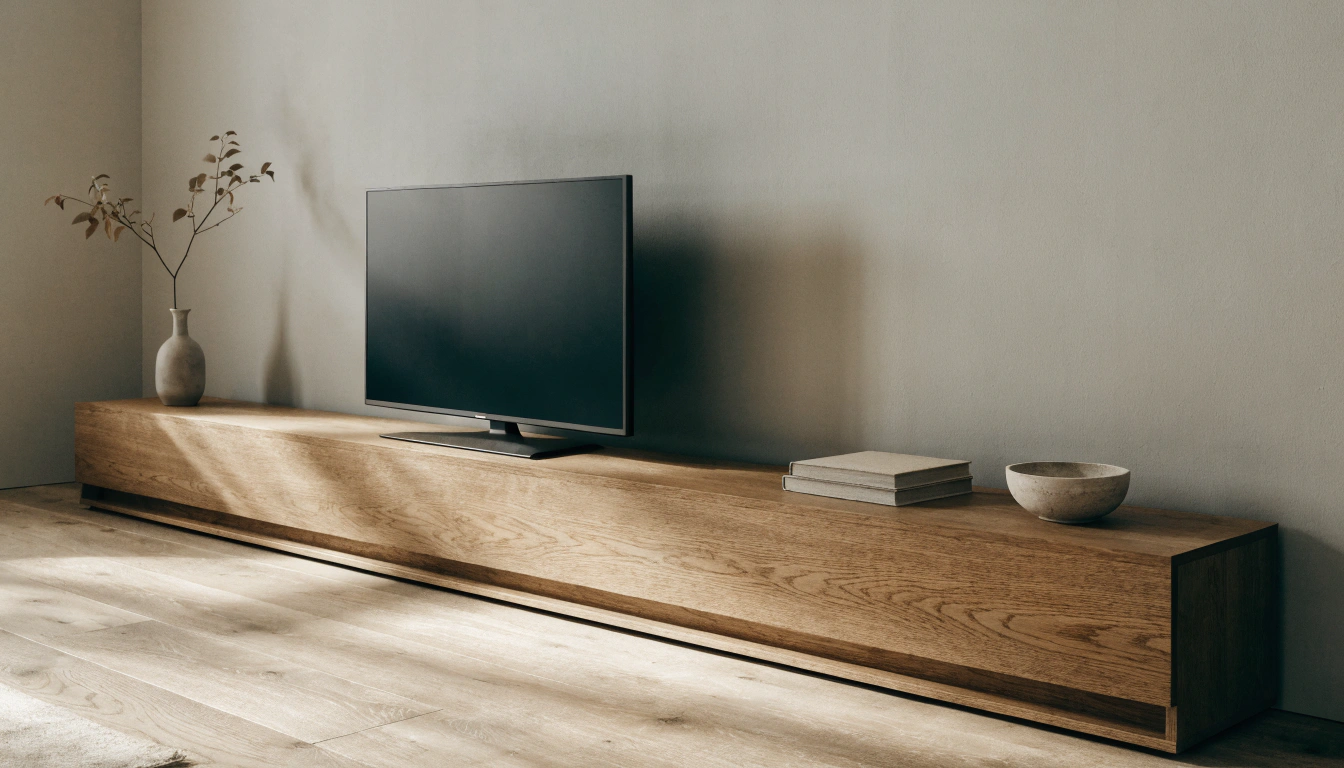
 A floor stand, a floating stand, and a stand with a built-in mount are three different types. A cabinet stand is furniture assembly, plain and simple. A floating TV stand installation is a wall project instead, and a wall-mounted TV stand installation adds a bracket that must be anchored into the studs. Most pieces in the entertainment center collection are floor- or cabinet-style, so they go together with basic tools and zero drilling into walls.
Tools and Hardware You May Need
 Pull everything together before the box is even open. Stopping mid-build to hunt for a drill bit is exactly how mistakes creep in.
Common Tools for TV Stand Assembly
A basic stand needs a Phillips screwdriver and an Allen key, which is usually tossed in the box. Add a rubber mallet, a tape measure, and a bubble level. Lay down a soft blanket, too. It keeps the panels from getting scratched while you work.
Extra Tools for Wall-Mounted or Floating Stands
Floating and wall-mounted setups add a few more. A stud finder. A power drill with the right bits. A socket wrench for the lag bolts. A pencil or painter's tape for marking. Wall anchors that suit your wall type. And safety glasses on while you drill.
Check the Hardware Before Starting
Dump the bag out and count it. Screws, bolts, dowels, brackets, hinges, wall plates, anti-tip straps, VESA screws, spacers. A few screws look nearly the same but have different lengths. Sort them by the diagram before you start anything.
Before You Start: Safety and Compatibility Checks
Spend two minutes checking now. It saves an hour of redoing later.
Check TV Size and Weight
 Make sure the stand fits your TV both in width and weight. The top should extend beyond the screen, and the rated load has to clear your TV, plus a soundbar and your devices. A Prelude 65-inch TV stand with storage handles most 55- to 75-inch sets, but match the numbers to your own gear before you buy anything.
Check the VESA Mount Pattern on Your TV
 The VESA mount pattern is just the spacing of the screw holes on the back of your TV. The common ones run 200x200, 300x300, 400x400, and 600x400 mm. Stand with a built-in mount? Then the TV pattern has to line up with the bracket. Your TV manual lists the number.
Read the Manual First
Every brand uses its own hardware. Door hinges and drawer rails often need exact placement, and one step done out of order means pulling it apart again. Skim the whole sheet before you touch the first screw.
Work With a Second Person for Large TVs
Big screens are awkward and easy to drop. One person steadies it while the other lines up the bracket. Never lift a large TV by the panel, only by the frame edges.
Step-by-Step TV Stand Installation for a Floor TV Stand
This is the setup most people deal with, the furniture-style stand. Work it in order.
Step 1: Clear the Area and Protect the Floor
Open up a wide workspace with decent light. Put down a blanket or some cardboard. Drop the screws into a tray or a cup. Otherwise, they roll off and vanish under the sofa, which they will.
Step 2: Assemble the Base Frame
 Fit the side panels or legs and line up the pre-drilled holes. Keep every screw loose for now. Do not crank them. Check that the frame is square and level, then go back around and snug it all down. Tighten too soon, and a crooked frame gets locked in.
Step 3: Install Shelves, Back Panels, and Supports
 That back panel is not just trim. It is the part that kills the wobble. Slot in the shelves and the support bars after it. A Prelude modern TV console has a closed back and fixed shelves for that exact reason. Go easy on the screws, since a stripped hole ruins the hold.
Step 4: Install Drawers or Doors
Fit the hinges or drawer rails, then hang the doors. Keep the screws a touch loose. Check that the gaps are even, and adjust before the final tightening. Swing each one open and shut to be sure it does not rub. More on door tuning below.
Step 5: Place the TV and Media Devices
Set the TV at the top center. Both feet have to rest fully on the surface. No dangling near an edge. Stick non-slip pads under the feet if the top is slick. Load your devices after that, heaviest down low.
Step 6: Secure Anti-Tip Hardware
Then anchor it. Bob Vila's furniture-anchoring guide warns that plain drywall anchors cannot handle tip-over force. Drive the strap straight into a wall stud. In a home with kids or pets, you do not skip this one.
How to Install TV Stand Legs
 Factory legs are simple to fit, as long as you match them right.
Find the Correct Left and Right Legs
Many TV legs are side-specific. Check the labels against the manual and eye the screw-hole direction before you commit. Put a leg on the wrong side, and it sits crooked.
Use the Right Screws and Tighten Evenly
Use only the screws the maker supplied. Too-long ones can crack the panel. A screw that fights you or goes in at an angle? Back it out and try again. Tighten both sides evenly, stand the TV up with a helper, and give it a gentle wobble test before you trust it.
How to Put a TV on Its Stand
Two paths, depending on whether your TV uses factory legs or a bracket.
For TVs With Factory Legs
Fit the legs first, then set the TV on a wide, flat, stable top. Check that the gap between the feet matches your stand width, center the screen, and add safety straps for anything large.
For TV Stands With a Mount
 Bolt the VESA brackets to the back of the TV. Then fix the bracket to the stand column. Lift with a second person, hook the TV on, and lock the safety screws. An Andy TV cabinet with 4 doors pairs closed storage with a stable top, so your devices stay out of sight once the screen goes up.
Floating TV Stand Installation
 A floating TV stand installation frees up the floor and looks clean, but it lives or dies on the wall anchoring. Get the mounting right, and the rest falls into place.
1. Find the studs. Run a stud finder across the wall and mark each stud with a pencil.
2. Mark the height. Measure up from the floor, then use a level to draw a straight guideline for the bracket.
3. Attach the bracket. Drive the screws into the studs, not just the drywall, and check that it sits level.
4. Hang the stand. Lift the unit onto the bracket, confirm it locks in place, and test that it holds firm before loading it.
Find Wall Studs First
Run a stud finder and mark the centers. Studs usually sit 16 inches apart, often right beside an outlet. Consumer Reports recommends hitting at least two studs for a heavy unit because drywall alone will not hold it up.
Mark the Height and Level Line
Measure up from the floor and mark where the top of the stand should land. Usually, that is around 20 to 24 inches. Stick a strip of painter's tape as your guide. Run a level across it before you drill a single hole.
Attach the Wall Bracket
Pre-drill the pilot holes. Then drive the screws or anchors into the studs. Get the bracket dead level before the cabinet goes on. A tilted bracket hands you a tilted stand every time.
Hang the Stand and Check Capacity
Lift the cabinet with a helper. Hook it onto the bracket and lock the screws. Test it gently before you load a thing. Add up the devices and decor, stay under the rated capacity, and keep the heavy stuff close to the wall support points.
Where to Put a TV Stand
 Placement decides comfort as much as the install itself does.
Pick a Wall With Good Viewing and Low Glare
Aim the stand at the seating so nobody has to crane their neck. Skip a wall straight across from a bright window. Glare wipes out the screen. TV placement guidance suggests a comfortable viewing distance for your screen size, so set the sofa to match.
Stay Near Outlets and Keep Paths Clear
Set the stand near a power outlet so you skip the long extension cords. Map out the HDMI and router runs first. And leave the walkways open; do not park the unit across a doorway or vent.
How High Should a TV Stand Be?
Height comes down to one rule, plus a couple of tweaks.
The Eye-Level Rule
The center of the screen should sit near your seated eye level. On a standard sofa, roughly 40 to 42 inches off the floor. Adjust for your own sofa and how you really sit on movie night, not bolt upright like a job interview.
Floating vs Floor Stand Height
 On a floating unit, the top usually lands around 20 to 24 inches up. Leave 8 to 12 inches between the TV and the stand. For a floor model, a low, wide stand beats a tall one under a big screen. A wide Savanna TV stand with adjustable shelves keeps the screen at a comfortable height and still leaves room for a soundbar.
Cable Management After TV Stand Installation
 Good cable management is what keeps a clean install from turning messy in a hurry. Sort the cords once, and the whole setup looks finished.
A few quick tips:
- Bundle loose cables together with reusable Velcro ties or a cord sleeve.
- Label each end so you know which cord goes where next time.
- Hide the mess with a cord cover along the wall or a raceway behind the stand.
- Leave slack so plugs are not strained, and the TV can still tilt or slide.
- Route power on one side and HDMI on the other to reduce signal noise.
Use Built-In Holes, Ties, and Sleeves
Run HDMI and power through the back cutouts, and keep each device near its own exit. Bundle the cables by device with Velcro ties, label the cords, and leave a little slack. The labels feel pointless right up until you have to unplug the console without killing the router in the middle of a work call.
Hide Wall-Mounted Cables
In a floating setup, reach for cord covers that match the wall color. Or an in-wall cable kit, if your lease allows it. Keep the outlet reachable. Otherwise, you are yanking the whole unit off the wall down the line.
How to Install TV Stand Doors
 Doors are where most of the assembly frustration hides. Take them slow.
Attach Hinges, Then Mount the Door
Fix the hinges to the door first using the pre-drilled holes. Leave them loose for now. Hold the door up to the cabinet and drive the screws while you support its weight. Keep the gaps even and make sure it does not scrape the frame.
Adjust the Hinges and Test the Latch
Most cabinet hinges adjust three ways: side to side, up and down, and in and out. Nudge the screws until the gaps line up. Then lock them down. Test any soft-close or magnetic latch, and check it again once the shelves are loaded.
How Much Does TV Stand Installation Cost?
It runs from almost nothing to a service fee, all depending on the job.
DIY vs Professional Cost
Build a floor stand yourself, and it costs next to nothing if you own the tools. A few dollars for cable clips or cord covers, maybe. Paying a pro runs more. It depends on your location, the stand type, the wall, the TV size, and whether cable hiding is included in the deal. Plain furniture assembly sits at the low end. A wall-mounted or floating job goes higher.
When to Hire a Professional
Call someone in for a heavy floating unit, a masonry or metal-stud wall, a very large TV, or hidden in-wall cabling. Same if drilling into studs makes you nervous. An hour or two of labor beats patching torn drywall and replacing a cracked screen.
Common TV Stand Installation Mistakes to Avoid
 Most regrets come back to the same handful of slips. Browse a tidy living room storage range for the right size first, then watch out for these:
- Skipping the manual: look-alike parts end up in the wrong place.
- Over-tightening screws: this strips the holes and cracks the panels.
- Not checking the level: shelves, doors, and the TV come out crooked.
- Using the wrong wall anchors: a floating stand needs the right hardware for your wall type.
- Ignoring the weight limit: piling too much on the shelves risks a collapse.
- Mounting the TV too high: This leaves you straining your neck.
Troubleshooting After Installation
A few quick fixes for the issues that turn up once it is all together.
The Stand Wobbles
Tighten the base and column fasteners first. Check that the floor is level and tweak the feet. On carpet, shift it onto a harder surface if you can. Look at the shelf load, too. An uneven one can rock the whole stand.
The TV or Doors Are Not Level
Mounted TV out of line? Loosen the rail screws a touch, line it up with a bubble level, and retighten evenly. Doors that will not match up? Adjust the hinges and double-check that the cabinet is square on a level floor.
Final TV Stand Installation Checklist

- Run through this TV stand installation checklist before you call it done:
- All parts checked, TV stand assembly complete, and the base sits level
- Screws are tight but not stripped
- TV centered, feet fully on the surface, or bracket locked
- Wall brackets are secure and within the weight limit
- Doors and drawers aligned, cables organized
- Anti-tip straps installed and the final wobble test passed
- FAQs
How do you install a TV stand?
Unbox and check the parts. Build the base. Add shelves or doors. Place or mount the TV. Lock down the anti-tip hardware. Route the cables. Finish with a stability check. The exact steps hinge on whether it is a floor, floating, or mounted stand.
How much does it cost to install a TV stand?
DIY assembly costs little if you already have the tools. Hiring a pro varies. It depends on your location, the wall material, the TV size, and whether wall mounting or cable hiding is part of the job.
How to install TV stand legs?
Match the right left and right legs. Line them up with the screw holes, use the maker's screws, and tighten both sides evenly. Then test that the TV sits level and steady before you let go.
How to put a TV on its stand?
Got factory legs? Fit them first and set the TV on a wide, stable top. Got a stand with a mount? Bolt the VESA brackets to the TV, lift with a helper, hook it onto the stand, and lock it in place.
Are TV stands hard to install?
Basic floor stands are beginner-friendly. They often go together in under an hour. Floating stands, wall-mounted units, and large TV mounts are tougher. They need accurate measuring, stud mounting, and careful lifting.
How to assemble a small TV stand?
Lay the parts on a soft surface. Build the base and side panels. Add the shelves or a back panel, fit any doors, check it is level, and place the TV only once the stand feels stable.
Where to put a TV stand?
Pick a wall with a comfortable viewing distance, low glare, nearby power outlets, and clear walking paths. Steer clear of blocking doors, vents, or windows with the unit.
How to install TV stand doors?
Attach the hinges to the doors. Mount them to the cabinet while you hold the weight. Adjust the hinge screws until the gaps are even, then test the soft-close or magnetic latch before you load the shelves.
Sources
- Consumer Reports – How to Anchor Furniture to Help Prevent Tip-Overs
- Bob Vila – How to Anchor Furniture to the Wall
- U.S. Consumer Product Safety Commission – Anchor It! Tip-Over Prevention
- THX – TV Placement and Viewing Distance Guide
- IKEA – How to Anchor Furniture to a Wall for Safety
- CPSC GOV – Secure It! Furniture Anchoring Guide
- What Hi-Fi? – How to Calculate the Right Viewing Distance for Your TV


Stay In The Know
Expert advice. Very good deals. The absolute best (and worst) things we've tested lately.
Looking for something else?
Rug Placement in a Living Room With a TV: Sizes and Layouts
LEARN MORE
What Color TV stand goes with a grey couch? Smart Pairing Ideas for a Balanced Living Room
LEARN MORE
How Many People Can Sit at a 60 Inch Round Table? 6 to 8 Explained
LEARN MORE
Leather vs Fabric Sofa: Which Lasts Longer and Works Best for Families?
LEARN MORERead more from Blogs
Looking for something else?
TV Stand Installation: Assembly, Wall-Mount, and Safe Setup Step by Step
LEARN MORE
TV Without Stand: Safe No-Drill Ways to Prop Up or Mount Your Screen
LEARN MORE
60 Inch Round Dining Table Seats How Many? Full Seating, Chair Spacing, and Room Size Guide
LEARN MORERead more from Blogs
You may also like


Further reading

How to Choose Dinnerware: The Ultimate Dinnerware Sets Buying Guide

Fall-Inspired Living Room with Autumn Colors: Decor Ideas 2026