

























Best TV Stand for TV With No Legs: Safe Options That Actually Work
A TV stand for a TV with no legs is what you grab when the feet go missing, snap off, or never fit your setup right. The TV plays fine. It just needs a safe spot to sit. And you are not boxed into one answer. Maybe a universal tabletop stand suits you. Maybe a wall mount, a floor stand, or that sturdy cabinet already in the corner. Whatever you pick, get the safety right, because a TV that falls can hurt someone, a danger flagged for years bythe federal safety agency for furniture tip-overs. This guide walks through every safe option, the ones to avoid, and how to keep that screen steady.
Do You Need a TV Stand Without Legs?

Short answer, yes. Pull off the factory feet, and the TV still powers on and plays like normal. The real need is a base that stays level and can hold the whole weight. That thin bottom edge? It was never built to prop up the screen alone. So the job comes down to one thing. Hold the TV up the right way. Do not just rest it on a hard surface and cross your fingers.
The TV Works Without Legs, But It Still Needs Support
The legs play no part in how the TV runs. Take them off and the picture stays the same. Stability is the part that shifts. A flat screen is tall and skinny, so that a small bump can topple it. Sit it on a wide, flat surface, and keep any weight off the panel and the lower frame. Prop a TV up wrong, and it can slide, tilt, or crack. By the time you notice, the damage is done.
Why You Should Not Set a TV Right on Wood Without Feet

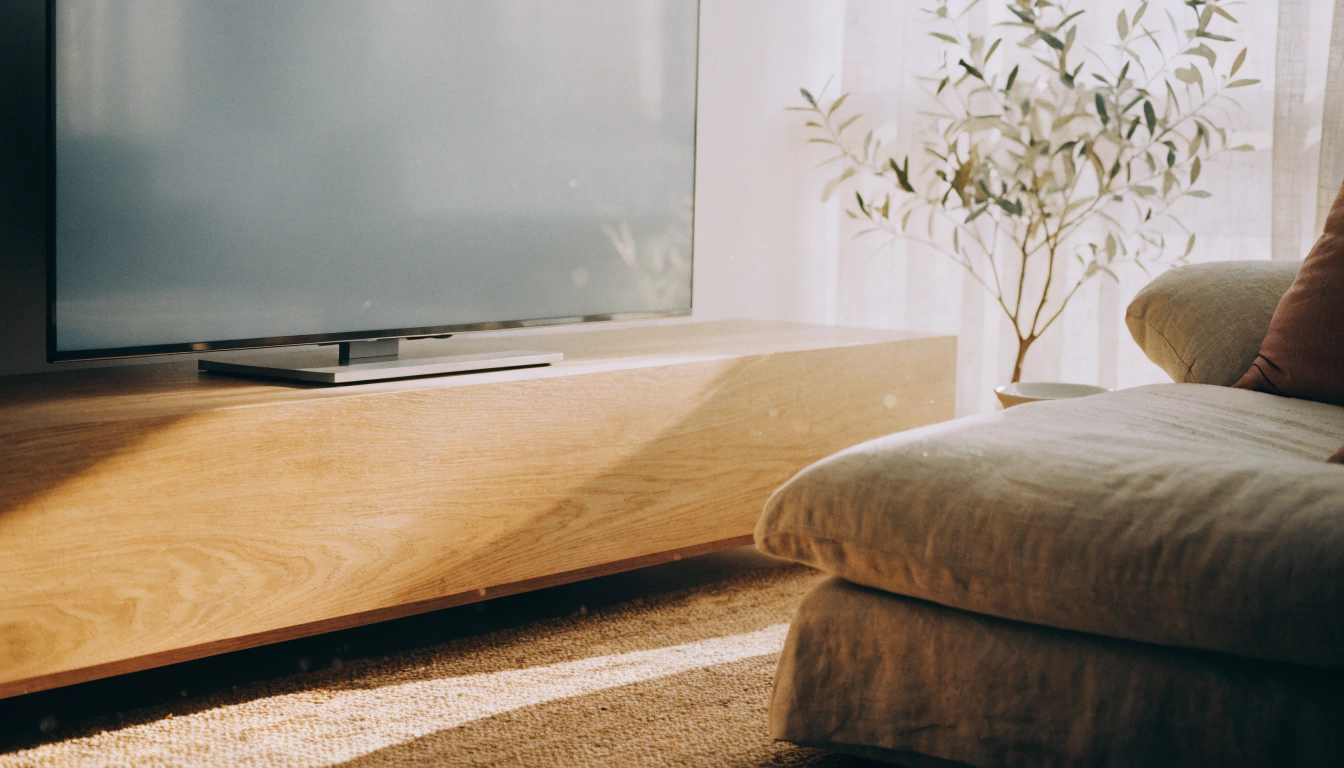
I get this question a lot, and the answer is no. The bottom edge of most TVs is not designed to carry the weight on bare wood. The set can tip forward and drop. It can scratch up the surface it sits on. And on a fair number of models, sitting flat blocks the bottom vents, so heat builds up inside. A universal stand or a wall mount clears away all of those problems in one move.
What Matters More Than the Legs
Once you stop worrying about the legs, focus on the things that keep the TV safe:
- TV weight, checked from the manual or the manufacturer's website
- Screen size in inches
- VESA pattern, which is the screw hole spacing on the back
- Surface width and depth, wide and deep,are safer
- Anti-tip protection for homes with kids or pets
- Viewing height, with the screen center near eye level
- Cable access and airflow around the back
Best Options for a TV Stand for a TV With No Legs
These run from the easy fix down to the quick stopgap. Pick based on your TV size, the room it goes in, and whether the place is yours or a rental.
1: Universal Tabletop TV Stand

A universal tabletop TV stand is an easy win for most folks with missing or broken feet. It bolts right into the VESA holes on the back, then sits on any flat surface you have; a console or a media cabinet does the job. Many adjust for height, and some swivel left and right. Rent your place and cannot drill into the wall? Start here.
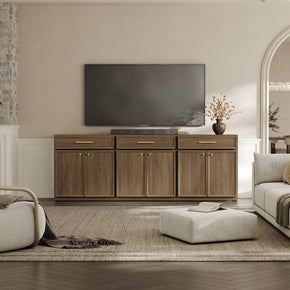
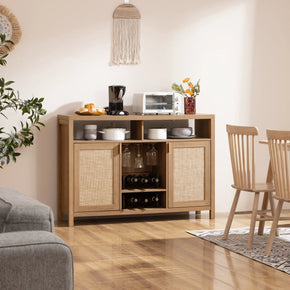
For a tidy look, put the stand on a wide, low cabinet. A piece like the Savanna TV stand with four doors and an adjustable shelfoffers a sturdy top and hidden storage for boxes, games, and the usual cable mess. This TV stand works well with a universal stand when your TV has no legs, giving that tabletop base a wide, steady surface to sit on.
2: Wall Mount

A wall mount is the safest, tidiest setup for the long run when you own the place. It frees up the surface below and gives the TV that floating look folks chase. One rule beats all the rest. Sink the bolts into wall studs, never bare drywall. Find your TV's weight and VESA size first. Then go fixed, tilting, or full-motion, based on where you park yourself to watch.
Pair a wall mount with a low console underneath, and it just works. The screen stays up top, while a unit such as the Terra TV stand, built for screens up to 65 inches, tucks your gear and cords out of sight.
3: Freestanding Floor TV Stand

A freestanding floor TV stand drops the drilling part for good. It rests on a weighted base or a frame, and a few roll on wheels. Most have shelves for a soundbar, a game console, or a cable box. Renters, bedrooms, home offices, walls too flimsy to mount into, all of them suit a floor stand well.
Prefer a real furniture look over a bare pole? Browse the full Sicotas TV stand and media console collection for grounded units that hold your TV and devices in one piece.
4: Sturdy Media Console or Sideboard

A sturdy media console can hold a TV just fine, as long as you do it right. Start with a top that is wide, deep, and level. If the TV has no legs, set it on a universal tabletop stand first. Then anchor the furniture to the wall, add anti-tip straps to the TV, and leave a little gap at the back so air can move. Miss any of those steps, and you are gambling.
Building a media wall that hides the clutter? A wide unit like the Stria TV stand with storage, builtfor screens up to 100 inches, gives you a flat top for a VESA mount and closed cabinets below.
5: Floating or Legless TV Unit

A legless TV unit is where people get tangled up. A TV unit with no legs is a piece of furniture. A TV with no legs is the screen itself. Two very different things. A floating cabinet bolts to the wall, while a grounded legless console just sits flat on the floor. Both store your media gear, but neither one holds the screen for you. The TV itself may still need a wall mount or a universal stand on top.
A flexible piece like the Helio modular TV stand for TVs up to 100 inches doubles as a low, grounded console sitting under a wall-mounted screen.
Quick Comparison: Best TV Stand Options for a TV With No Legs
The table below lays out every option, from a quick, temporary TV stand to a permanent floor TV stand, so that you can match one to your TV and timeline.
|
Solution |
Best For |
Drilling? |
Large TVs? |
Main Safety Note |
|
Universal tabletop stand |
Lost or broken legs |
No |
Yes, if rated |
Match VESA and weight |
|
Wall mount |
Permanent setups |
Yes |
Yes |
Mount into studs |
|
Freestanding floor stand |
Renters |
No |
Yes, if rated |
Use a weighted base |
|
Media console + VESA stand |
Storage lovers |
No |
Yes |
Anchor the furniture |
|
Floating TV unit |
Modern media walls |
Yes |
Holds gear, not always TV |
Fix into studs |
|
Temporary low base |
One night only |
No |
No |
Keep it low and wide |
How to Choose the Right Universal TV Stand
A universal stand is the usual go-to when legs go missing. Grab the wrong one, though, and the TV can wobble or come down. Run through these checks before you spend a dime.
Check the VESA Mount Pattern

VESA is just the square of screw holes on the back of your TV. The number indicates the gap between the holes in millimeters, such as 200x200 or 400x400. Your job is to match the stand to that pattern. Check the manual or measure it yourself, as the standards body that setsthese screw patterns explains for each screen size.
Match the TV Size Range
Every stand lists a size range, something like 32 to 65 inches or 55 to 85 inches. That range helps you narrow things down. But the inches alone will not keep your TV safe. The weight rating matters more, so do not stop reading at the screen size.
Check the Weight Capacity

Never guess the weight. A modern 85-inch set can tip well past 100 pounds, as product testers have shown. Pull the number off the TV manual or the maker's page, then pick a stand rated comfortably above it.
Choose the Right Base Width and Depth
Wider bases hold big screens more safely. A deeper base fights forward tipping, which is how most TVs fall. Glass bases look great; just make sure the one you pick is rated for your TV's actual weight.
Look for Height Adjustment and Swivel
Height adjustment gives you room for a soundbar. Swivel lets you turn the screen away from window glare. Built-in cable clips keep the back from turning into a mess. None of these are deal-breakers, so weigh them against the price and decide what you actually need.
What If You Lost the Legs to Your TV?

Losing a foot happens more often than you would think, and you really have two routes. Track down the exact factory legs, or give up on them and switch to a universal stand.
Check the Maker First
Go to the brand first. Look up your TV model number, dig through the manual, and reach out to the parts team if you have to. Many makers still sell the original legs as spare parts. Going this route keeps the look exactly the way it shipped from the factory.
Search for Model-Specific Replacement Legs
Going aftermarket? Use the exact model number and match the screw spacing to the hardware that comes in the box. Used parts can do the job, just look them over before you pay. A mismatched leg set is honestly worse than having no legs at all.
Use a Universal VESA Stand If Original Legs Cost Too Much
Brand legs can get expensive, and sometimes they cost more than a whole stand. A universal VESA stand often costs less and includes height adjustment on top. Just double-check the VESA pattern and the weight rating before you place the order.
Can You Make Homemade TV Legs?

You can, but tread carefully. Homemade TV legs are okay for small, light TVs and nothing bigger. For large or thin screens, the risk is just not worth it. One weak homemade leg can snap, taking the whole set down with it.
When DIY TV Legs Are a Bad Idea
Skip the DIY legs altogether on big TVs. Thin OLED panels and wide LED sets need real support, not a workaround. Loose blocks, stacked books, and narrow boards eventually slide around and tip over. If your TV is heavy or tall, just go with a proper stand or a mount and save yourself the worry.
Safer DIY TV Stand Ideas
If you like a weekend build, aim for a base, not legs:
- Build a low, wide wood platform that holds the existing base
- Build a sturdy media console with a flat, deep top
- Mount a heavy-duty wall shelf, but only into studs
- Add anti-tip straps to the finished setup
Why a Universal Stand Usually Beats Homemade Legs
A universal stand uses the mounting points your TV was actually built for. It comes weight-rated, goes on fast, and looks clean once it is up. Compared to legs you cobble together yourself, the risk is far lower. For most people, it is simply the smarter call.
Temporary TV Stand Ideas: What Works for Short-Term Use?

Sometimes you need a temporary TV stand just to get through tonight while the parts ship. Before you rig up homemade TV legs or set the screen on any legless TV stand, keep the base low, wide, and easy to keep an eye on.
Short-Term Options That May Work for Small TVs
For a small, light TV, these can hold for a short time:
- A low, sturdy bookcase lay the right way up
- A wide storage cube
- A solid dresser or sideboard
- A TV riser rated for the full TV weight
- A non-slip mat under the existing base on a slick surface
What Not to Use as a Temporary TV Stand
Some setups look fine but fail fast. Avoid these:
- Wobbly folding tables
- Tall, narrow shelves
- Uneven stacks of books
- Cardboard boxes
- Thin floating shelves are not rated for a TV
- Anything that presses on the screen panel
Add Anti-Tip Protection Even for Temporary Setups
A tip-over takes a second. Safety folks say to anchor the TV and the furniture, then push the set back as far as it goes. Even a base you only need for one night earns straps once kids or pets share the room. The safety teams that tally these injuries keep simple anti-tip straps and wall anchors right at the top of their advice, mostly because they are cheap and take minutes to fit.
What Is a TV Unit With No Legs?
This phrase trips up a lot of shoppers. Worth clearing up early: a TV unit with no legs is a piece of furniture, while a TV stand for a TV with no legs is about propping up the screen itself. This guide focuses on the second, since that is the real problem most people are trying to solve. It can mean two separate things. One is a cabinet on the wall. The other is a cabinet on the floor. Neither matches a TV that lost its feet, and that mix-up is the bit that fools people.
Floating TV Stand
A floating stand bolts to the wall and appears to hover. It opens up the floor below and fits minimalist rooms well. It does lean on the wall for all its support, so fix it into studs and nothing less.
Floor-Sitting Legless TV Console
A grounded legless console sits flat on the floor. The low center of gravity makes it feel rock-solid, and it tends to hold more inside than a legged piece. Set against a large living room wall, it really comes into its own.
Legless TV Unit vs TV Without Legs
Keep these two ideas apart in your head. A legless TV unit is a piece of furniture that holds your gear. A TV without legs is a screen that has lost its base. Plenty of people end up needing both a storage unit and a safe way to hold the TV itself.
Legged TV Stand vs Legless TV Stand: Which Is Better?
This one is about the stand, not the TV. Both styles do the job. Which is right comes down to your room and how you like to clean.
Benefits of a TV Stand With Legs
A legged stand leaves a gap underneath. That gap is a gift at cleaning time, since a robot vacuum can roll right under. The open base reads light, too, which is handy in a small room. Air moves better through the gap, and the lighter build makes the whole thing easy to shift around.
Benefits of a TV Stand Without Legs
A legless stand sits low and feels planted. It usually swallows more storage, and far less dust sneaks underneath. It pairs nicely with big TVs and media walls, and it slots right into modern, Japandi, and minimalist rooms.
Which One Should You Choose?
Pick legs if easy cleaning and an airy look matter most to you. Pick legless for more storage and that grounded, solid feel. And remember, if the TV itself has no legs, a wall mount or a universal stand is the real fix here, regardless of which cabinet you end up choosing.
Safety Checklist Before Standing Up a TV With No Legs

Run through these quick checks before you trust any setup with your TV. They take a couple of minutes and head off the worst outcomes.
Check the Weight Rating
Every mount, stand, and cabinet has a weight limit. Whether you go with a tabletop TV stand or a wall mount, make sure yours can handle your TV's weight with room to spare. This is not the place to guess.
Use the VESA Holes the Right Way
Those VESA holes are designed to take the load, but only with the right screws. Match the screw size to the pattern, because big TVs use thicker bolts than small ones, somethingmounting hardware makers spell out in their fit guides. The wrong screw length can strip the threads or never grab at all.
Keep the TV Level
A TV that leans is a TV waiting to tip. Set it flat. If it has to lean for some reason, let it lean back and never forward, and only for a short while.
Secure the TV With Straps
Anti-tip straps tie the TV to the wall or to sturdy furniture. In a home with kids or pets, this is the single most important thing you can do. Fit them on any setup that could come down.
Leave Room for Airflow
Leave the vents clear. A gap behind the screen lets heat escape the way it should. A TV stand without legs sits low and flush, so give the back some breathing room. Push the TV flush against a wall or a cabinet back, or drape a fabric cover over it, and the trapped heat will quietly shorten the set's life.
Manage the Cables
Loose cables trip people up and can drag the TV forward. Tuck them away with ties or clips. A tidy cable run is safer and, frankly, looks a lot better, too.
Best Setup Ideas by Room Type

The right setup changes from room to room. Below is a quick plan for the spaces where TVs tend to end up.
Small Apartment
Think compact and renter-friendly. A universal tabletop stand on a narrow console does the trick, and a freestanding floor stand keeps you off the drill too. If your lease bans holes in the wall, skip the wall mount entirely.
Family Living Room

Safety and storage win out in a family room. Pair a wall mount with a low console, add anti-tip straps, and lean on closed storage for remotes and gaming gear. Rounded furniture edges are a smart touch with little ones about. To tie the whole room together, you can match pieces from the Sicotas living room furniture range.
Bedroom
Bedrooms need a higher, gentler angle, since most of us watch lying down. Set the screen a little higher than you would in the living room, or mount it with a slight downward tilt, as recommended by home setup guides for comfortable viewing height. A dresser topped with a universal stand works too; just anchor it down properly.
Modern Media Wall
In a media wall, looks come first. A floating TV unit, a wall-mounted screen, and cables hidden out of sight give you that clean wall everyone is after. A low, legless console anchors the whole thing visually. Toss in some LED accent lighting if the room can carry it.
Final Verdict: The Best TV Stand for a TV With No Legs
There is no one winner here. The best pick depends on your TV, your room, and how soon you need it sorted. The short version looks like this:
- Universal TV stand: a universal tabletop base that bolts into the VESA holes is the best overall fix for a TV with no legs.
- Wall mount: A mount driven into studs is the safest permanent setup for a legless TV.
- Floor TV stand: a freestanding, weighted-base stand is the best call for renters.
- Legless TV console: a wall-mounted TV over a floating or legless console is the best design setup.
- Low TV cabinet: a low, wide, sturdy cabinet with anti-tip straps is the best short-term fix.
Before you set anything up, write down your TV model number, VESA pattern, and weight. Pick a support that is rated for that TV. And whatever you do, never rest the screen on its bare bottom edge.
FAQs
How can I stand my TV without legs?
Use one of these safe options:
- A universal tabletop TV stand on a console
- A wall mount fixed into studs
- A freestanding floor stand or TV cart
Do not rest the TV on its bare bottom edge.
What can I do if I lost the legs to my TV?
You really have two solid options here:
- Look up the original legs by your TV model number, or call the maker directly
- If the cost climbs too high, grab a universal VESA stand that matches your pattern and weight
How do I make a TV stand up with no legs?
Bolt the TV onto a VESA-compatible universal stand or a wall mount. If it is only for a short while, set it on a wide, stable surface with proper support and anti-tip straps.
What is a TV unit with no legs?
It is furniture, not the screen. The term points to a floating wall cabinet or a floor-sitting legless console. It holds your media gear, but the TV itself may still need its own mount or stand.
What can I use instead of a TV stand?
Several pieces work if they support the TV safely:
- A wall mount or a universal TV stand
- A floor stand or a rolling TV cart
- A dresser, sideboard, or media console
How do I make homemade TV legs?
For large or thin TVs, the truth is, you should not. Safer DIY routes look like this:
- Build a low, wide wood platform that holds the existing base
- Or skip the build and use a universal VESA stand that uses the mounting holes the TV already has
What can I use as a temporary TV stand?
Use a low, wide, sturdy surface such as a solid dresser, a short bookcase, a storage cube, or a media console. Stay away from boxes, stacked books, narrow shelves, or anything that wobbles when you nudge it.
Can I buy just the legs for a TV?
Yes. Plenty of brands sell replacement legs by model number. You can also dig up used parts, or just pick a universal VESA stand if the original legs are long gone.
Sources
- U.S. Consumer Product Safety Commission – Anchor It! furniture and TV tip-over campaign
- Consumer Reports – TV tip-overs and how to keep families safe
- Wikipedia – VESA mount standard and screw patterns
- Ergotron – VESA standard guide for displays and mounts
- Vogel’s – How to find and measure your TV VESA size
- TaskRabbit – How high to mount a TV for comfortable viewing
- HelloTech – Best TV mounting height for living room and bedroom


Looking for something else?

Burl Wood Furniture: The Complete Buying Guide
LEARN MORE
What Is a Hope Chest? Meaning, History, and Modern Uses
LEARN MORE
What Is a Foyer? Meaning, Purpose and Design Guide
LEARN MORE
GREENGUARD Gold Certified Furniture: What It Really Means for Your Home
LEARN MORELooking for something else?

How to Clean a Mirror Without Streaks: Simple Step-by-Step Guide
LEARN MORE
21 Above-Bed Decor Ideas for a Stylish Bedroom Wall
LEARN MORE
Furniture Materials Guide: Picking the Right Material Room by Room
LEARN MORE


Further reading

18 Decorative Storage Box Ideas That Hide Clutter Well

How to Store Comforters Without Losing Space or Loft


