







How to Baby-Proof a TV Stand Without Ruining Your Living Room
The day your kid starts crawling is the day baby-proofing the TV stand should jump to the top of your list. Learning how to baby-proof a TV stand, or childproof TV stand if you prefer, matters because the thing sits low, it's stuffed with heavy electronics, and the whole setup lands right at a toddler's eye level. Few spots in the house are riskier. What keeps me up is the tip-over risk. TheU.S. Consumer Product Safety Commission reports that TVs are involved in almost half of all furniture tip-over deaths. Half of them. The upside is that a few small fixes can turn any media unit into a babyproof entertainment center, and you don't have to wreck the room's look to get there. Here's how.
Why You Need to Baby-Proof a TV Stand

To you, a TV stand looks harmless. To a baby, it is a magnet. Flashing lights, buttons, remotes, dangling cords, all of it pulls a curious child straight over. And the danger is not small. A top-heavy TV can come down if a child pulls on it or climbs on it, and the stand itself can tip the same way. Then add sharp corners, loose batteries, glass decor, and open shelves. Most parents only deal with it after a close call. Do not be most parents.
TV Stands Have Several Hidden Hazards
Get down low and look at it the way they will. There's more waiting to go wrong around a TV stand than you'd think. The whole thing can come over them. Corners catch you, cords hang loose, and somewhere there's an outlet sitting at exactly the wrong height.
Then come the little hazards, a remote here, batteries that worked loose, some glass or a breakable bit of decor, shelves left open and packed with things a small hand can close around. Any one of them, on its own, is nothing much. Put the whole lot together, and that's where the trouble starts.
Babies See the TV Area as a Play Zone
Picture the room from two feet off the floor. The TV area is the most exciting corner in the house. The screen moves. The lights blink. The buttons click back. No wonder a crawling baby heads there first. Once you get that, you can plan rather than chase after them.
Safety Can Still Look Stylish
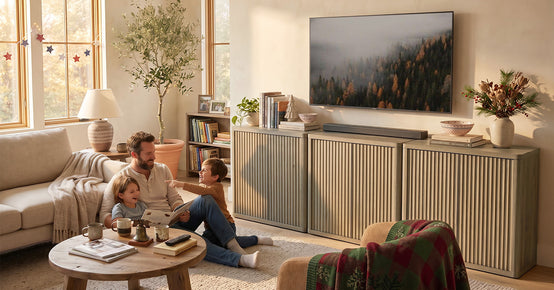
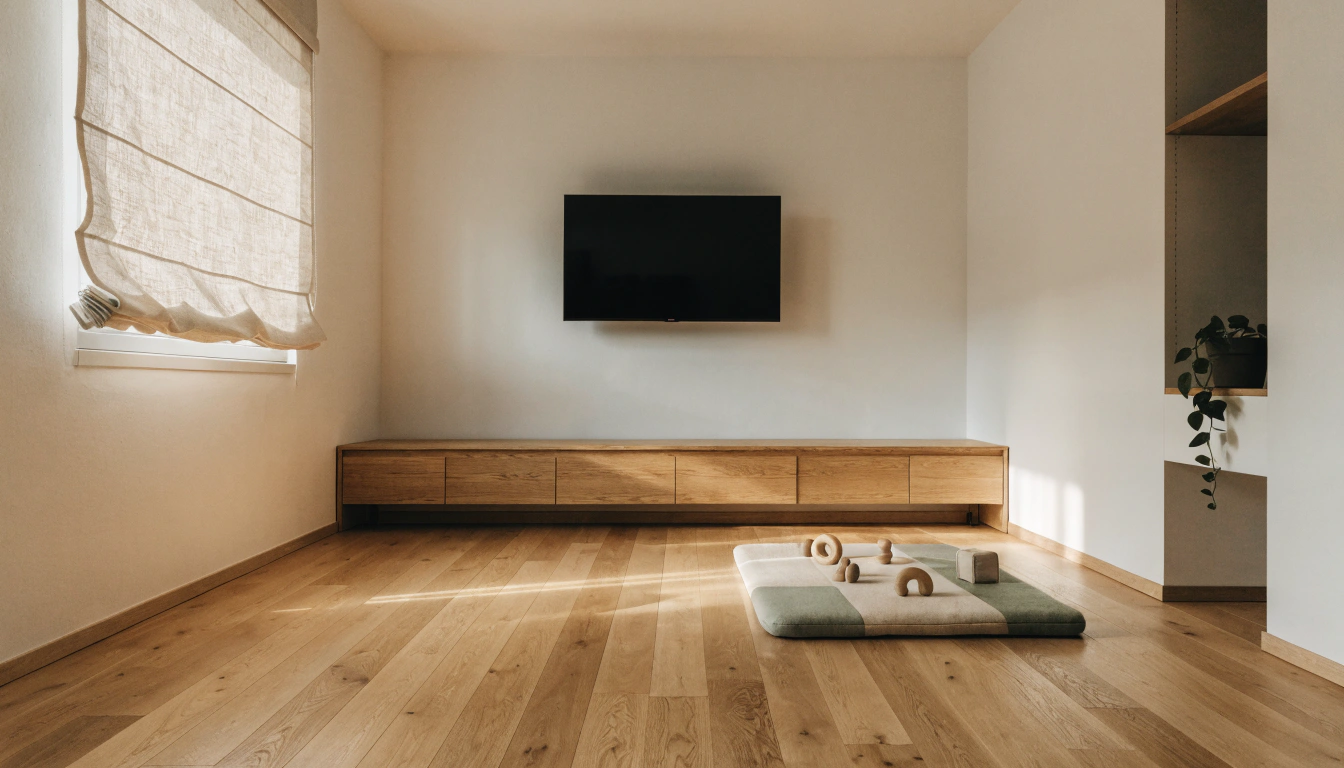
This is the part parents dread. Good news: you do not have to wrap the room in plastic. A baby-safe living room can still look clean and modern. You are aiming for a safer, tidier, and better-organized TV area. Not uglier.
Step 1: Anchor the TV and the TV Stand

Start here. This one step kills two of the worst tip-over risks at once: the TV coming down and the whole stand tipping over with it.
Wall Mount the TV If You Can
Mounting the TV on the wall is the safest move, full stop. The screen goes out of reach, and there is nothing for a child to pull forward onto themselves. One rule matters here. Every mount screw has to reach a wall stud, not just drywall. Drywall anchors give out under a sudden yank.
Use TV Safety Straps If You Cannot Wall-Mount.
Cannot drill? Renting? TV safety straps, anti-tip straps, and furniture anchors are your backup. These tie the TV to the wall or the back of the stand for under $20, and most kits take about 20 minutes to install. Slide the TV as far back on the surface as it will go while you are at it.
Anchor the TV Stand Too

Most people lock down the TV and call it finished. But the stand hasn't gone anywhere, and it'll still tip the day a toddler decides to climb it, or wrenches a drawer out, or throws all their weight onto an open door. So fix it to the wall. Furniture anchors do the job, or L-brackets do. Just make sure they're metal, because the plastic ones turn brittle and snap on you within a year or two. Safety bodies are firm on this: anchor the TV stand to the wall studs, and reach for metal brackets over plastic every time, since they hold under a child's weight when it matters most. Aclosed-door TV console with a low, steady base anchors more easily and keeps the electronics shut away behind doors.
Renter-Friendly Options
Renting is no excuse to skip the anchors. A patched stud hole runs you a few bucks, and most landlords won't blink at it. If drilling genuinely isn't allowed, there are workarounds, tension-mounted systems, heavy-duty adhesive anchors, furniture straps that need barely any holes, and freestanding barriers. And load the heavy gear onto the lower shelves to bring the center of gravity down while you're at it. That helps. It's no substitute for a real anchor, though.
Step 2: Hide Wires, Cords, and Power Strips

Babies grab cords. Then they chew them. A loose wire is a trip risk, a choking risk, and an electrical risk rolled into one. Tidy it up, and you fix all three, plus the room looks better.
Use Cord Covers or Cable Raceways
Solid TV stand cable management starts here: cord covers press wires flat against the wall, out of grabbing range. Cut a raceway to length, stick it down, and paint it to match the wall if you want. The cords disappear. So does the temptation to tug on them. While you are at it, fit outlet covers near the entertainment center too, so empty sockets and plug points are not the next thing little hands reach for.
Add a Cable Management Box
A cable management box swallows the worst of the mess. Power strips, extra cords, plugs, bulky adapters, all of it goes into one closed container. The tangle is gone, and a baby cannot get to live connections.
Choose a TV Stand with Cable Cutouts

Some stands do the work for you. Rear cutouts and enclosed cable paths route cords through the back, out of sight. A TV console with built-in cable management keeps the wiring tucked behind the cabinet instead of spilling onto the floor where little hands live.
Cover Outlets Near the TV Stand
Open sockets are an invitation. Outlet covers block little fingers and stray objects, so pick ones adults can pop off but toddlers cannot. Keep power strips behind a locked door or inside the cable box, and do not overload them. Overloaded strips overheat.
Step 3: Soften Sharp Corners and Hard Edges

Those crisp lines look great right up until a new walker headbutts one. Corner protection saves you from bumps and cuts, and no, it does not have to make the room look like a daycare.
Add Corner Guards
Soft foam, silicone, or rubber corner guards cushion the stand's sharp corners. Wipe each corner clean first so the adhesive grips. Press the guard on for a solid 30 seconds. Then tug at it to make sure it holds.
Use Edge Bumpers on Long Front Edges
Corners are not the only enemy. Pairing corner guards and edge bumpers for the TV stand covers both the points and the lip, so run bumpers along the front edge as well, especially when the top edge sits near toddler head height. That long front edge is what most kids actually walk into.
Choose Clear or Color-Matched Protectors
Bulky beige guards scream baby-proofing. Clear or neutral protectors blend into modern furniture, keeping the room polished while protecting the edges.
Step 4: Lock Cabinets, Drawers, and Storage

Open shelves look sleek. They are also a toddler buffet: remotes, batteries, breakables, all at arm's height. Closed, locked storage clears most of that in one go.
Use Magnetic Cabinet Locks
Magnetic cabinet locks hide inside the door. Nothing to see, nothing to grab. They open with a magnetic key for you and stay shut for little hands. Pick ones with removable adhesive, and they leave no mark on the furniture.
Add Drawer Latches
Drawer latches do two jobs. They stop a baby from yanking drawers open and scattering the contents, and they stop pinched fingers. Bonus: A latched drawer cannot serve as a step to climb higher. Taken together, a closed storage TV stand with cabinet locks and drawer latches is the safer choice over open shelves, since it puts cords, electronics, and small items fully behind doors and out of reach.
Keep Remotes and Batteries Out of Reach
Remotes, loose batteries, gaming bits, small parts. All choking hazards and button batteries are the scariest of the lot. Every one of them belongs inside locked storage, never out on the open top.
Use Closed Storage Instead of Open Shelves

Closed-door stands hide consoles, cords, remotes, and fragile decor behind a panel. Far safer than open shelving. A media console with drawer storage tucks clutter out of sight and offers latchable drawers for the small stuff.
Step 5: Remove Climbing Temptations

The day a baby figures out climbing, everything on top of the stand becomes a reason to go up. So here is how you stop a baby from climbing on the TV stand: take away the reasons.
Clear the Top Surface
Strip the top. Toys, remotes, snacks, plants, decor, off it goes. If nothing is interesting up there, the climb has no payoff. The CPSC says the same thing, warning parents not to leave tempting items within kids' reach.
Move Heavy Items to Lower Shelves
Weight down low makes the unit steadier and harder to topple. Helpful, sure. But treat it as a bonus on top of anchoring, never a replacement for bolting the stand to the wall.
Do Not Let Drawers Become Step-Ladders

To a toddler, an open drawer is a staircase. Keep drawers latched so they cannot be pulled out and climbed. A two-door TV cabinet with smooth, latchable doors offers fewer footholds than an open shelf unit ever will.
Redirect to a Safe Play Zone
Give the baby a better option—a soft mat, a basket of toys, and a little play corner away from the TV. Redirection beats repeating a hundred times a day, trust me.
Step 6: Use a Baby Gate or Barrier When Needed

Still too easy to reach? Put up a barrier. This is the move for parents who cannot change the furniture right this minute.
Use a Freestanding Baby Gate Around the TV Area
A freestanding baby gate buys you real distance between the baby and the entertainment center. Plenty of parents set one in a half-circle, a couple of feet out from the stand, and call it done for now.
Try a Playpen Fence Around the Stand
Flip the idea around. A reverse playpen fence walls off the TV area instead of penning in the baby. Handy as a stopgap while waiting for wall mounting or anchoring.
Rearrange Furniture as a Natural Barrier
Let the furniture block for you. Park a sofa, ottoman, or armchair in front of the stand, and it quietly steers the baby away. No extra gear, no money spent.
Know That Barriers Are Temporary

Gates and fences have a shelf life. Toddlers grow, then they climb over or shove past them, which is exactly why anchors and locks still matter even with a barrier up. Browse the Cas storage collection if you want closed, low-profile units that stay easy to baby-proof for the long haul.
How to Choose a Baby-Safe TV Stand

Buying new? Pick the safe features up front, and you save yourself a pile of fixes later. A low, wide, stable design fights tipping. Rounded corners mean fewer bulky guards. Closed cabinets beat open shelves every single time when it comes to tucking away electronics and small parts. Ease off the glass, though; glass doors, glass shelves, and sharp glass tops all spell trouble around toddlers. Lean toward materials that last: solid wood, well-engineered wood, and sturdy metal; skip anything flimsy or wobbly. Then check the weight rating to ensure the stand can carry your TV, soundbar, and consoles without straining. The Savanna furniture range has low, closed-storage TV stands that hit most of these marks.
Baby Proofing by Age and DevelopmentalStage
Safety needs shift fast as a baby grows. What covers you at six months falls short by two years. Use this as a baby-proof TV stand-by-age guide, mapping each stage to the right fixes so your whole baby-safe living room keeps pace with your child.
|
Stage |
What to Focus On |
|
6 to 12 months: crawling and pulling up |
Cord covers, outlet covers, corner guards, and removing low decor. |
|
12 to 18 months: walking and reaching |
Anchoring, cabinet locks, drawer latches, and clearing breakable items. |
|
18 to 24 months: climbing and testing |
Anti-tip straps, locked drawers, clear boundaries, and steady redirection. |
|
Every few months |
Recheck the whole TV area as your child gets taller, stronger, and more mobile. |
Stylish Baby Proof TV Stand Ideas
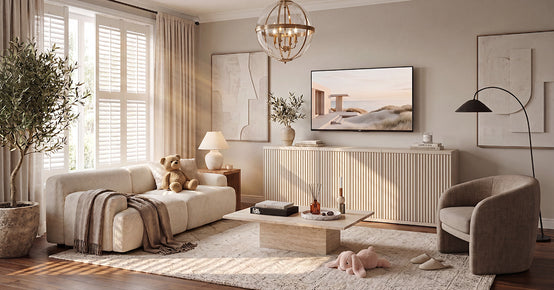
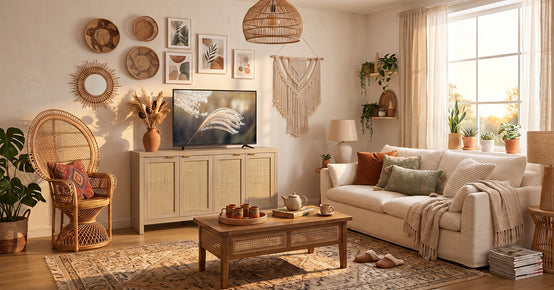
Safe and stylish are not enemies. A tambour-door or sliding-door TV stand hides the electronics while adding texture. Fabric bins hold toys, remotes, and blankets with no hard edges to worry about. Soft books, baskets, and heavy-weight planters look good and beat glass vases and tiny trinkets. Keep the top minimal. A clean stand is easier to baby-proof and reads more modern anyway. One last thing: match your safety products to the furniture. Clear guards, neutral cord covers, hidden locks, and the whole room still looks pulled together.
What to Use Instead of a TV Stand
Some rooms are better childproofed with no low console at all. A wall-mounted TV with no stand suits small spaces where a baby can reach everything anyway. A floating media cabinet keeps storage up high, as long as it is mounted securely. A built-in media wall hides the wires and gives stable storage, great for homeowners. A closed cabinet or sideboard works if it has airflow and proper anchors. Even a projector setup cuts the need for a big stand, though the gear and cords still need childproofing. Whatever you pick, you are still on the hook for cords, outlets, and tip-over risk.
Common Baby Proof TV Stand Mistakes
False confidence is the real danger. Watch for these slip-ups.
- You anchored the TV but not the stand. Both have to be secured. Instead, run anti-tip straps from the TV to the stand and from the stand into the wall studs, so the whole setup holds as one unit.
- Cords are tucked behind but still loose, so a baby grabs the slack anyway. Instead, shorten the slack with cord clips or a channel, and route everything tightly against the wall out of reach.
- You trusted heavy furniture without anchors. Heavy still tips when a kid climbs it.
- Electronics sit on open shelves, putting buttons, cords, and remotes right in reach.
- Small decor left on the stand becomes a choking hazard or a climbing lure. Instead, clear the top and open shelves completely, and keep small objects in a closed drawer or well out of the room.
- You never rechecked. Adhesive locks, guards, and anchors all loosen over time.
Final Takeaway
To baby-proof a TV stand, go after the biggest risks first: tipping, cords, sharp corners, and small objects. Anchor the TV and the stand. Hide the wires. Lock the storage. Soften the edges. Clear the climbing bait. Then recheck it all as your child gets bigger. A safer TV area still looks good when you lean on closed storage, clean cable management, soft decor, and child-friendly furniture. Safety and good design really do fit in the same room.
FAQs
How to childproof a TV stand?
Work through these in order:
- Anchor both the TV and the stand to the wall.
- Hide the wires and cover the outlets.
- Add corner guards and lock the cabinets and drawers.
- Clear small objects off the top, and add a baby gate if the area is still too easy to reach.
How to childproof a stand?
Strap it down. Use TV safety straps to secure the TV to the wall or furniture, and push it as far back as it will go. Make sure the stand is wider than the TV, stable, and anchored so nothing tips forward.
How to protect the TV from a baby?
A few moves cover it:
- Wall-mount the TV if you can, so the screen stays out of reach.
- Add a safety strap and hide the buttons and cords.
- Create distance with a gate, an ottoman, or a closed media cabinet.
How to stop a baby from climbing on the TV stand?
Take away the reasons to climb:
- Clear tempting items off the top and lock the drawers.
- Skip open shelves and anchor the stand to the wall.
- Redirect the baby to a safe play area and add a baby gate for an extra layer of protection.
Can I watch TV with my 7-month-old in the room?
Background TV happens. Still, pediatric guidance discourages screen media for babies under 18 months, except for video chatting. Keep the volume low, do not build TV into the baby's routine, and put the energy into face-to-face play.
Can I watch TV with my 6-month-old?
Better to keep screen exposure low at 6 months. If the TV is on while you watch, keep the baby busy with toys, feeding, or floor play instead of letting the screen do the entertaining.
What is the 7-7-7 rule for kids?
It is not a real TV stand safety rule, despite the name. For actual TV area safety, stick with the proven steps: anchor the furniture, hide cords, lock cabinets, cover corners, and watch your child.
What to use instead of a TV stand?
Plenty of options. A wall-mounted TV, a floating media cabinet, a built-in cabinet, a closed sideboard, or a projector setup. Just remember, each one still has to control cords, outlets, and tip-over risk.
Are TV stands safe for kids?
They can be. A TV stand is safe for kids when it is stable, anchored, the TV is secured, the cords are hidden, the cabinets are locked, and small or breakable items are gone. Leave it unsecured, and it is not safe around toddlers.
Sources
- U.S. Consumer Product Safety Commission – Anchor It! Tip-Over Prevention
- U.S. Consumer Product Safety Commission – TV and Furniture Tip-Over Data Report
- HealthyChildren.org (AAP) – Preventing Furniture and TV Tip-Overs
- American Academy of Pediatrics – Media and Young Minds
- Mayo Clinic – Screen Time and Children: How to Guide Your Child
- Nationwide Children's – Furniture and TV Tip-Over Injuries in Children
- Consumer Product Safety Commission – STURDY Act and Furniture Stability Standard


Looking for something else?

Burl Wood Furniture: The Complete Buying Guide
LEARN MORE
What Is a Hope Chest? Meaning, History, and Modern Uses
LEARN MORE
What Is a Foyer? Meaning, Purpose and Design Guide
LEARN MORE
GREENGUARD Gold Certified Furniture: What It Really Means for Your Home
LEARN MORELooking for something else?

How to Clean a Mirror Without Streaks: Simple Step-by-Step Guide
LEARN MORE
21 Above-Bed Decor Ideas for a Stylish Bedroom Wall
LEARN MORE
Furniture Materials Guide: Picking the Right Material Room by Room
LEARN MORE


Further reading

18 Decorative Storage Box Ideas That Hide Clutter Well

How to Store Comforters Without Losing Space or Loft


