





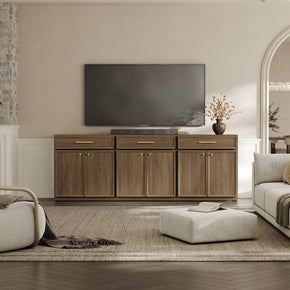
















Floating TV Stand Size Guide: How to Choose the Right Width and Mounting Height
The size of the floating TV stand is the first thing to get right when you put a media console on the wall. Too small, and the TV looks top-heavy. Too wide, and the room feels crammed. The fix is easy. Match the stand width to your TV width. Then mount it at a height that feels comfortable. This updated 2026 floating TV stand size guide provides a clear size chart for screens from 32 to 100 inches. You also get a mounting height chart, weight limits, and wall tips. And on safety, the U.S. CPSCAnchor It! campaign shows you why a wall-mounted TV stand still needs solid anchoring.
Get the floating TV stand size right and everything else falls into line, from how balanced the wall looks to how much storage you actually get. Keep this TV stand size guide handy as you work through the charts below, and you will land on the right width and height the first time. Let us size yours correctly.
Quick Rule of Thumb for Floating TV Stand Size

Want the short answer? Three quick rules for getting the TV stand width right:
- Match the screen first. Make your floating TV stand at least as wide as the TV, never narrower.
- Then add a little extra. Let the stand run a few inches past each side of the screen, since that balance is what makes a wall-mounted setup look planned rather than patched together.
- Size by real width, not the box number. A TV is measured along the diagonal, so a 55-inch TV is only about 48 inches wide. Always set your TV console size against the actual width.
What Is a Floating TV Stand?

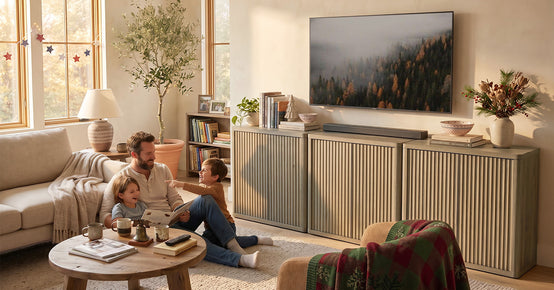
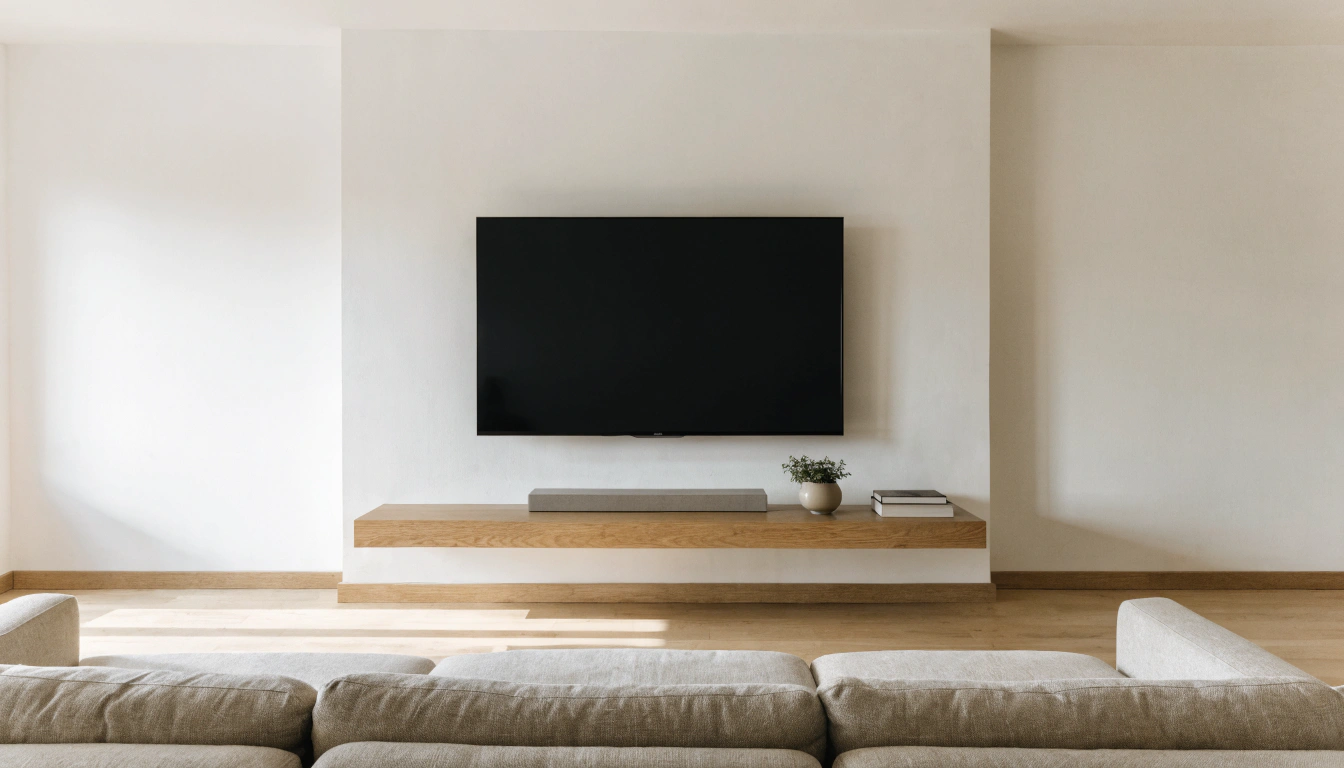
A floating TV stand is a wall-mounted media console. It bolts to the wall and appears to hang in midair above the floor. The TV is usually mounted on the wall above it. The stand holds your gear. Game consoles, a soundbar, the router, remotes, all the bits that pile up on a coffee table. They live there instead.
Nothing touches the ground, so the floor stays open. Cleaning gets quick. The whole living room TV setup feels lighter. A floating TV console, also called a wall-mounted TV stand, pulls clutter off the floor and onto the wall. Have a look at the full floating TV stands and media console range to see how different widths and finishes change the look of a wall.
Floating TV Stand vs Regular TV Stand

The difference is where the weight goes. A wall-mounted TV stand screws into the wall, keeping the floor clear. A regular floor stand rests on legs or a base. Floor units move easily, which suits renters and anyone who shifts furniture around. Floating units look more built-in and modern. They also hide cables better. If easy cleaning and a clean wall matter most to you, the floating media console usually wins.
Why Choose a Floating TV Stand?
A few reasons keep coming up. The floating look is modern and tidy. Open floor space makes a small room feel bigger. Cables tuck away out of sight. And with no base in the way, a robot vacuum slides right under. For families, fewer floor-level corners are a quiet bonus, too.
When a Floating TV Stand May Not Be Ideal
It is not for every home. Renters often cannot drill the holes a floating TV unit needs. A weak or hollow wall may not take a heavy load. And move your furniture around a lot? A wall-mounted stand pins you to one spot. In those cases, a low floor console is the easier call.
How to Measure Your TV Before Choosing a Floating TV Stand
Five minutes with a tape measure saves you a return. The goal is the real width of your TV, not the advertised size. Get that number first. The rest gets easy once you have it.
TV Diagonal Size vs Actual Width
This is the part most guides rush. A TV is measured corner to corner, across the screen. That diagonal is the number on the box. The real left-to-right width is always smaller. As Wikipedia explains, the diagonal display size methoddates back to old round picture tubes. A 65-inch TV is around 57 inches wide. A 75-inch screen sits near 65 inches across—shop by the width, not the diagonal.
Measure the TV Width, Height, and Wall Space
Grab these numbers and write them down:
- TV width, edge-to-edge, including the bezel.
- TV height, top to bottom.
- Total wall width where the stand will go.
- Distance to nearby furniture, doors, and walkways.
- Outlet and cable port locations behind the wall.
Got those numbers? Then you can match the right TV stand dimensions to both the screen and the room.
What If the TV Is Wall-Mounted?
Mount the TV on the wall, and the floating stand carries none of its weight. The wall mount does that job. The stand is there for storage and looks. It works as a wall mounted media console under the screen. You still want it to sit proportionally, which usually means a width close to or a little past the TV width.
Floating TV Stand Size Chart by TV Size

This is the section to bookmark. The chart below pairs each TV size with its real width and a recommended floating TV stand width. Use it as a fast starting point. Then adjust for your own wall.
Quick Floating Media Console Size Chart
|
TV Size |
Approx. TV Width |
Recommended Stand Width |
Best Look |
|
32 inch |
28 inches |
32–40 inches |
Compact bedroom |
|
43 inch |
38 inches |
44–50 inches |
Small living room |
|
50 inch |
44 inches |
50–60 inches |
Balanced media wall |
|
55 inch |
48 inches |
54–65 inches |
Most common setup |
|
65 inch |
57 inches |
63–75 inches |
Modern, balanced |
|
75 inch |
65 inches |
72–85 inches |
Large living room |
|
85 inch |
74 inches |
80–96 inches |
Home theater feel |
|
100 inch |
87 inches |
96–120 inches |
Extra-wide wall |
These widths are a guide for a standard 16:9 TV. Check your own model and the spread of any feet before you buy.
Minimum Width vs Best-Looking Width
There is a gap between "will fit" and "looks right." A stand that matches the TV width exactly works fine. But it can look a touch tight. Add a few inches on each side, and the screen suddenly looks grounded. That small margin is the easiest upgrade to a media wall.
Can a Floating TV Stand Be Too Wide?
Yes, it can. A stand that eats the whole wall, blocks a doorway, or dwarfs a small room tips the balance the wrong way. The stand should suit the TV and the wall's scale. Not sure? Tape some painter’s tape on the wall and look before you buy.
Floating TV Stand Size Guide for Popular TV Sizes
Shopping for a specific screen? Below is a quick read on the sizes people ask about most.
Floating TV Stand Size for a 32 Inch TV
A 32-inch TV runs about 28 inches wide. Pair it with a floating TV stand around 32 to 40 inches wide. That fits well in bedrooms, dorms, small apartments, and spare rooms where space is tight.
Floating TV Stand Size for a 55 Inch TV

For a 55-inch TV, go with a stand 54 to 65 inches wide. The screen itself is roughly 48 inches across. A 120 cm stand (about 47 inches) can squeeze in, though it may look tight. A bit wider reads better and leaves room for a soundbar. The right TV stand for a 55-inch TV setup frames the screen without crowding it. A 55-inch wall-mounted media consolewith built-in storage falls within this range.
Floating TV Stand Size for a 65 Inch TV
A 65-inch TV is 57 inches wide. Hunt for a floating TV stand around 63 to 75 inches wide. The 70- to 72-inch range usually looks the most balanced. You still get room for decor, speakers, and media storage. A TV stand for a 65-inch TV in this width gives hidden storage without feeling bulky under the screen.
Floating TV Stand Size for a 75 Inch TV

A 75-inch screen is around 65 inches wide. Go for a 72- to 85-inch stand. That width keeps the TV from looking too big for the console below it. A roomy TV stand for a 75-inch TV also holds the bigger gear these screens bring. A TV console with built-in cable management works well here, since bigger setups bring more cords to hide.
Floating TV Stand Size for an 85 Inch TV

An 85-inch TV is roughly 74 inches wide. And it is heavy. Consumer Reports found that an 85-inch 4K set can hit around 124 pounds with its stand. For an 85-inch TV, choose an 80- to 96-inch floating unit built with reinforced, heavy-duty parts. That way, it carries the load and the look.
Floating TV Stand Size for a 100 Inch TV

At 100 inches, you are basically building a home theater wall. The screen is about 87 inches wide. That means you want 96 to 120 inches of stand. Scale, wall width, and weight capacity all matter more now. A modular option like the modular floating media center for large setups lets you build the width you need in sections.
Floating TV Stand Mounting Height Guide

Width gets you half the job. Height gets you the rest. Mount things too high, and your neck pays for it. Too low, and the setup looks off. The trick is to start from where the TV sits. Then place the stand so it lines up under it.
Standard Floating TV Stand Height
Most floating media consoles look best when the bottom sits high enough to show a clear floor. The top should stay handy for storage. A common range puts the top of the stand around 18 to 24 inches from the floor. The exact number depends on the stand height and where the TV lands above it.
TV Eye-Level Rule
Getting the eye-level TV height right is the whole game here: the center of the screen should sit near eye level when you are seated. For most sofas, that means the screen center lands around 42 inches from the floor, which is a solid default for TV mounting height. Sofa height and your own height shift the number, so treat 42 inches as a starting point, not a hard rule. For overall viewing comfort, Consumer Reports suggests roughly 1 foot of distance per 10 inches of screen, whichits TV buying guide explains in detail.
Mounting Height Chart
|
Setup |
TV Center Height |
Stand Top Height |
Best For |
|
Low sofa/lounge seating |
38–42 inches |
16–22 inches |
Relaxed rooms |
|
Standard sofa |
42–48 inches |
18–24 inches |
Most family rooms |
|
Tall or open-plan seating |
48–54 inches |
22–28 inches |
Kitchen/living combo |
|
Above a fireplace |
54–60+ inches |
Varies |
Special cases |
How Much Space Should Be Between the TV and the Floating Stand?

Leave a gap that feels easy, not cramped. A few inches up to a hand-span of clearance gives room for a soundbar, a little decor, and easy reach to the cables. Squeeze it too tightly, and it looks crowded. Too wide leaves the TV looking stranded. Above a fireplace, raise the stand a bit so the gap does not yawn open.
How to Choose the Right Floating TV Stand Size for Your Room
TV size is one-half. Room size is the other. A stand that looks perfect in a showroom can feel wrong in your space. Measure to the wall, too.
Small Living Rooms and Apartments

Got a small living room? Keep it slim. Pick a floating console wide enough to balance the TV, yet shallow enough that the walkway stays open. A small living room TV stand keeps sightlines clear, and choosing a floating design opens them up even more by leaving the floor visible underneath. It also makes the whole room feel bigger.
Medium Living Rooms
A 60- to 75-inch floating TV stand works for many 55- to 65-inch TVs. It gives you real storage without taking over the wall. This is the sweet spot for most family rooms. You get space for a console, a soundbar, and a few nice objects.
Large Living Rooms and Media Walls

Big rooms can carry a longer piece. Use an extended console, layered shelves, or a full wall-mounted entertainment center to anchor a large TV. The Terra living room furniture range has wider media pieces that hold their own on a tall, open wall.
Bedroom Floating TV Stand Size
Bedrooms usually need less storage and a calmer look. A narrower, cleaner floating TV unit does the job. Match it to a smaller screen. Keep the lines simple so they do not crowd the room.
Depth, Height, and Storage: Other TV Stand Dimensions to Check
Width grabs the attention. But it is not the only number in play. Depth, height, and shelf space decide whether your gear actually fits.
Floating TV Stand Depth
A shallow 12- to 16-inch depth works for slim spaces and slim gear. Bump up to 16 to 20 inches if you run a game console, a router, or larger sound equipment that needs air around it.
Floating TV Stand Height
The physical height of the stand shapes two things at once. It sets how much storage you get inside. It also affects where you mount the whole piece. A taller cabinet holds more but sits lower visually. Plan the height and mounting together.
Shelf and Cabinet Clearance
Measure your devices before you commit. A tall game console or a deep soundbar can be taller than a cabinet opening. Check the inside clearance of each shelf against the gear you own. Add a little air gap for heat, too.
Open Shelves vs Closed Storage
Open shelves win for airflow and easy reach, which suit consoles and remotes. Closed cabinets win for a clean, clutter-free face. They do need cable holes and some ventilation, though. Many of the best floating media consoles mix both.
Weight Capacity and Wall Type: Safety Before Style

A floating TV stand only feels solid if the wall behind it is solid. This is the part you do not guess on. Get the wall and the weight right. The rest is easy after that.
Drywall and Stud Mounting
Most US homes have drywall over wooden studs. Mount the stand's main brackets straight into the studs. Use the screws or lag bolts that came with it. Do not lean on drywall anchors alone for a loaded media console. Consumer Reports is blunt about this in itsreporting on TV tip-over safety. Anchor into a stud, not just drywall, which can give way under load. The safety rule in one line: match the load to the bracket's weight capacity, drive into wall studs, and never trust drywall anchors alone to hold a floating console.
Concrete, Brick, and Block Walls
Solid masonry walls hold strong installs when you use the right hardware. Swap drywall anchors for masonry anchors rated for your stand’s load. Drill with a masonry bit. Match the anchor to the wall type, whether that is concrete, brick, or block.
How Much Weight Will the Stand Hold?
Add it all up before you load it. Count the stand, the TV if it rests on top, the consoles, speakers, books, and decor. Then compare that total with the maker’s weight rating. Stay comfortably under it. If your gear is heavy, choose a heavy-duty floating TV stand or spread the load across extra brackets.
Kid and Pet Safety
Tip-overs are a real hazard. And they happen fast. The CPSC reports that anchoring has helped cut tip-over injuries sharply over the past decade, which you can read about at the official Anchor It! resource. Mount into studs. Keep heavy items low. Do not overload shelves, and tuck cables out of reach. Rounded corners help, too, in a busy home.
Cable Management for Floating TV Stands

A clean floating look lives or dies on hidden cords. A waterfall of cables under a sleek console ruins the whole effect. Good cable management is the fix, so plan the wires from the start. Route the power and HDMI through the wall or a channel behind the console, and the floating look stays intact.
Built-In Cable Holes and Channels
Pick a unit with pass-through holes or rear channels. These route the power and HDMI lines behind the panel, keeping them out of sight. Good built-in cable management is the difference between tidy and messy.
Wall Cable Covers vs In-Wall Cable Kits
Two paths here. A surface cord cover is quick, paintable, and renter-friendly. An in-wall, wall-rated cable kit looks the cleanest because the wires vanish into the wall. It does take more planning and the right-rated hardware, though.
Soundbar and Gaming Console Setup
Make sure the floating TV stand has the width and shelf depth for what you plug in. A soundbar wants a clear width below the screen. A game console wants depth and airflow. Leave a little extra room for the next device you add.
Best Materials for Floating TV Stands

Material sets both the look and the load capacity of your stand. A quick rundown of the main options follows.
Solid Wood Floating TV Stands
Solid wood is durable, premium, and stable. It carries well and ages nicely. The trade-offs are simple: it is heavier and usually costs more.
Engineered Wood Floating TV Stands
Engineered wood is lighter and easier on the budget. Quality depends on the panel thickness, the finish, and the mounting system. Check those before you buy a modern TV stand in this material.
Metal Floating TV Stands
Metal is strong and reads as modern. You often see it in frames and supports, sometimes paired with wood or glass shelves. It handles weight well. And it suits an industrial or minimalist room.
Glass or High-Gloss Floating TV Stands
Glass and high-gloss finishes look sleek and bright. The catch is upkeep. They show fingerprints and dust faster. A quick wipe now and then keeps that clean look.
Common Floating TV Stand Size Mistakes to Avoid
Most sizing regrets trace back to a handful of slips. Dodge these, and your install goes smoothly.
- Sizing by the TV diagonal only. That 65-inch number is the screen corner-to-corner, not the set's actual width. Instead, do this: pull a tape measure across the real width of the TV, then add a few inches of breathing room on each side before you pick a stand.
- Picking a stand that is too narrow. A skinny unit makes the TV look top-heavy and leaves you with almost nowhere to put anything. To fix this, go wider than the screen, not equal to it, so the set looks grounded and you keep some surface for storage.
- Mounting the stand too high. Float it up near the TV, and the two stop reading together. Instead, do this: leave a small, even gap between the stand and the bottom of the screen so they feel linked, not like two separate things stuck on the wall.
- Ignoring wall studs. Hang it wherever you like, and you may hit hollow drywall with nothing solid behind it. To fix this, run a stud finder first and mark the studs, then plan the stand's spot around where the wall can actually carry the weight.
- Forgetting future gear. A stand that just fits today gets crowded the moment a soundbar shows up. Instead, do this: leave open room for a console, a router, or a streaming box, so you are not shopping for a bigger stand in six months.
Floating TV Stand Buying Checklist
Run through this before you check out. It catches the things people forget until the box arrives.
Measure These Before Buying
Note your TV width, wall width, seating distance, outlet position, stud spacing, and the size of each device you plan to store. Those six numbers settle most of the decision.
Check These Product Details
Confirm the stand width, depth, and height. Then check the weight rating, mounting hardware, cable holes, shelf clearance, and compatibility with your wall type. A quick read of the spec sheet now saves you a return later.
Match the Stand to Your Decor
Tie the finish to your room. Warm wood suits cozy interiors—black or white reads as modern. Walnut leans mid-century. High-gloss fits a sleek, contemporary space. The right finish makes the whole wall feel intentional.
Final Takeaway: The Right Floating TV Stand Size Creates Balance and Safety

It comes down to four things. The stand should be wide enough for the TV. It should sit at a comfortable height. It should be anchored into the correct wall structure. And it should be roomy enough for your storage and cables. Get those right, and a floating media console looks clean, stays safe, and keeps the floor open for good. Ready to size yours? The extra-wide floating TV stand for big screens is a solid place to start for larger setups.
FAQs
What is the size of a TV stand?
TV stands range widely. Common widths run from about 40 inches for small TVs to 80 inches or more for large screens. For a floating TV stand, size it to your TV's actual width, your wall space, and the storage you need. Do not rely on a single fixed number.
What size is a 32-inch TV stand for?
A 32-inch TV is about 28 inches wide. A floating TV stand around 32-40 inches wide fits it well. This size works best in bedrooms, dorms, and small apartments.
How wide is a 55-inch TV stand?
For a 55-inch TV, choose a stand about 54 to 65 inches wide. The screen is roughly 48 inches across. The stand should be a touch wider for balance and a little soundbar room.
How wide is a 65-inch TV stand?
For a 65-inch TV, a floating TV stand around 63-75 inches wide works well. A 70- to 72-inch stand usually gives the most balanced look under the screen.
What is the standard TV stand?
A standard TV stand is a media console built to support or visually anchor a TV. Common widths include 50, 60, 70, and 80 inches. The right one matches the TV size and the room.
What size TV for a 63-inch stand?
A 63-inch stand suits a 55-inch TV nicely. It fits many 60-inch TVs, too. It can work for a 65-inch TV when it's wall-mounted, though a slightly wider stand often looks more balanced.
Will a 55-inch TV fit on a 120cm stand?
A 120 cm stand is about 47 inches wide. Many 55-inch TVs are around 48 inches wide. It may be too narrow for a tabletop setup. If the TV is wall-mounted, it can still look fine, but a wider stand is usually the better choice.
How to choose the right TV stand size?
Measure the real TV width first. Pick a stand at least as wide as the TV. Then add a few inches on each side for balance. Check your wall space, confirm the weight capacity, and make sure there is enough storage and cable management for your gear.
What should I check before mounting a floating TV stand?
Run a quick check before you drill. A few things matter most:
- Find the wall studs, since a heavy floating TV stand should be anchored into the studs, not just drywall anchors.
- Confirm the weight capacity covers the TV, the console, and your gear.
- Mark the mounting height so the TV center sits near eye level.
- Plan the cable management with pass-through holes or a cord cover.
What size floating TV stand is best for a small living room?
Keep it slim and low so the room still feels open. A good small living room TV stand usually has:
- A width that matches or slightly beats the TV width, often 40 to 60 inches.
- A shallow depth of around 12 to 16 inches is required to keep the walkway clear.
- A wall-mounted design that leaves the floor open and the room brighter.
Sources
- U.S. Consumer Product Safety Commission – Anchor It! Tip-Over Prevention
- AnchorIt.gov – How to Anchor TVs and Furniture
- Consumer Reports – TV Tip-Over Danger and How to Prevent It
- Consumer Reports – How to Choose a TV: Buying Guide
- Consumer Reports – Best Furniture Anchor Kits Tested
- Wikipedia – Display Size and Diagonal Measurement
- Wikipedia – Optimum HDTV Viewing Distance


Looking for something else?

Dresser With Mirror vs. Without: Which Setup Works Better?
LEARN MORE
How Deep Should a Nightstand Be_ A Bedside Fit Guide
LEARN MORE
Flip, Hinged, Sliding, or Slatted: Which Shoe Cabinet Door Type Fits Your Entryway?
LEARN MORE
TV Stand With Doors vs. Drawers: Which Storage Works Better
LEARN MORELooking for something else?

Bookcase With Doors vs. Open Shelves: Which One Should You Buy?
LEARN MORE
Buffet Cabinet With Drawers vs. Doors: Which Storage Mix Should You Choose?
LEARN MORE
Tilt-Out vs. Shelf Shoe Cabinets: Which Fits More in a Narrow Entryway?
LEARN MORE


Further reading

Lowboy Dressers: When a Low, Wide Dresser Beats a Tall One

How to Choose a Long Dresser for a Master Bedroom Wall


