





Smart Nightstand Guide: Features, Benefits, and Buying Tips

The first time I saw someone call a nightstand "smart," I assumed it was just marketing for a USB port.
For a lot of models, it still is. But the better ones are genuinely different. Not complicated — just thoughtfully designed in a way that regular nightstands haven't been. Built-in charging that actually works, soft adjustable light that replaces a separate lamp, and real drawer storage that handles everything you actually keep bedside—one piece. No power strip zip-tied to the leg. No cable draped over the side.
Whether that matters to you depends on what your current setup looks like. If it works fine, it's fine. But if you've been quietly tolerating a cluttered bedside for a while, a smart nightstand is one of those upgrades you wonder why you waited on.
This guide is specific and practical. It covers what separates the actually useful models from the ones with impressive spec sheets and annoying real-world behavior. No fluff.
What Is a Smart Nightstand?
Let's sort out the terminology first, because product listings use it inconsistently, which gets confusing when you're shopping.
The Actual Difference from a Regular Nightstand

A regular nightstand holds your stuff. A smart nightstand holds your stuff and charges your devices, provides lighting, or both. That's it.
"Smart" in this context doesn't necessarily mean app-connected or voice-controlled. At the basic end, it means a built-in USB port. At the useful end of the range, it includes wireless charging, adjustable LED lighting, motion-sensor activation, and cable management on the back panel. None of that requires any setup beyond plugging the nightstand into a wall outlet.
The best ones just quietly work. You stop thinking about them after week one, which is exactly the point.
Bedside Table vs Nightstand vs Smart Nightstand
A bedside table is any small table beside a bed — could be a stool, a crate, anything flat at the right height. A nightstand specifically has storage: drawers, a shelf, or a small cabinet. A smart nightstand has storage plus built-in technology.
If a listing says "bedside table with charging station" — that's a smart nightstand. The naming is inconsistent. Focus on the feature list, not whatever the product is called.
Does It Have to Go in the Bedroom?
No. A lot of people put these beside a sofa, next to a reading chair, or in a living room corner where they consistently set their phone down. The tech features are just as useful there. Some people buy one specifically as a living room side table because it handles charging and lighting without looking like tech equipment or requiring a separate lamp.
The Features That Actually Matter Day to Day
Not everything in the spec sheet earns its cost. Here's an honest breakdown of what to focus on and what's mostly filler.
USB Ports — the Feature You'll Use Every Single Day

Built-in USB ports are genuinely useful every day. Plug the nightstand in once. From that point on, your phone charges the moment you set it down. No cable to find. No power strip to reach around. No decisions at 11 p.m.
Look for USB-C alongside USB-A. Older devices use USB-A — the flat rectangular port. Newer phones, earbuds, and tablets use USB-C — the oval one. Having both means every device is covered without adapters. If the model only has USB-A and you have a newer phone, you'll need a separate adapter every night, which defeats the purpose.
An AC outlet on the unit is useful if you also want to power a lamp, white noise machine, or CPAP from the same place. Not essential for everyone — but worth having if your bedside setup tends to get complicated.
For a nightstand where the charging setup just works from day one, the Savanna Nightstand with Charger has built-in USB-A and USB-C alongside clean drawer storage, in a rattan-panel design that doesn't announce itself as tech gear.
Wireless Charging — Genuinely Useful If Your Setup Supports It

The wireless charging experience, when it works, is exactly what it sounds like. You set your phone on the surface, and it charges. No cables. No decisions.
Here's what the marketing doesn't tell you: it has real limits. Your phone needs Qi compatibility — most phones from around 2018 onward have it, but verify if yours is older. Cases thicker than about 5mm, and especially cases with metal card inserts, either slow or completely block wireless charging. And at the same wattage, wireless is slower than wired — a 15W pad is fine overnight, but anything under 10W can feel sluggish if your phone is low and you need it ready in the next hour.
So, if your phone supports Qi, use a standard thin case and charge overnight; wireless charging is a nice upgrade you'll use every day. If any of those don't apply — and especially if you tend to charge in short bursts when the phone is almost dead — the USB-C port is more reliable for your specific situation.
LED Lighting — This Is What Actually Changes the Room

More than the charging or the storage, a good LED system is what makes a bedroom feel different. Soft warm light when you need to navigate in the dark. No ceiling light at midnight. No disturbing a partner. No fumbling for a lamp switch you can't quite see.
What to look for: a real brightness range — not just "high" and "low" but stepless dimming where you can land on something genuinely comfortable. A warm white option around 2700-3000K, as at least one available mode — the kind of light that reads as relaxing rather than clinical. And touch controls that actually respond on the first press when you're half-asleep.
Motion sensor lighting is better than any of that if you frequently get up at night. The light activates when you approach or sit up, dims when you're still. No button, no panel, no interaction at all. Worth paying extra for.
RGB lighting is available in plenty of models — 16- or 24-color options that look dramatic in product photos taken in dark rooms. In an actual bedroom where you're trying to sleep, it's usually more than you need. Some people find even the lowest RGB setting too bright. Unless you're setting up a gaming room or a teen bedroom, warm dimmable white is the better call.
Drawers — Don't Let the Tech Distract You from This

Here's what gets overlooked: the storage quality matters just as much as the charging quality. A nightstand that charges your phone beautifully but has shallow, sticky drawers is still annoying. You use the drawers every single day, often when you're tired, often in low light.
Two medium-depth drawers handle most people's bedside needs. Three gives you real organizational room — one for cables and accessories, one for personal items, one for reading material or whatever else accumulates by the bedside. Wooden drawer slides are more durable than fabric bins. Fabric bins sag with daily use, typically inside 12-18 months, especially when they're being pulled open by knuckles in the dark. It's a detail you don't notice until you do, and then you notice it constantly.

Hidden compartments — a sliding top that opens to reveal storage below — are genuinely useful if you keep medication, valuables, or anything you'd prefer not to be visible at the bedside. Most people don't think to look for this feature until after they've bought something without it.
For a nightstand where the drawer storage gets as much attention as the tech setup, the Savanna 2-Drawer Nightstands with Charging Station combines two generous drawers with a built-in charging station — the kind of combination that works well long after the initial setup excitement wears off.
Cable Management — a Small Detail with an Outsized Effect
Without a rear cutout or built-in cord channel, every cable from the internal electronics hangs loosely down the back. The clean, organized look you bought the nightstand for breaks down immediately. A proper rear cutout routes everything in minutes and keeps it that way. It's the difference between a finished setup and a setup that looks like someone taped a power strip to the wall.
Not every smart nightstand includes this. Check before buying. It's a small thing that makes a noticeable difference every day.
Optional Features — Be Honest with Yourself Here
Bluetooth speakers, fingerprint-locked drawers, app-connected lights, voice control. These are all real features. Some buyers will genuinely use them.
But before paying extra for any of them, picture a specific moment on a regular Tuesday night where you'd actually use it. If you can't picture it clearly, skip it. The most consistent buying regret in this category is paying for spec sheet entries that get configured once in week one and never touched again. A nightstand with USB-C ports, a warm, dimmable LED, and two solid drawers covers 90% of what most people actually need.
What a Smart Nightstand Actually Does for You
The Surface Stays Clean Without Maintenance
When charging is built into the furniture, there's nowhere for cables to accumulate. No adapter is sitting on the surface. No strip on the floor. No cord draped over the side that you retuck every time you make the bed.
The nightstand looks the way it looks in the product photo — and it stays that way, because every item has a place. That's not a complicated design principle. It's just structure, and structure is why it works.
The Nightly Routine Gets Simpler Without You Trying
Before bed,the phone goes on the surface to charge. Tap the LED once, and the light dims. Glasses go in the drawer—nothing to hunt for. No decisions.
At 3 a.m., the motion sensor picks up movement, and a soft light activates. Water glass is right there. You're back in bed in 40 seconds.
In the morning, the phone is fully charged. Everything is exactly where you left it.
That's a small improvement. But small improvements that happen every single day add up faster than they should.
One Piece Replaces Three
Most current bedside setups have a nightstand, a lamp, and some charging solution. A smart nightstand folds all three into a single footprint. In a small apartment, a room with limited outlets, or any situation where you're trying to keep the floor clear — that's genuinely useful, not just convenient.
The Bedroom Reads as More Intentional

Clean surface, integrated light, no visible cables. That combination makes a bedroom look like someone actually thought about it. Not expensive, not renovated — just considered. That's what "modern bedroom" usually means in practice.
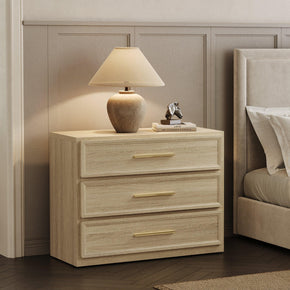
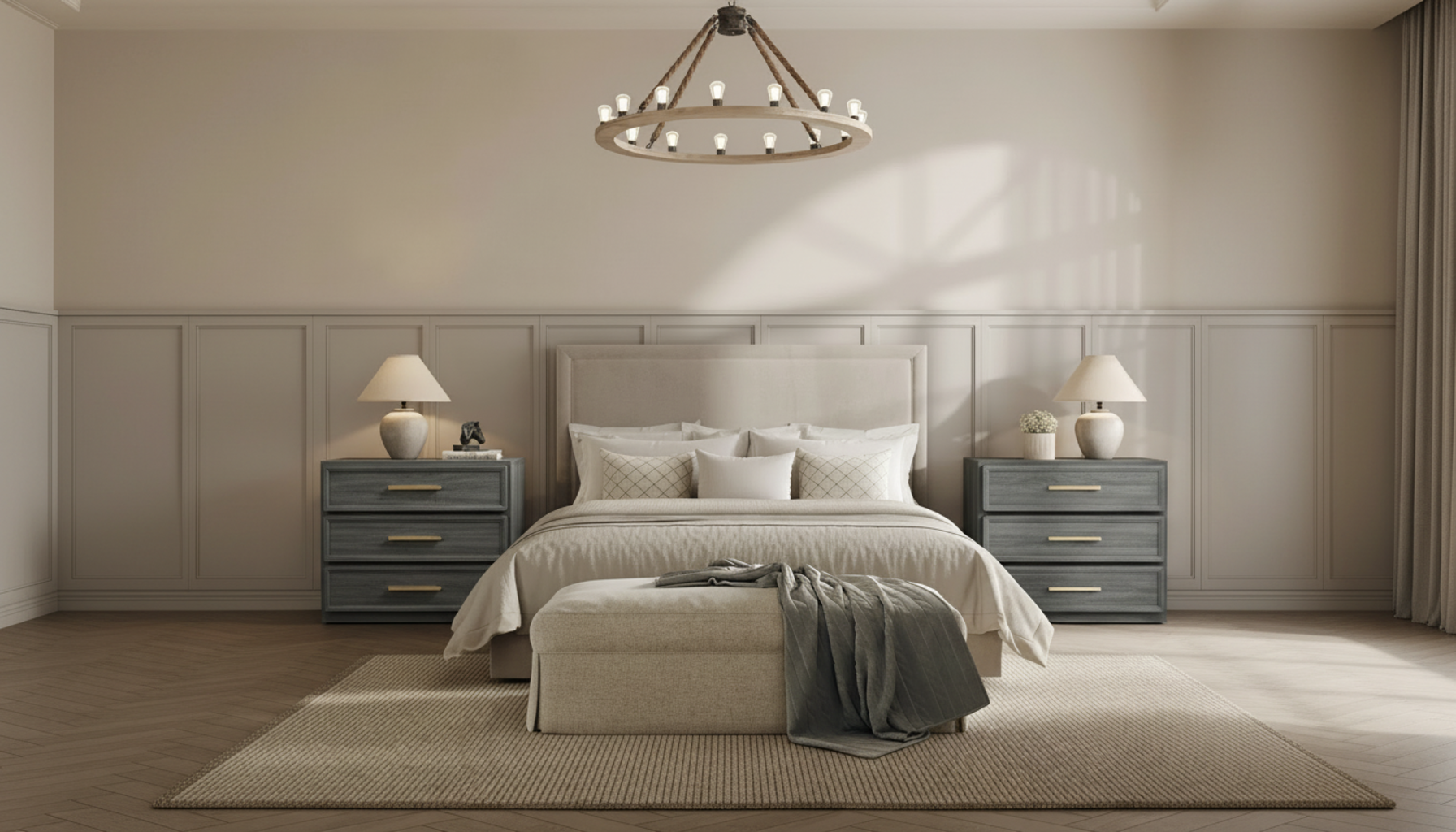
The Crescent Nightstand, 3 Drawers gets this right — three smooth-glide drawers, a wide flat surface, and a clean silhouette that sits comfortably on both sides of a bed without drawing too much attention to itself.
Bedside Table vs Nightstand vs Smart Nightstand
Quick reference for when listings use these terms differently:
|
Term |
Storage Included? |
What It Means in Practice |
|
Bedside Table |
Not always |
Any small table placed beside a bed, stool, shelf, or full unit |
|
Nightstand |
Yes — drawers or shelf |
Storage piece specifically designed for bedside use |
|
Smart Nightstand |
Yes — drawers plus tech |
Built-in charging, LED lighting, or a wireless pad on top of standard storage |
Bottom line: if a listing says "charging station," you're looking at a smart nightstand regardless of what it's called.
How to Actually Pick the Right One
Vague advice is useless here. Let's be specific.

Start with Charging — Not Aesthetics
List the devices that actually get charged at your bedside. Right now. One phone? Basic USB-C is enough. Two people, multiple devices each, and a lamp also plugged in? You need at least two USB ports and an AC outlet per side. Build from that list rather than from what looks good in a photo.
Wireless charging is worth paying extra for if all three of these apply: your phone is Qi-compatible, your case is standard thickness (under 5mm), and you primarily charge overnight rather than in short bursts. If fewer than all three apply, the USB-C port is more reliable for your actual situation.
Pick the Finish for the Room It Goes In

Smart nightstands come in every finish — matte black, warm oak, glossy white, natural rattan, lacquered colors. The electronics inside don't dictate the look. A rattan-panel nightstand can have USB-C built in just as easily as a glossy black one.
Pick based on what's already in the room. Warm wood tones and natural materials fit boho and organic modern setups—Matte black and high-gloss fit contemporary and minimalist rooms. The nightstand should support the room, not compete with it. That sounds obvious until you see someone with a sleek, glossy tech-looking nightstand in a warm farmhouse bedroom and wonder what happened.
If you need the nightstand to look proportional beside a queen or king bed, the Helio Nightstands Set of 2 handles that well — 26 inches of surface on each side gives larger beds the visual weight they need from the nightstands flanking them.
On Lighting: Decide Before Buying, Not After
Here's something most guides skip: some LED systems are genuinely annoying to use in a real bedroom, despite looking great in product photos shot in dark rooms. A panel that defaults to bright white, or requires multiple presses to reach anything approaching dim, is worse than no built-in lighting.
Before buying a specific model, read reviews that specifically mention the LED. What to look for: stepless dimming rather than a toggle, a warm mode as the default or easily accessible option, and controls that are reachable and responsive in low light. If the reviews mention fumbling with the lighting controls at night, take that seriously.
For anyone who gets up regularly at night, motion-sensor activation solves all of this. No controls needed at all.
Measure These Three Things Before You Order Anything

Bed height. Floor to top of mattress. Your nightstand should sit within 2-3 inches of that number in total height. A nightstand that's 4 inches shorter than your mattress level is uncomfortable to use every single night. Many product listings don't specify compatible mattress heights. Measure yours and compare it to the nightstand's listed height.
Floor width beside the bed and drawer clearance. An 18-inch-deep drawer placed 12 inches from a wall won't open fully. Measure the gap between where the nightstand sits and the nearest wall or obstacle before ordering. This catches people more than they expect.
Distance to the wall outlet. Smart nightstands need AC power. The cord runs from the nightstand base to the wall — it doesn't disappear. Check where the nearest outlet is and whether the included cord is long enough to reach it comfortably. Many included cords are 3-4 feet long. Some bedroom layouts need 6-7 feet. This is information worth having before the nightstand is assembled and in place.
What to Look for in Reviews

Skip the aesthetic feedback. Look specifically for: whether drawers align properly straight out of the box, how long assembly takes, whether the instructions are clear, and whether the USB ports and LED still work consistently at the 6-month and 12-month marks. Smart furniture has more electronic failure points than plain furniture. Reliability at month 10 matters more than how it looks in week one.
For a wide range of bedroom nightstands with real charging setups and solid storage, the modern bedroom nightstands collection at Sicotas includes coordinated sets and individual pieces built for everyday use.
Why Smart Nightstands Cost More Than Plain Ones

The Electronics Are Real Manufacturing Costs
USB ports, wireless charging circuitry, LED systems, touch sensors, motion detectors — each one is a component with a real production cost. It needs to be integrated into the furniture during manufacturing, wired safely, and tested before shipping. A plain wooden nightstand has none of that overhead. The price difference reflects something real.
Build Quality Varies a Lot More Than You'd Think
There's a meaningful difference between a budget smart nightstand and a well-built one — and it's not just brand markup. The cheap end tends to have plastic partial-extension drawer slides that wobble after 8 months, LED panels that start flickering within a year, and wireless pads that charge inconsistently unless the phone is placed precisely in the center every time.
Better models have full-extension wooden slides, stable electrical components with proper protective circuitry, and finishes that withstand daily contact. You can usually feel the difference when you open a drawer — whether it glides cleanly or catches and wobbles when you pull it halfway out.
Warranty Coverage Matters Differently Here
If a plain nightstand's drawer starts sticking after two years, that's annoying. If a smart nightstand's USB ports stop working at month 9, that's the main thing you bought it for.
Look for warranty terms that explicitly cover the electrical components, not just the structural parts. Some warranties cover the wood but not the electronics. That's not useful coverage for a product whose primary value proposition is built-in charging. At minimum: 12 months of coverage that includes the charging and lighting systems.
Styling Your Smart Nightstand for the Room You Have

For a Minimal Bedroom
One warm LED mode, surface with a glass, and whatever you're reading, nothing else. Matte finishes are better here than high-gloss — glossy surfaces show every fingerprint under the LED glow, and in a minimal room that reads as untidy fast. The light does the decorating work. Keep the rest out of the way.
When Storage Matters More Than Features
Three drawers, if the room fits. Prioritize drawer depth and slide quality over LED features. And here's a specific practical note: if you're ever choosing between an extra drawer and a wireless charging pad on a given model, take the drawer. You can charge your phone via USB-C the same night. You cannot manufacture drawer space after the nightstand is assembled.
In a Small Bedroom or Studio

Narrow footprint, taller profile. A slim nightstand with three drawers stacked vertically gives you more storage per square inch of floor space than a wide two-drawer unit. An open shelf on at least one level is useful for things you grab repeatedly — glasses, medication, earbuds — so the drawers stay organized instead of being opened and rummaged through 15 times a night.
As a Living Room Side Table
Lower profile. Finish that reads as living room furniture, not bedroom furniture. The USB-C port and the LED are both useful beside a sofa. The difference is purely visual — pick something that looks comfortable next to the furniture already in that room. Warm wood tones tend to work better here than high-gloss or overtly modern designs with visible LED strips.
What Stays on the Surface

Decide before setup. One tray to corral loose items. One drink. One reading item. The charging pad or the USB cable handles the phone — that stays off the surface or lives only on the wireless pad, not alongside three other things. Once you make that decision and hold it for a week, the surface stays clean practically on its own.
If you want to coordinate the nightstand with a full bedroom — dresser, wardrobe, the works — Sicotas bedroom furniture has a range of collections where the pieces are designed to work together rather than just being individually styled.
Safety and Maintenance

Power Draw — Check the Rating Before Plugging Everything In
Every unit has a maximum rated wattage. Plugging in multiple high-draw devices simultaneously — laptop charger, wireless pad, lamp — can exceed it. Units running over capacity run warm, and heat reduces component life over time. Check the product spec sheet before loading it up, and back off if anything starts running noticeably hot.
Keep Liquids Away from the Electrical Parts
A water glass on the surface is fine with a sealed top. What people don't think about: a skincare bottle that tips over regularly, a humidifier positioned too close, or a knocked-over glass that runs toward the back panel where the charging connections are. A small tray positioned away from the wireless pad and the rear panel, for anything that can spill, takes 30 seconds to set up and prevents a real problem.
Cleaning Based on the Actual Surface Material
Tempered glass and high-gloss laminate: damp microfiber, nothing abrasive. Matte wood veneer: dry with a clean cloth first; damp only when needed; never leave moisture sitting. Metal hardware: dry cloth to avoid water marks. Most engineered wood finishes are less moisture-resistant than they look — wipe spills immediately rather than letting them sit.
Check Ports and Panels Every Few Months
Two minutes. Look at the USB ports, wireless pad, and LED panel. Loose connections, inconsistent charging output, or a flickering LED panel are warranty situations — much easier to address at month 5 than at month 16 when coverage has expired. Build it into the same routine as changing a smoke detector battery: occasional, quick, worth doing.
Wireless Charging: Position and Cases
Center the phone on the pad. Off-center placement is the most common reason wireless charging feels unreliable. Cases with metal components or card holders block wireless charging. If charging isn't working, remove the case and test — if it works without the case, the case is the problem, full stop.
Mistakes Worth Avoiding Before You Buy
Letting the LED Color Options Drive the Decision
Product photos for smart nightstands are almost always taken in dark rooms to make the LED look as dramatic as possible. Your bedroom is not a dark room set up for photography. A 24-color RGB panel that looks stunning in photos looks very different at 11 p.m. when you're lying in bed trying to sleep. Decide which one mode you'd actually use on a normal night. Make sure that the specific mode works well on the model you're considering. Everything else on the color wheel is a bonus.
Not Checking Bed Height
The most avoidable mistake, and probably the most common. Measure from the floor to the top of the mattress before ordering anything. A nightstand that sits 4 inches shorter than your mattress level is uncomfortable to use every single night. Many listings don't publish compatible mattress heights. When the product height is listed, compare it directly to your mattress-top measurement and make sure they're within about 2-3 inches of each other.
Forgetting About the Cord Situation
Smart nightstands still have a cord. It runs from the unit to the wall outlet — it doesn't disappear, it just gets shorter and more intentional. Check where your nearest outlet is, whether it's accessible from where the nightstand will sit, and whether the included cord is long enough to reach it. Many of the included cords are 3-4 feet long. Some bedroom layouts need 6-7. This is worth knowing before the unit is assembled and in position.
Choosing Too Many Features You Won't Actually Use
Fingerprint lock, Bluetooth speakers, app control, 24-color RGB. All legitimate features for some buyers. Worth nothing for most. Before paying extra for any of them, picture yourself actually using it, on a regular night when you're tired. If you can't picture a specific scenario where it helps — skip it.
Not Reading the Warranty Terms Properly
Read the fine print. The question is: does the warranty specifically cover the electrical components, and for how long? Some warranties cover structural damage but exclude the electronics. That's not useful coverage for a product whose main value is built-in charging. A nightstand with a 12-month warranty that covers everything is better than a slightly cheaper one with 2-year coverage that excludes the USB ports and LED.
FAQs
What are the benefits of a smart nightstand?
It handles charging, lighting, and storage in a single piece of furniture. Built-in ports mean the surface stays clear of cables. The LED replaces a separate lamp. The drawers organize everything you actually keep bedside. The net result is a cleaner, more functional setup that requires less daily effort to maintain than having a nightstand, a lamp, and a charging solution as three separate items.
What are the benefits of a nightstand?
A nightstand keeps bedside essentials within reach — phone, book, glasses, water, medication — so they don't end up on the floor or on top of the mattress. It adds visual balance beside the bed and provides a surface for lighting and small items. A nightstand with drawers provides concealed storage, keeping the surface clean. For the amount of floor space it uses, it carries a lot of functional weight in most bedrooms.
What makes a good nightstand?
Height comes first — within about 2-3 inches of your mattress top. After that: drawers that glide smoothly and hold their alignment after months of daily use, materials that hold up to regular contact, and a finish that cleans easily. For a smart nightstand specifically, those requirements plus reliable electrical specs, clear wattage information for charging ports, and a warranty that covers both the electronics and the structure.
Why are nightstands so expensive?
Material quality and hardware precision drive most of the price gap between budget and premium models. Full-extension wooden drawer slides cost more than plastic partial-extension ones. Solid joinery costs more than glued-together edges. Smart nightstands add electronic component costs on top of the furniture base — charging circuitry, LED systems, wireless pads. A $90 model and a $200 model look nearly identical in photos. After 12 months of daily use, the difference is usually apparent.
What is the difference between a bedside table and a nightstand?
A bedside table is a broad term that covers any small table beside a bed, with or without storage. Nightstand implies dedicated storage — drawers, a shelf, or a cabinet. A smart nightstand adds built-in technology to that storage base. In practice, product listings use these interchangeably. Focus on the feature list rather than the product name.
What is the 2/3 rule for furniture?
It's a principle of interior design: furniture and decor tend to look balanced when sized at roughly two-thirds of the adjacent piece. A nightstand at about two-thirds of your headboard height, or wall art spanning about two-thirds the width of the furniture below it, reads as proportional rather than too small or out of scale. It's a useful starting point. In practice, your own visual judgment usually catches when something is noticeably off before any formula would.
What do people use nightstands for?
Charging devices overnight. Holding a lamp or providing a light source, keeping a book, and storing glasses, medication, TV remotes, earbuds, and small personal items. Most people don't consciously catalog everything they keep beside their bed until they're trying to organize it. A smart nightstand covers the charging and lighting components, which removes two of the most common reasons bedside setups get cluttered and hard to maintain.
How can I tell if furniture is high quality?
Open and close the drawers several times. They should glide consistently without catching or wobbling, even when pulled open quickly. Check corners and seams for visible gaps or uneven finish lines. Pull on the hardware — knobs and drawer pulls should feel solid and stable, not loose or hollow. For smart nightstands specifically: look for clear wattage specifications on charging components, recognizable safety certifications, and warranty terms that cover the electronics. If the seller can't or won't tell you the USB port amperage or wireless pad wattage, that's a reasonable red flag.
Final Thoughts

Here's what I'd actually do if I were buying one right now.
Write down everything currently on and in the nightstand — honestly, not aspirationally. Then pick a model with enough drawer space for that stuff, a charging setup that matches the devices you actually own, and a finish that fits the room. Those three decisions cover 95% of what matters.
The LED color count and the wireless wattage are things you'll stop thinking about within two weeks. The drawer quality and the charging reliability are things you'll notice every single day for as long as you own it. Get those right first. The rest is secondary.
And the goal, when you get there, is a nightstand you stop noticing. It charges the phone. The light comes on when you need it. The drawers hold everything. You move on with your life. That's exactly what a good, smart nightstand is supposed to do.
Sources
[1] GlobeNewswire — "Smart Furniture Market Size, Share & Trends Analysis Report 2025-2030"
Used for market growth and smart furniture residential demand context in the introduction and buyer benefits sections.
[2] Wireless Power Consortium — "Qi Wireless Charging Standard & Safety Certification"
https://www.wirelesspowerconsortium.com/
Used for Qi compatibility guidance, case thickness limits, wireless charging safety notes, and overcharge protection details throughout the features section.
[3] Living Spaces — "Smart Nightstands: Three Features to Look For"
Used for USB port, AC outlet, lamp assist, and media cable cutout feature context in the features and cable management sections.
[4] GlobeNewswire — "Bedroom Furniture Market Size, Share & Trends Analysis Report 2025-2033"
Used for the bedroom furniture demand context and multifunctional furniture trend data referenced in the buyer benefits and price sections.
[5] Architectural Digest — "The Best Online Furniture Stores To Really Set Your Home’s Tone"
https://www.architecturaldigest.com/story/best-online-furniture-stores
Used for bedroom furniture proportions, the 2/3 sizing rule in the FAQ, and material durability guidance in the buying and styling sections.


Looking for something else?

How to Arrange Outdoor Furniture for Better Flow and Conversation
LEARN MORE
What Is Faux Leather Made Of? Materials, Types, and Care
LEARN MORE
Can Any Mattress Work With an Adjustable Bed?
LEARN MORE
California King Bed Size: Complete Dimensions, Chart & Buying Guide
LEARN MORELooking for something else?

How to Steam Clean a Couch at Home Without Wrecking It
LEARN MORE
Best Vase for Tulips: A Florist's Honest Guide to Shape, Height, and Styling
LEARN MORE
41 Small Outdoor Living Spaces Ideas to Transform Even the Tiniest Patio
LEARN MORE


Further reading
Sectional Sofas for Open Concept Living Rooms: Layout Rules That Work

21 Contemporary Interior Design Ideas to Transform Your Home in 2026


