

























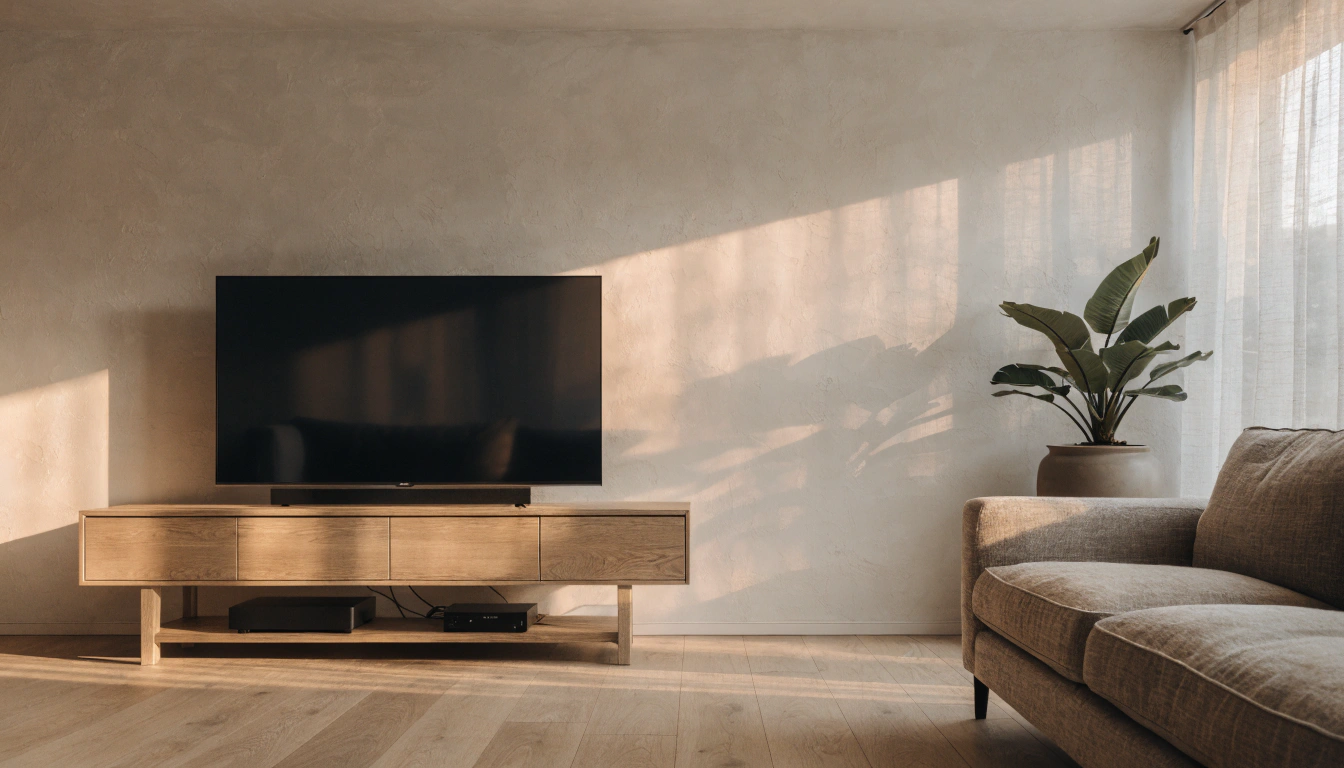

How to Mount a TV to a Stand: A Simple, Safe Step-by-Step Guide
Learning how to mount a TV on a stand is simpler than most people expect. No drilling into the wall, no pro needed. Most flat-screen TVs do one of two things. They sit on a stand on their own feet, or they bolt to a built-in bracket via the VESA holes on the back. Either way, you are looking at about 15 minutes, a screwdriver, and a friend to help lift. The part people skip is safety. A loaded TV can pull a light stand over, and tip-overs of furniture and TVs put thousands of kids in the ER each year, warns the U.S. Consumer Product Safety Commission. Below, you'll find every step, plus guidance on choosing a stand that actually fits.
Can You Mount a TV on a TV Stand?

Yes, and loads of people set up their TV this way. A good stand is made for the job. Whether it's a slim LED screen or a heavier smart TV, there is a stand rated to hold it safely. You get two routes. A few come with a built-in mounting bracket or back panel, so you get that wall-mounted look without drilling a single hole. The rest stick with the plain tabletop setup, where the TV just sits on the surface on its own feet. Both work fine. What decides it is your stand, your screen size, and how high you want the screen to sit.
How to Choose the Right TV Stand

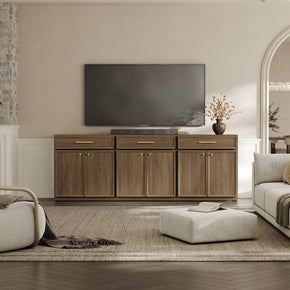
Before you mount a thing, measure the stand against your TV. Two minutes now beats a wobbly setup later. Four things matter most, and it helps to line up a few options side by side, like a modern media console range, before you pick one.
Size and Width

Keep the stand wider than the TV. The TV should never hang over the edges. A few inches of space on each side is all you want. Then it sits steady and looks neat instead of stuffed into something too small. I get asked this one all the time. Can a 50-inch TV sit on a 40-inch stand? It can't. The base is just too small so that the TV can topple. Go with a stand as wide as your screen. Or pick a bigger one. And if you want a low, clean look, alow-profile black TV stand provides a wide, stable base.
Weight Capacity
Check the stand's weight rating against your TV. Screens are sneakily heavy now. A large 4K TV can weigh over 100 pounds, including the base, so the stand has to supportit without sagging or leaning.
Storage Needs

List out what lives near your TV. Game consoles, a soundbar, streaming boxes, remotes, cables. Each one wants a spot. Pick a stand with drawers, shelves, or cabinets, and that gear disappears from view. A two-door media console swallows the mess and keeps the top clear for your screen.
VESA Compatibility

Got a stand with a built-in mount? It needs to match your TV's VESA pattern. VESA is just the standard spacing of the four mounting holes on the back of the TV, measured in millimeters across and down. Find the number in your TV manual or measure the hole-to-holedistance yourself. Match the bracket to that pattern, and pair the two slots.
How to Mount a TV on a Stand: Step by Step

This covers both setups, the tabletop placement and the bracket mount. Read your TV and stand manuals first, then follow along.
- Unpack and inspect. Pull the TV from the box onto a soft, clean surface, then check the screen and frame for any shipping damage before you go further.
- Set out your tools before you start so nothing stalls mid-job:
- A screwdriver or power drill
- The brackets and screws from the stand box
- A tape measure
- A level
- A second pair of hands for lifting
- Pick your placement. Decide how the screen will sit before you touch a screw. A tabletop rest sets the TV on the surface, which suits renters or anyone who wants a fast, no-drill setup. A bracket mount attaches it to the stand panel or wall, clearing the top and hiding the feet. For a tabletop rest, clear the surface and wipe it, fit the TV feet, and lift it from the base so it sits centered and level. For a bracket mount, find the studs or confirm the panel post is bolted tight, then match the VESA spacing and weight rating before anything goes up.
- Attach the bracket to the TV. Going the bracket route? Set the TV face down on a towel, then drive the mounting arms into the VESA holes on the back. Stick to the screws meant for your TV, or the threads pay for it.
- Connect your cables. Plug in the power, HDMI, and the soundbar before you push everything back. Reaching the ports now beats wrestling them with the TV pinned in place.
- Tidy the cords. Feed the cables through the stand's cable channels or clips. Less clutter and nothing left to snag.
- Test it. Give the screen a nudge to check for wobble, power it on, and click through your inputs to confirm everything fires up. For homes with kids or pets, add an anti-tip strap from the TV's upper back to the wall.
How to Secure a TV to a Stand So It Cannot Tip

Most guides breeze right past this one. But it matters, especially with kids or pets in the house. A TV sitting on its feet can still get yanked or knocked to the floor. And the fix costs barely a thing and takes a few minutes, tops.
Your best move is an anti-tip strap. One end on the TV, the other on the stand. Got a heavy set? Add an anchor kit to tie the stand to a wall stud. Anti-tip straps run a few dollars and stop the exact kind of tip-over that sends a TV crashing down.
The CPSC says it flat out: a TV off the wall still needs anchoring. And Consumer Reports adds one more: never set a TV on a dresser. Kids climb the open drawers like a ladder and bring the whole thing down on themselves.
So push the TV back as far as it'll go on the stand, keep the cords out of reach, and the setup will hold firm.
Is It Better to Mount a TV on a Wall or a Stand?

Each option wins in its own way, so your room and your situation make the call. A stand is the pick if you rent, move a lot, or just hate drilling. Flexible, fast, with storage built in for your media gear. Lean toward a wall mount if you want the floor space back, the base hidden, or the screen locked at one exact height.
Picture a family with young kids. A wall mount lifts the screen and cables out of reach, and there is no top-heavy unit for a toddler to pull on. Pair it with a low console below, anchored with an anti-tip strap, and you get storage for consoles and remotes without a tippy tower in the room. Now picture someone who moves every year or two for work. A stand wins there without much contest. Nothing to patch, no studs to hunt for in the next place, and the whole setup packs down and travels with you.
Plenty of people meet in the middle, with a floating or low console under a wall-mounted TV. That gives you the clean wall look plus storage below. If a flexible, grow-with-you setup sounds right, browse amodular furniture lineup you can reshape as your room changes.
Common TV Mounting Mistakes to Avoid
A few small slip-ups cause most of the grief. Avoid them, and your setup looks sharper and lasts longer.
- A stand narrower than the screen. The TV sits tippy and unsteady.
- No anchor on the TV or the stand. This is the single biggest safety miss in homes with children.
- No weight check. You end up piling a big set onto a stand built for a smaller one.
- Wrong screws in the VESA holes. They strip the threads or shake loose over time.
- Cables left to dangle. Messy to look at, and easy for little hands to grab.
- The screen is mounted too high. Your head tips back instead of facing straight ahead.
What Height Should a TV on a Stand Be?

Comfort comes down to eye level. Sink into your sofa, and the middle of the screen should land about where your eyes rest on their own. For most living rooms, that is about 42 inches off the floor. Set the center much higher, and your head tips back, and movie night turns into a neck workout. Measure your seated eye height, then pick a stand that brings the middle of the screen close to it. For a coordinated look, a cabinet-style TV console pairs the right height with closed storage.
Final Takeaway

Setting a TV on a stand is a quick job, even on your first try. Get a stand wider than your screen and rated for the weight it supports. Bolt the bracket to the VESA holes, or rest the TV on its feet. Plug in the cables; tuck the cords away. Then comes the step that really counts: strap the TV down with an anti-tip kit, and if you can, anchor the stand to the wall. That keeps your screen safe and steady for years. Still shopping for the right piece? Amodular TV stand built for safe, stable TV setups makes a flexible home for almost any TV.
FAQs
Can you mount a TV on a stand?
Yes. Two ways. Stand it upright, or bolt it to a built-in bracket through the VESA holes on the back. Either is fine once the stand is rated for your TV's size and weight.
How do you secure a TV to a stand?
A few quick ways to lock it down:
- Bolt the TV to the stand's bracket with the screws that came in the box.
- On a tabletop setup, run an anti-tip strap or cable kit from the TV to the stand.
- Push the screen back as far as it will go, which lowers the risk of the tip.
How do you attach a stand to a TV?
Face the TV down on something soft. Line the stand's legs or bracket up with the holes on the back, then snug the screws from the box. Wobble-test it before you stand it upright.
Can all TVs be put on a stand?
Nearly everyone. Most flat-screens take tabletop or bracket mounting. Just match the stand to your TV's width, weight, and VESA pattern first.
Is it safe to put a TV on a stand?
It is when the stand is sturdy, sized right, and the TV is anchored. The CPSC recommends anchoring even non-wall-mounted TVs. And skip the dresser, since kids can climb it.
Is it better to hang a TV on a wall or a stand?
It depends on what you want most:
- A stand is best for renters, easy moves, and built-in storage.
- A wall mount is best for saving floor space and setting one exact height.
- Many people do both, tucking a console under a wall-mounted screen.
Can I put a 50-inch TV on a 40-inch stand?
Not a good idea. The stand should be at least as wide as the TV, and a few inches wider on each side is even better. A 40-inch stand under a 50-inch TV leaves the screen hanging over the edges and unsteady, which pushes up the tip-over risk.
Sources
- U.S. Consumer Product Safety Commission – Anchor It! Tip-Over Prevention
- Consumer Reports – TV Tip-Overs Put Children in Danger
- CPSC Newsroom – How to Anchor It and Protect Children
- Consumer Reports – Best Furniture Anchor Kits
- VESA – Display Mounting Interface Standard
- CPSC – Tip-Over Prevention Research
- Cleveland Clinic – Best TV Height and Posture


Looking for something else?

Burl Wood Furniture: The Complete Buying Guide
LEARN MORE
What Is a Hope Chest? Meaning, History, and Modern Uses
LEARN MORE
What Is a Foyer? Meaning, Purpose and Design Guide
LEARN MORE
GREENGUARD Gold Certified Furniture: What It Really Means for Your Home
LEARN MORELooking for something else?

How to Clean a Mirror Without Streaks: Simple Step-by-Step Guide
LEARN MORE
21 Above-Bed Decor Ideas for a Stylish Bedroom Wall
LEARN MORE
Furniture Materials Guide: Picking the Right Material Room by Room
LEARN MORE


Further reading

18 Decorative Storage Box Ideas That Hide Clutter Well

How to Store Comforters Without Losing Space or Loft


