



















What Size TV Stand for a 65 Inch TV? Width, Height, and Fit Made Simple
Most people get tripped up on which stand size to use for a 65-inch TV because they take the number on the box at face value. The thing is, that 65 inches is the diagonal measurement, corner to corner, not the actual width you need to plan around. A 65-inch TV is usually about 57 inches wide, not 65. So the stand you want runs roughly 60 to 72 inches wide. That fits the screen fully and leaves a little room on each side. Width is just the start, though. Height, depth, weight rating, and tip-over safety all decide whether the setup looks right and stays put. This guide covers all of it, quickly.
Quick Answer: Best TV Stand Size for a 65-Inch TV

Need it in one line? 60 inches is about as low as you'd want to go. Stretch to 63 or 72 and the stand both looks better and holds steadier. Got a wide wall or a soundbar to work in? Then 72 inches and up is the smarter call.
- Minimum width: 60 inches, works only when the base sits fully on top and the room's on the small side
- Best all-around: 63 to 72 inches, where most living rooms land
- Premium look: 72 inches and up, for big rooms and media walls
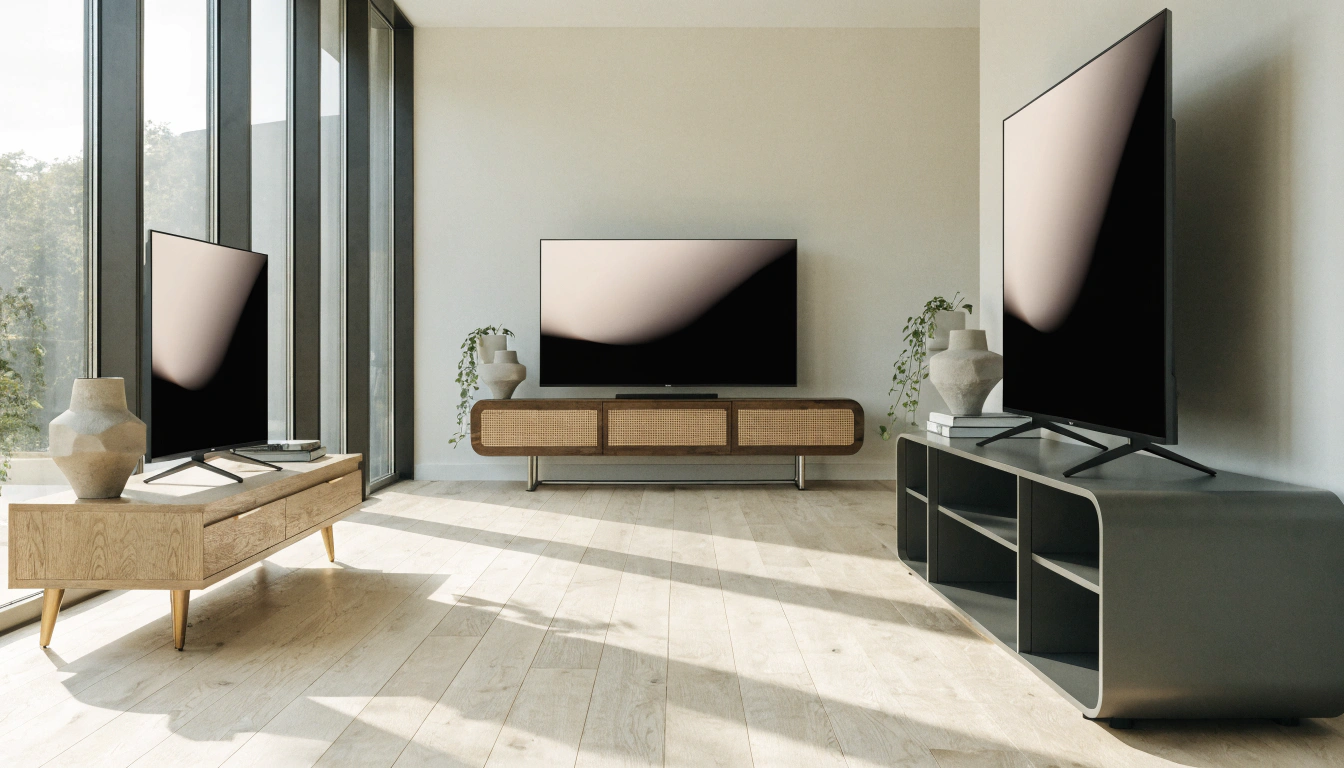
Curious how each width reads before you buy? Take a scroll through the Sicotasmodern TV stands and media consoles. Seen side by side at full size, the proportions are a lot easier to picture in your own room.
Why a 65-Inch TV Is Not Actually 65 Inches Wide

This catches almost everyone. The label gives you a diagonal measurement, not a width. Trust it for stand math, and you'll buy the wrong size.
TV Size Is Measured Diagonally
That “65 inches” runs corner to corner across the screen. It tells you how much screen you get. It says nothing about how much shelf space the TV actually needs.
Actual Width of a 65-Inch TV
Pull up the spec sheet, and you'll see most 65-inch TVs land between 56 and 58 inches wide. Put a Samsung and an LG of the same class next to each other, and they'll come out within an inch; bezels are so thin now that there's barely anything to separate them. Worth a quick check on your own model anyway. Bob Vila's TV size chart and viewing guide confirm the common dimensions in a few seconds.
Why Actual Width Matters for Stands
Stands get measured straight across, side to side. So the real screen width, about 57 inches, is the number that should drive your pick. Build off that. Ignore the diagonal.
TV Stand Size Chart for a 65-Inch TV

Use this quick reference. It runs a 65-inch TV, plus a few sizes on either side, so that you can check your own setup against it.
|
TV Size (Diagonal) |
Approx. TV Width |
Minimum Stand Width |
Ideal Stand Width |
Best Room Type |
|
55 inch |
~48 in |
54 in |
58-65 in |
Apartment, bedroom |
|
60 inch |
~52 in |
58 in |
60-68 in |
Standard living room |
|
65 inch |
~57 in |
60 in |
63-72 in |
Standard living room |
|
70 inch |
~61 in |
66 in |
70-78 in |
Large living room |
|
75 inch |
~66 in |
72 in |
76-84 in |
Media wall, large room |
Rule of thumb: an extra 2 to 6 inches of stand on each side of the TV. Do the math on a 65-inch screen, and you land in the 63 to 72-inch range.
How Wide Should a TV Stand Be for a 65-Inch TV?

Width is where looks and safety meet. Too narrow, and the screen looks top-heavy. Too wide and it eats up a small room. Here's how to hit the middle.
The 2 to 6 Inch Rule
Aim for a stand that runs 3 to 5 inches past the TV on each side. That little bit of overhang is what stops the screen from looking perched on a pedestal. Bonus: it leaves space for speakers and a few decor pieces.
When a 60-Inch Stand Works
A 60-inch stand holds up fine in a tight room. The TV's feet have to sit fully on top, and the overhang stays small. Snug, sure. But safe, as long as the base fits.
When a 70 to 72-Inch Stand Looks Better

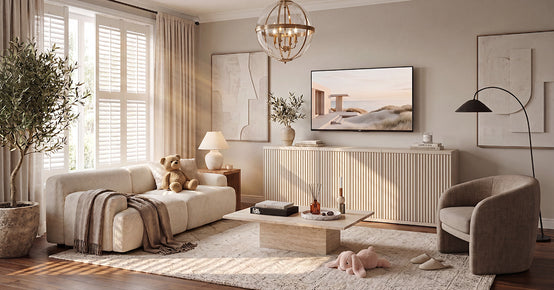
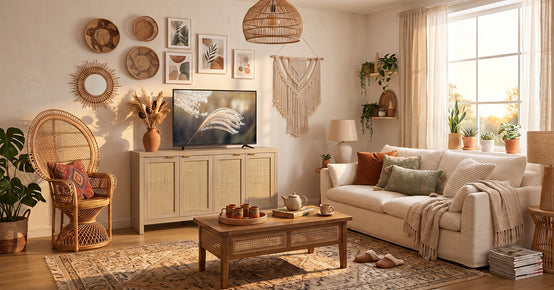
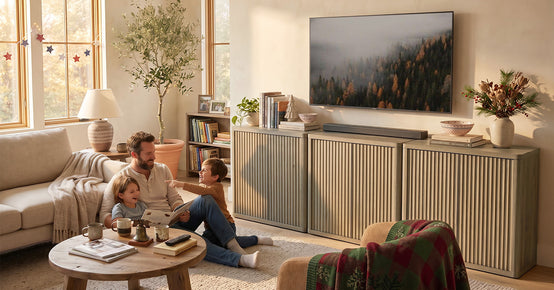
Wide wall? Soundbar? A deep sectional staring at the screen? Then size up. A 70 to 72-inch console anchors the TV and hands you a real surface to style. The Zura sectional TV console, at 65 inches, sits near the low edge of that range, so it's a sensible first stop.
Can a 65-Inch TV Fit on a 60-Inch Stand?

Yes, most of the time. At roughly 57 inches wide, a 65-inch TV drops onto a 60-inch stand, and the feet still clear. Balance is the catch, not fit, so that's the bit to weigh up.
When It Is Safe
It's fine when the feet or the center base sit fully on the surface. The screen pokes out by an inch or two per side, tops. Nothing dangles off the edge.
A 60-inch stand barely leaves room on either side. Throw in a soundbar, a couple of decor pieces, and it crowds up fast. The whole thing can read narrow, even a touch top-heavy.
Better Alternative
Got room to spare? Go up to a 63 to 70-inch stand. Footing's steadier, the proportions sit better, and you've finally got space to style the top without it feeling boxed in.
Will a 65-Inch TV Fit on a 55, 50, 48, or 40-Inch Stand?
Short version: the further you drop below 60 inches, the less stable and balanced the setup gets. Here's a practical breakdown of each one.
65-Inch TV on a 55-Inch Stand
Might fit if the TV's got a narrow center base. The screen still runs wider than the stand, though, so it tends to sit off-balance. Doable, not great.
65-Inch TV on a 50-Inch Stand
With the TV on top, no. Where it works is wall-mounted, and a stand is tucked underneath as a console.
65-Inch TV on a 48-Inch Stand
Too narrow for most 65-inch sets. You'll get a few inches of screen hanging past each edge, and it both looks off and feels shaky.
65-Inch TV on a 40-Inch Stand
Skip it, at least with the set sitting on top. The screen overhangs by a wide margin and the base is too narrow to hold it steady.
Safety note: per the U.S. Consumer Product Safety Commission, TVs should be mounted on furniture designed to support them, with the unit strapped to the wall. The wider and sturdier the base, the smaller the tip-over risk.
How Big of a Base Do You Need for a 65-Inch TV?

Screen width is one number. The TV's feet are another. The base has to land fully on the surface, or the whole setup wobbles.
Center Base vs Two-Leg Base
A center pedestal needs less surface width. Two wide feet need a longer stand, since they often sit close to the screen's outer edges. Find out which one your TV has before you shop.
Check the Manufacturer's Base Width
Measure foot to foot, or grab the number off the spec sheet. That figure, plus a couple of inches on each side, is your true minimum stand width. Not the screen size. The base.
Leave Extra Surface Space

Give the base a few spare inches all around. Feels sturdier that way, and you've got somewhere to park a remote tray or a small plant. TheSavanna media console with adjustable shelves runs adjustable shelves and takes anything from a 45- to 75-inch TV, so a 65-inch set leaves plenty of room to spare.
Best TV Stand Height for a 65-Inch TV

Width grabs all the attention. Height is what saves your neck. Get it wrong, and you'll feel it halfway through a movie.
Eye-Level Viewing Rule
The center of the screen should land near your seated eye level. For most people that's somewhere around 40 to 42 inches from the floor to the middle of the screen. Bob Vila'sguide to how high to mount a TV walks through the simple math behind that number.
Ideal Stand Height Range
A stand 20 to 30 inches tall covers most 65-inch setups. Your exact spot in that window hangs on sofa height and on whether the TV rests on the stand or hangs above it.
When to Choose a Lower Stand
Big screen, low sofa, close seating? Go shorter. Drop to a low-profile stand, and the screen's center stays at eye level, so you're not craning your head the whole movie.
Best TV Stand Depth for a 65-Inch TV.

Depth pulls double duty. It holds the TV's feet and stores your gear. Both matter more than buyers expect.
Standard Depth Range
Roughly 15 to 20 inches deep is suitable for most 65-inch TV stands. At that depth, the feet get a solid landing, and the unit stays put.
Depth for TV Feet and Devices
The surface needs to carry the base plus a game console, cable box, router, or streaming stick. Open shelves help warm devices breathe instead of cooking behind a door.
Depth for Soundbars
Putting a soundbar in front of the screen? Measure its depth first. It should rest on the surface without crowding the TV's feet or cutting across the bottom edge of the picture.
Wall-Mounted 65-Inch TV vs a TV on the Stand

How you set things up changes the size you need. Here's the split.
If the TV Sits on the Stand
Width, depth, and weight rating all count. The surface must fully support the base, and the load rating must cover the TV's weight with room to spare.
If the TV Is Wall-Mounted
The console can run a bit smaller, since it isn't carrying the TV. Still keep it wide enough to anchor the screen. A tiny console under a big screen just looks awkward.
Best Stand Size for Wall-Mounted Setups

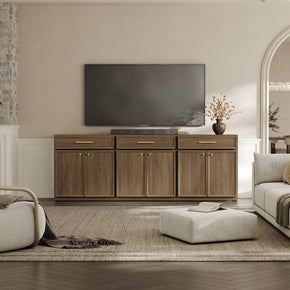
For a wall-mounted 65-inch TV, a console somewhere in the 60 to 72-inch range feels about right. Fills the gap under the screen and gives you storage. TheWillow TV stand lands at 61.3 inches, right in that band, so the whole thing reads clean and grounded.
What Size Wall Bracket Do You Need for a 65-Inch TV?

Mounting it on the wall instead of standing the TV on furniture? The bracket comes with its own checklist, and three numbers decide whether it fits.
Match the Bracket to Size and Weight
Get a bracket rated for 65-inch TVs and for your TV's real weight. Most 65-inch sets weigh between 55 and 80 pounds, so build in a comfortable cushion beyond that range.
Check the VESA Pattern
VESA is just the spacing between the four mounting holes on the back of the TV. On most 65-inch TVs, that comes out to a 400 × 400 mm pattern. Vogel's VESA guide shows you how to measure it when the manual is missing.
Fixed, Tilting, or Full-Motion
Fixed mounts sit flush and look tidy. Tilting mounts angle down, which helps above a fireplace. Then there are full-motion arms that swivel and pull out, the pick for off-center seating or a room you watch from a few different spots.
Storage Features to Look For in a 65-Inch TV Stand

In most living rooms, the stand quietly ends up doing the heavy lifting on clutter. Pick the right features and your cables and gear stay out of sight.
- Open shelves: best for consoles and boxes that run warm and need the airflow
- Closed cabinets: doors to hide remotes, chargers, old DVDs, and the daily mess
- Cable management: back cutouts and cord channels to route wires out of view
- Soundbar space: measure the bar first so you know it actually fits the surface or shelf
Want everything tucked away? TheAndy TV stand hides plenty of gear behind its four doors while keeping the front clean.
Best TV Stand Styles for a 65-Inch TV
Style is personal, no question, but it still has to suit the room. What follows are the main options, with a note on where each one tends to work best.
- Media console: the most common and most flexible pick for living rooms.
- Floating stand: wall-mounted and clean, perfect when floor space is tight.
- Entertainment center: big storage and a built-in feel for large rooms.
- Corner stand: a smart fix when the layout gives you no flat wall for the TV.
- Fireplace stand: cozy for bigger rooms; just check weight limits and heat clearance.
How to Pick the Right TV Stand Size, Step by Step
Run these six steps before you buy. Ten minutes with a tape measure helps avoid common sizing mistakes later.
- Measure the actual TV width, left edge to right edge, bezel included.
- Measure the TV base or feet, so you know what has to land on the surface.
- Tack on 2 to 6 inches per side to cover balance and safety.
- Sit down and measure your eye level to lock in the viewing height.
- Think through storage and cables: consoles, routers, speakers, cord access.
- Fit the stand to the room: wider on a big wall, slimmer in a small space.
Common Mistakes to Avoid When Buying a 65-Inch TV Stand
Most buyer regret traces back to a few small slip-ups. Steer clear of these, and you're most of the way there.
- Buying by diagonal size: the 65-inch number is not the TV's real width.
- Choosing a stand that is too narrow: the overhang looks bad and can be unsafe.
- Ignoring weight capacity: check the TV's weight and the stand's load rating.
- Forgetting devices and cables: a pretty stand turns frustrating fast with no storage or cord holes.
- Picking the wrong height: too tall and you'll have a sore neck after every show.
Best TV Stand Size Recommendations by Room
Room size changes the answer. Here's a quick match for three common spaces.
Small Apartment or Bedroom
Stick with a 60 to 65-inch stand. Keep the profile slim and the storage simple so the room stays open.
Standard Living Room

A 65 to 72-inch stand is the sweet spot here. You get safety, storage, and a good proportion all at once. For more setup ideas, the wider Sicotas living room furniture range shows how a console pairs with the rest of the room.
Large Living Room or Media Wall
Step up to a 72 to 84-inch stand or a full entertainment center. A wider base looks intentional and grounds a big screen on a long wall.
Final Takeaway
Back to the big question. What size stand for a 65-inch TV? The set itself is close to 57 inches wide, so give yourself a few inches past that on each side. Sixty inches is your floor. The 63 to 72-inch range is the smart middle. Anything 72 inches and up suits a big room. Height, depth, weight rating, storage, none of that gets a pass either, and once the stand's in place, strap it to the wall. Get all that right and the screen sits steady, the room looks balanced, and what you end up with is safe and easy to watch.
FAQs
What size TV stand will hold a 65-inch TV?
Around 60 inches is the practical floor for a 65-inch TV to sit safely. Get into the 63 to 72-inch range, though, and you pick up a more balanced look, plus side room for speakers or a bit of decor.
Will a 65 TV fit on a 48 stand?
Not really. The screen runs about 57 inches wide and the stand's only 48, so the TV hangs past both edges and looks unsteady. Your one real fix: mount it on the wall and use the 48-inch stand for storage underneath.
How big a base do you need for a 65-inch TV?
Measure foot to foot across the TV, or just read the pedestal width off the spec sheet. Then go a few inches past that, so the feet sit fully on the surface with margin to spare.
How do you pick a TV stand size?
A rough order that works:
- Start with the actual TV width, then add 2 to 6 inches per side
- Check the height so the screen lands near seated eye level
- Mind the depth, enough for the base and any devices
- Confirm the weight capacity holds your set
- Then match the whole thing to your room
Can you put a 65-inch TV on a 40-inch stand?
Not with the TV resting on top, no. The base sits well inside the screen's edges, the TV overhangs heavily, and that's a real tip-over risk. For tip-over safety the stand wants to be at least as wide as the TV, ideally a few inches wider each side. Stuck with a 40-inch console? Mount the TV on the wall instead.
Will a 65-inch TV fit on a 50-inch stand?
Sitting on top, usually too small, the screen's about 57 inches wide, and the stand can't keep up. Where a 50-inch stand does earn its place is as a console under a wall-mounted 65-inch TV.
What size wall bracket do I need for a 65-inch TV?
A few things to match up:
- A bracket rated for 65-inch TVs and for your set's weight, usually somewhere in the 55 to 80-pound range
- The VESA mounting pattern, often 400x400 mm
- Check both on the back of the TV or in the manual before you buy
Can a 65-inch TV fit on a 60-inch stand?
Yes, plenty of the time. The screen's only about 57 inches wide, so it fits fine. A 63 to 72-inch stand still looks a touch safer and more balanced, and leaves room for a soundbar.
Sources
- U.S. Consumer Product Safety Commission – Anchor It! Furniture and TV Tip-Over Safety
- Bob Vila – What Size TV Do I Need? TV Size Chart and Guide
- RTINGS – TV Size to Distance Calculator and the Science Behind It
- Inch Calculator – TV Size and Viewing Distance Calculator
- Vogel's – VESA Standards Explained: TV Mount Guide
- Bob Vila – How High to Mount Your TV on the Wall


Looking for something else?

Burl Wood Furniture: The Complete Buying Guide
LEARN MORE
What Is a Hope Chest? Meaning, History, and Modern Uses
LEARN MORE
What Is a Foyer? Meaning, Purpose and Design Guide
LEARN MORE
GREENGUARD Gold Certified Furniture: What It Really Means for Your Home
LEARN MORELooking for something else?

How to Clean a Mirror Without Streaks: Simple Step-by-Step Guide
LEARN MORE
21 Above-Bed Decor Ideas for a Stylish Bedroom Wall
LEARN MORE
Furniture Materials Guide: Picking the Right Material Room by Room
LEARN MORE


Further reading

18 Decorative Storage Box Ideas That Hide Clutter Well

How to Store Comforters Without Losing Space or Loft


